AI Old Photo Restoration
Restore precious memories with AI enhancement and colorization.

Remove unwanted objects, people, text or imperfections from a photo. The model fills the selected area based on its surroundings, so results can vary.

Use AI to remove watermarks, logos or other unwanted elements from an image. Only edit images you have permission to modify.

Remove watermarks from generated images using advanced AI inpainting technology.

Extend the edges of an image with AI-generated content designed to blend with the original.
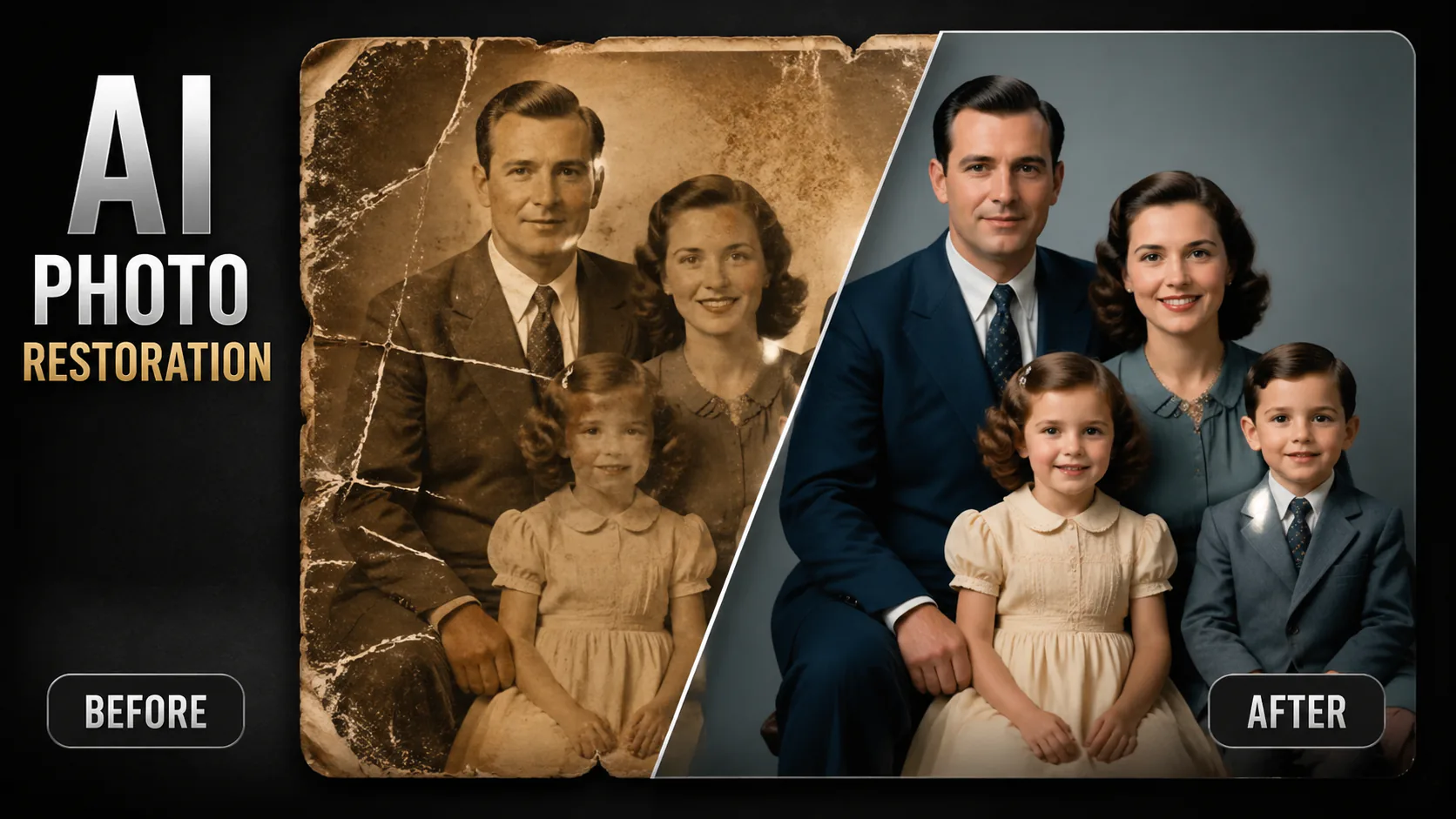
Use a supported model to work on an old photo: ask it to address visible damage, improve clarity or add colour to a black-and-white image. Results vary by image and model.
Choose a supported AI model and use a photo as a reference. What it can improve depends on the model, prompt and image; review the output for changes to faces, colours and details.

Ask the selected model to address visible scratches, folds or stains. Results depend on the photo, and reconstructed areas may differ from the original.
You can ask the selected model to improve facial clarity, but it may change or invent details, especially in blurry or damaged areas.
Ask the selected model to add colour to a black-and-white photo. Colours are an interpretation and may not reflect the original scene.
A model may help with scratches, tears, fading, discolouration, water damage, noise, blur or missing areas. Results vary with the photo and selected model; reconstructed areas may not match the original details.
You can use a black-and-white or colour photo as input. Depending on the selected model and prompt, you can ask it to improve the image or add colour; results may vary.
You can ask the model to retain the photo's original composition and vintage look, but results vary and details or style may change.
Output resolution depends on the selected model and its available settings. For example, Nano Banana Pro offers 1K, 2K and 4K options; check the model settings before generating.
You can try a severely damaged photo, but results depend on the image and model. Missing or unclear details may be reconstructed inaccurately, and another attempt may produce a different result.
Generation time varies by model, image and service conditions. Check History for the result if generation takes longer than expected.
Reference images may be processed by the selected provider, and storage depends on the published account and storage policy. Review that policy before uploading sensitive photos.
Scanned prints, negatives and photos of printed photographs can be used as input, subject to the selected model's supported upload settings.

GPT Image 2 is an OpenAI image model for generating and editing images. It can render text in multiple languages and ...

Generate and edit images with Nano Banana Pro. Sign-in and account credits are required; review the displayed cost be...
Create videos from text prompts, animate an image or use video input in supported modes. Choose a generation mode and...

Create videos from text prompts or images with Sora 2. Choose from the available options, then review the displayed c...

ByteDance's AI video model combines text, images, video clips and audio in one prompt. Use its @-reference system to ...