
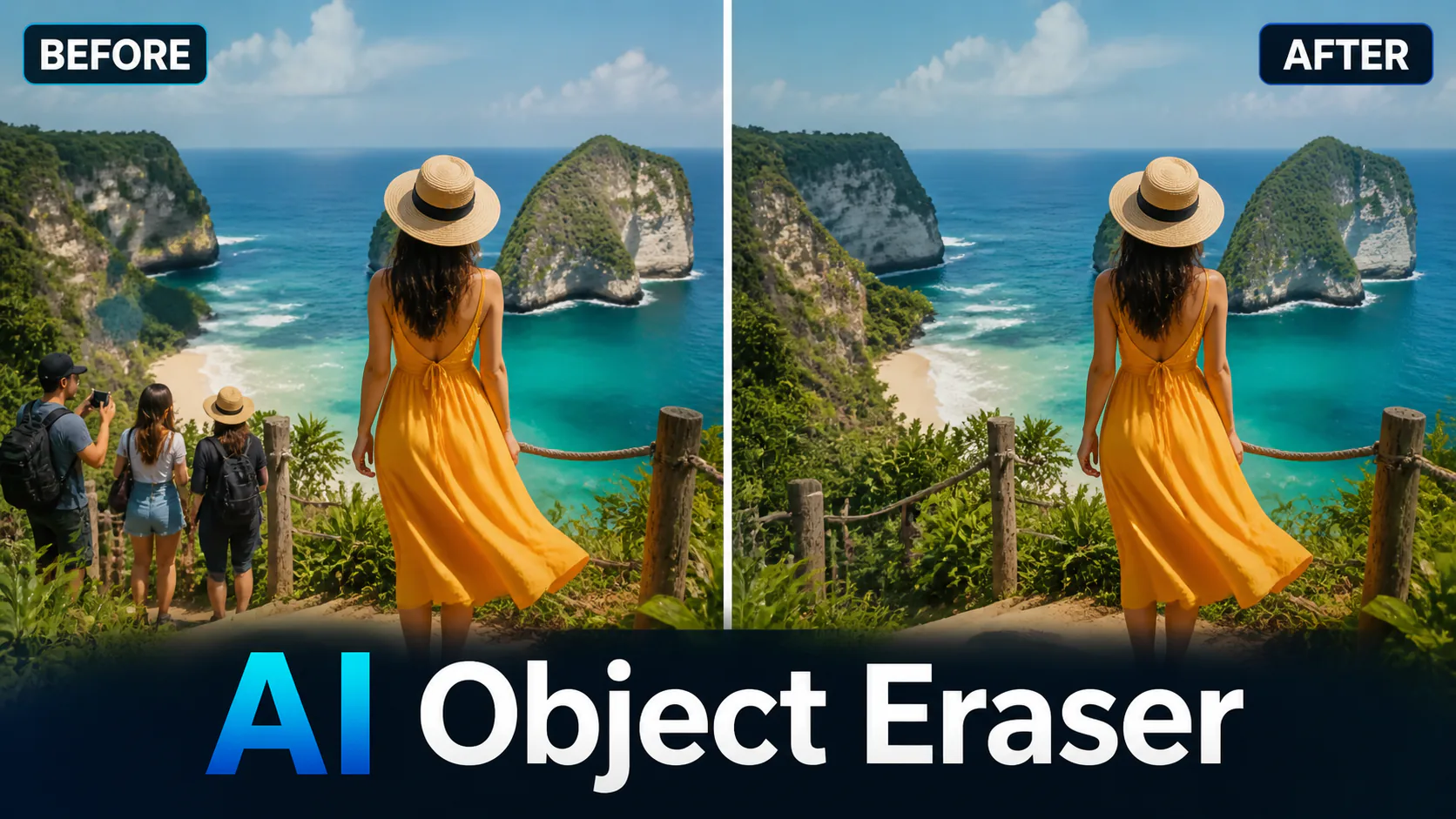
AI Object Eraser
Remove unwanted objects, people, text, and distractions from your photos with one click.
Related AI tools

Photo Restoration
Repair damaged, blurry, or aged photos with AI-powered deep learning technology.

Watermark Remover
Intelligently remove watermarks, logos, and unwanted objects from images.

Watermark Remover Pro
Remove watermarks from generated images using advanced AI inpainting technology.

AI Outpainting
Extend image boundaries with AI-generated content that seamlessly blends with the original.
Erase Anything Instantly with AI
Our AI Object Eraser uses advanced inpainting technology to intelligently remove unwanted elements from your photos. Unlike simple clone stamps, our AI understands the context and reconstructs the background naturally.
Why Choose Our Object Eraser?
Professional-grade AI removal that anyone can use. No Photoshop skills required.
How to Remove Objects from Photos?
Simple: 1. Upload your photo. 2. Describe what to remove. 3. AI erases it seamlessly. 4. Download the clean result.
Tips for Best Results
For best results, use clear, well-lit photos. The more context the AI has around the object, the better the fill will look. Complex patterns may require more specific descriptions.
FAQ
AI Models You May Like
 Image
ImageFireRed Image Edit
Open-source instruction-driven AI image editing model by Xiaohongshu FireRed team — 10 editing capabilities covering ...
 Image
ImageGPT Image 2
OpenAI's most advanced image generation model with native Thinking Mode, 95%+ text rendering accuracy, web search dur...
 Image
ImageNano Banana Pro
Nano Banana Pro (also known as Gemini 3 Pro Image ) is a free AI image generator by Google DeepMind that produces stu...
 Video
VideoVeo 3.1
Veo 3.1, released in October 2025 by Google DeepMind, delivers cinematic 1080p videos with native audio generation — ...
 Video
VideoSora 2
OpenAI's most advanced general video generation model — create high-quality videos from text prompts and images with ...
 Video
VideoSeedance 2.0
ByteDance's next-generation AI video model with the revolutionary @-reference system. Combine text, images, video cli...