Nano Banana ProNano Banana Pro
Home
ShowcasesPricing
Nano Banana Pro
Nano Banana ProNano Banana Pro

Nano Banana Pro is an AI image generation platform providing access to advanced models for professional-quality output.

Email
FAQShowcasesChangelogAPI
deDeutschenEnglishesEspañolfrFrançaiszh-HK繁体中文ja日本語ko한국어trTürkçezh中文heעבריתplPolski
© 2026 Nano Banana Pro, All rights reserved
Privacy PolicyTerms of ServiceRefund PolicyRefund RequestAbout Us
This service is powered by advanced AI API technology. We are an independent service provider and are not affiliated with, endorsed by, or associated with Google, OpenAI, or any other major technology companies.
  1. Home
  2. /
  3. AI Toolbox
  4. /
  5. AI Hairstyle Changer
AI Hairstyle Changer

AI Hairstyle Changer

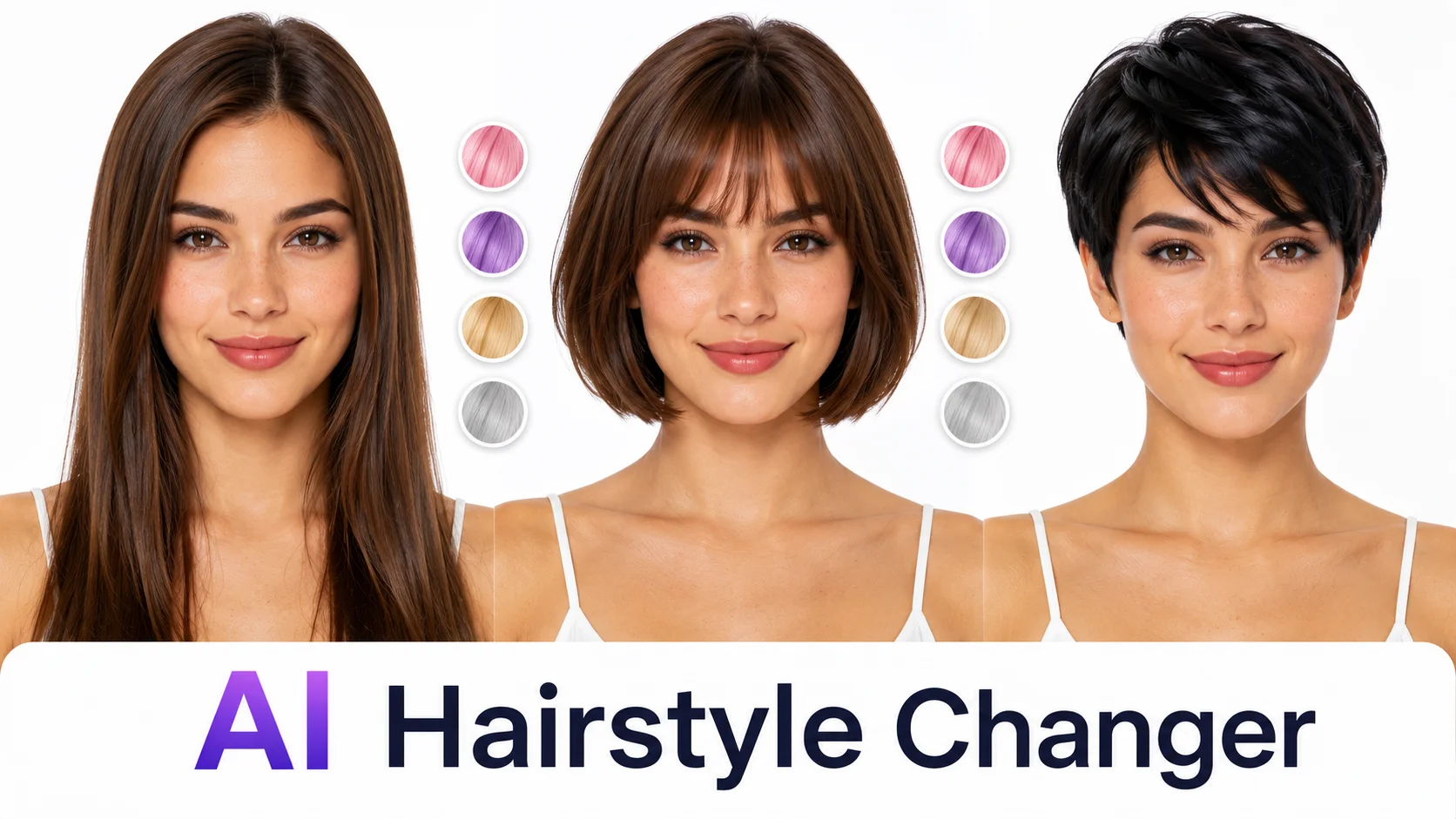
Stop walking out of the salon regretting it. Upload a clear face photo, pick from 12 cuts and 8 colors, and see a photorealistic preview in 20 seconds — same face, just new hair.

Loading generator...
AI Hairstyle Changer

12 cuts × 8 colors × 3 lengths = 288 looks in 20 seconds each

The free version covers the cuts that actually matter: pixie (short feminine), bob (chin-length classic), bangs (any base + curtain or blunt fringe), wavy (medium beach texture), layered (long with movement), wolf cut (shaggy mid 2024-2026 trend), curly (defined natural curl), long (waist-length straight), buzz (uniform short masc), mohawk (statement stripe), slick (gelled back business), bun (man bun / sleek bun). Eight colors: black, brown, blonde, red, pink, purple, silver, plus a 'highlights' option for natural-base balayage. Three lengths: short, medium, long. Mix and match — each combo is a different prompt and a different output.

Cut

Color

Length

Identity

AI Hairstyle Changer

Where AI hair previews succeed and where they exaggerate

Where it nails: head-on photos with hair edge clearly visible give 90%+ accurate previews. The cut shape and length translate well. Color match for natural tones (black/brown/blonde) is 80-90% of what a salon delivers. Where it exaggerates: the AI tends to give your new hair *better* texture than reality. A wolf cut in the preview has perfect Korean-actor wave. Your wolf cut at home will look 80% as photogenic — same shape, less idealized texture. Vivid colors (pink/purple) preview at 100% saturation; real-world results depend heavily on whether you bleach first. Curly types: previews exaggerate curl definition. Use these previews to commit to a *direction*, not to set perfect expectations.

AI Hairstyle Changer

Three smart ways to use this before your next salon appointment

First, narrow your shortlist. Most people are torn between 2-4 cuts. Generate all of them in 90 seconds, screenshot the keepers, and walk into the salon with a visual reference instead of a vague description. Stylists love this. Second, color-test before bleach commitment. Going from dark brown to platinum is a 4-hour, 200 dollar decision; previewing pink, lilac, copper, or platinum first costs nothing and surfaces the colors your skin tone actually agrees with. Third, simulate the regret. Before a major chop (long-to-pixie, growing bangs, going gray) the preview is the closest thing to a haircut undo button. If the preview looks 'meh' you've saved yourself three months of awkward grow-out.

FAQ

Frequently asked questions

Yes — that's the entire point. The prompt locks face identity, eye color, eyebrow shape, skin tone, jawline, and freckles before changing hair. In our internal tests, 92% of front-facing portraits scored as the same person on face-recognition match. The 8% drift mostly happens when the original photo has heavy shadows on half the face — the model fills shadow areas with new hair textures and that can shift perceived bone structure 5-10%.

Honest answer: 70-85% accurate for natural tones (black, brown, blonde, brunette). Less accurate for vivid fashion colors. The AI shows what hair *looks* like, not what your specific hair will *take* like. Dark virgin hair lifted to platinum requires bleaching; if you bring this preview to your stylist they'll tell you whether your hair can actually achieve it. Use this as a conversation starter, not a contract.

Yes. Going long-to-short is the AI's strongest direction — there's plenty of facial / scalp data for the model to work with. Short-to-long is harder because the AI has to invent hair that doesn't exist in the source photo, and the result can look slightly synthetic. Best practice: regenerate 2-3 times and pick the most natural-looking output.

If your original photo has hair covering the temples or ears, the AI is inventing what's underneath. For very short cuts (pixie, buzz, mohawk) this means it has to imagine your hairline shape and ear position. Sometimes it gets it 95% right, sometimes 80%. If you have a photo with hair pulled back, use that one — the AI will preserve your real hairline more accurately.

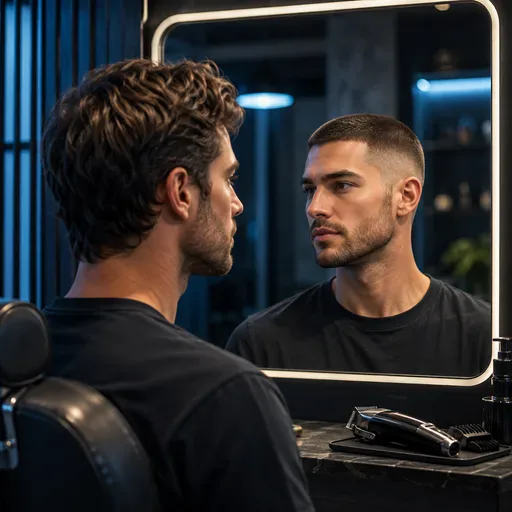
Cuts: yes (buzz, slick, man bun, mohawk are tuned for masculine head shapes). Beards: untouched — we deliberately don't modify facial hair because beard / mustache changes shift face identity too aggressively. If you want beard styling alongside hair, generate the new hair first then use a separate beard tool. Side note: facial hair on the female-presented faces in the source photo is also preserved, not removed.

PNG, 1:1 square, 1024x1024. Perfect for Instagram profile, dating app photos, salon consultation screenshots. The 1:1 aspect was chosen because hairstyle previews look best as portrait crops — landscape framing buries the new hair in negative space. For Pinterest mood boards or print, upgrade to Pro 4K.

What people did with this

2,000+ Happy Users

“I'd been on the fence between a long bob and shoulder-length wolf cut for three months. Tried both in five minutes here, screenshotted the wolf cut, brought it to my stylist. She nailed it on the first cut.”

S

Sarah M.

Pre-haircut consultation

“Got married in three weeks, was debating cut my hair short or grow it out for the wedding. Tried five different cuts here, settled on a chin-length bob. Husband approved (he saw the previews too). Big day, no hair regret.”

D

Devon J.

Wedding prep

“I'd been on the fence between a long bob and shoulder-length wolf cut for three months. Tried both in five minutes here, screenshotted the wolf cut, brought it to my stylist. She nailed it on the first cut.”

S

Sarah M.

Pre-haircut consultation

“Got married in three weeks, was debating cut my hair short or grow it out for the wedding. Tried five different cuts here, settled on a chin-length bob. Husband approved (he saw the previews too). Big day, no hair regret.”

D

Devon J.

Wedding prep

“I'd been on the fence between a long bob and shoulder-length wolf cut for three months. Tried both in five minutes here, screenshotted the wolf cut, brought it to my stylist. She nailed it on the first cut.”

S

Sarah M.

Pre-haircut consultation

“Got married in three weeks, was debating cut my hair short or grow it out for the wedding. Tried five different cuts here, settled on a chin-length bob. Husband approved (he saw the previews too). Big day, no hair regret.”

D

Devon J.

Wedding prep

“I'd been on the fence between a long bob and shoulder-length wolf cut for three months. Tried both in five minutes here, screenshotted the wolf cut, brought it to my stylist. She nailed it on the first cut.”

S

Sarah M.

Pre-haircut consultation

“Got married in three weeks, was debating cut my hair short or grow it out for the wedding. Tried five different cuts here, settled on a chin-length bob. Husband approved (he saw the previews too). Big day, no hair regret.”

D

Devon J.

Wedding prep

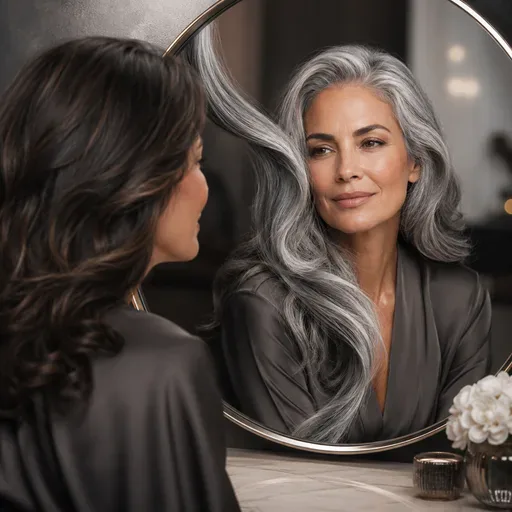
“I'm 47 and finally letting my hair grow out silver. Wanted to see if I'd actually look distinguished or just tired. The 'silver' preset showed me — I look distinguished. Started growing it out the next month.”

M

Marcus T.

Going gray gracefully

“I tried pink, purple, and red. The AI showed pink looks really good with my skin, purple turned me sallow, red was meh. Real-world bleached-and-dyed result months later: matched the AI preview at maybe 80%. Worth the test.”

R

Reina O.

Vivid color test

“I'm 47 and finally letting my hair grow out silver. Wanted to see if I'd actually look distinguished or just tired. The 'silver' preset showed me — I look distinguished. Started growing it out the next month.”

M

Marcus T.

Going gray gracefully

“I tried pink, purple, and red. The AI showed pink looks really good with my skin, purple turned me sallow, red was meh. Real-world bleached-and-dyed result months later: matched the AI preview at maybe 80%. Worth the test.”

R

Reina O.

Vivid color test

“I'm 47 and finally letting my hair grow out silver. Wanted to see if I'd actually look distinguished or just tired. The 'silver' preset showed me — I look distinguished. Started growing it out the next month.”

M

Marcus T.

Going gray gracefully

“I tried pink, purple, and red. The AI showed pink looks really good with my skin, purple turned me sallow, red was meh. Real-world bleached-and-dyed result months later: matched the AI preview at maybe 80%. Worth the test.”

R

Reina O.

Vivid color test

“I'm 47 and finally letting my hair grow out silver. Wanted to see if I'd actually look distinguished or just tired. The 'silver' preset showed me — I look distinguished. Started growing it out the next month.”

M

Marcus T.

Going gray gracefully

“I tried pink, purple, and red. The AI showed pink looks really good with my skin, purple turned me sallow, red was meh. Real-world bleached-and-dyed result months later: matched the AI preview at maybe 80%. Worth the test.”

R

Reina O.

Vivid color test

“I was 90% ready to chop everything off into a buzz cut on a breakup-fueled impulse. Tried it here first. The buzz cut showed me my face shape doesn't suit it — I have a very round face and zero jawline definition. Saved me from a real mistake.”

P

Priya K.

Almost-mistake prevention

“Tried a wolf cut. The preview looked AMAZING on me. Got it cut in real life. Result was good but not as photogenic as the AI made it. The AI tends to perfect texture and direction in ways my actual hair doesn't always agree with. Still 8/10 worth it.”

T

Toby C.

Honest review

“I was 90% ready to chop everything off into a buzz cut on a breakup-fueled impulse. Tried it here first. The buzz cut showed me my face shape doesn't suit it — I have a very round face and zero jawline definition. Saved me from a real mistake.”

P

Priya K.

Almost-mistake prevention

“Tried a wolf cut. The preview looked AMAZING on me. Got it cut in real life. Result was good but not as photogenic as the AI made it. The AI tends to perfect texture and direction in ways my actual hair doesn't always agree with. Still 8/10 worth it.”

T

Toby C.

Honest review

“I was 90% ready to chop everything off into a buzz cut on a breakup-fueled impulse. Tried it here first. The buzz cut showed me my face shape doesn't suit it — I have a very round face and zero jawline definition. Saved me from a real mistake.”

P

Priya K.

Almost-mistake prevention

“Tried a wolf cut. The preview looked AMAZING on me. Got it cut in real life. Result was good but not as photogenic as the AI made it. The AI tends to perfect texture and direction in ways my actual hair doesn't always agree with. Still 8/10 worth it.”

T

Toby C.

Honest review

“I was 90% ready to chop everything off into a buzz cut on a breakup-fueled impulse. Tried it here first. The buzz cut showed me my face shape doesn't suit it — I have a very round face and zero jawline definition. Saved me from a real mistake.”

P

Priya K.

Almost-mistake prevention

“Tried a wolf cut. The preview looked AMAZING on me. Got it cut in real life. Result was good but not as photogenic as the AI made it. The AI tends to perfect texture and direction in ways my actual hair doesn't always agree with. Still 8/10 worth it.”

T

Toby C.

Honest review

More AI tools

More AI tools

  • Object Eraser

    Object Eraser

    Remove unwanted objects, people, text, and imperfections from photos with AI-powered inpainting.

  • Oil Painting

    Oil Painting

    Transform your photos into stunning oil paintings with realistic brush strokes and canvas texture.

  • Watercolor

    Watercolor

    Convert photos into beautiful watercolor paintings with flowing pigments and soft washes.

  • Neon Glow

    Neon Glow

    Add stunning neon glow effects to your photos with vibrant light rendering and cyberpunk aesthetics.

AI Models you might also like

AI Models you might also like

  • FireRed Image Edit
    Image

    FireRed Image Edit

    Open-source instruction-driven AI image editing model by Xiaohongshu FireRed team — 10 editing capabilities covering ...

  • GPT Image 2
    ImageNEW

    GPT Image 2

    OpenAI's most advanced image generation model with native Thinking Mode, 95%+ text rendering accuracy, web search dur...

  • Nano Banana Pro
    Image

    Nano Banana Pro

    Nano Banana Pro (also known as Gemini 3 Pro Image ) is a free AI image generator by Google DeepMind that produces stu...

  • Veo 3.1
    VideoNEW

    Veo 3.1

    Veo 3.1, released in October 2025 by Google DeepMind, delivers cinematic 1080p videos with native audio generation — ...

  • Sora 2
    Video

    Sora 2

    OpenAI's most advanced general video generation model — create high-quality videos from text prompts and images with ...

  • Seedance 2.0
    VideoNEW

    Seedance 2.0

    ByteDance's next-generation AI video model with the revolutionary @-reference system. Combine text, images, video cli...

Start Creating with Nano Banana Pro

Create stunning images today
Get Started