Nano Banana Pro
  • Home
  • Reviews
  • Assets
  • Pricing
AI Tools
AI ToolsLine Art ColorizerAI Comic GeneratorPhoto to Anime GeneratorLuxury Car PortraitAI Consistent Character GeneratorPhoto RestorationRemove BackgroundImage UpscalerAI ID PhotoAnime FilterManga Filter3D CartoonAI OutpaintingSketch to ImageWatermark RemoverPortrait FilterPixel ArtManga ColorizerManga TranslatorManga CleanerColoring Page GeneratorPersonalized Story BookChildren Book IllustrationImage to Line ArtGender SwapBody EditorSketch to 3DBald Filter1990s PortraitBuzz CutProfessional HeadshotGrey HairAI Studio PortraitY2K Style2D to 3DRemove WatermarkObject EraserOil PaintingWatercolorNeon GlowCyberpunkVaporwaveAI Tattoo GeneratorAI Kids WorksheetAI Action FigureAI Movie PosterAI HairstyleYounger SelfAI Product Photo GeneratorAI ClaymationAI Travel Photo Grid GeneratorDouble Exposure Travel Poster AI GeneratorAI Mini Me GeneratorAI Sketch to Image GeneratorKorean Glass Skin AIRainy Window AI PortraitCafé Aesthetic AI PhotoAI Virtual StagingAI Landscape DesignAI Logo GeneratorAI Packaging DesignAI Sticker GeneratorPlushie Design Sheet GeneratorPhoto Fail GeneratorCharacter Nail Generator
Nano Banana ProNano Banana Pro

AI Logo Generator

Explore a logo symbol from a sketch or visual reference. Choose a graphic style and palette, then review the raster concept at a small size.

AI Logo Generator

Related AI tools

  • AI Packaging Design

    AI Packaging Design

    Explore a new packaging concept from a package reference. Choose a package format and visual style, then review graphics, folds and label space.

  • AI Sticker Generator

    AI Sticker Generator

    Turn a pet, character or object reference into a sticker-style illustration. Choose an expression and drawing style, then review the silhouette.

  • AI Sketch to Image

    AI Sketch to Image

    Convert sketches and line drawings into photorealistic images with AI.
AI Logo Generator
AI Logo Generator

What you can use it for

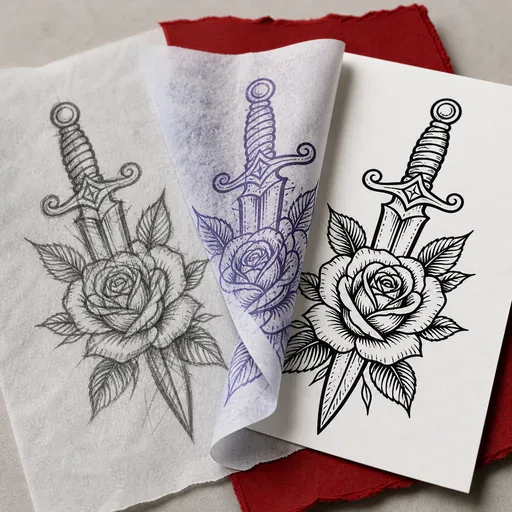
Explore an original, recognizable brand symbol from a sketch or visual reference. Choose a symbol style and palette that fit the reference and intended brand character. Start with a clear silhouette and a few visual elements, then compare how the concept reads at a small size.

Concept illustration, not a tested output from this tool

Explore a logo symbol from a sketch or visual reference. Choose a graphic style and palette, then review the raster concept at a small size.

AI Logo Generator

Prepare a useful reference image

Use a simple sketch with a readable silhouette, or a reference you are entitled to use. One clear symbol idea is easier to explore than a collage of lettering and unrelated styles. The form selects symbol style and palette; precise brand lettering is finished in a design application.

AI Logo Generator

From your reference to a design concept

Choose the two options below, check the model and credit amount, then generate a first concept. Compare it with the reference before changing one setting at a time.

Symbol style

Geometric · Minimal · Playful · Organic

Palette

Black and white · Forest green · Warm brown · Navy blue

AI Logo Generator

Three ready-to-select directions

These are suggested option combinations to explore, not tested results. Select the matching settings in the form; there is no prompt to copy.

AI Logo Generator

Geometric · Forest green

Symbol style: Geometric · Palette: Forest green

Minimal · Warm brown

Symbol style: Minimal · Palette: Warm brown

Playful · Navy blue

Symbol style: Playful · Palette: Navy blue

AI Logo Generator

Review the details before using the result

Inspect the outline, negative space and whether the mark still reads in one color. Check for accidental letters, distorted words and similarity to familiar logos. A detailed illustration may look attractive at full size but fail as an app icon, stamp or small profile image.

AI Logo Generator

Take the concept into your next step

Give the chosen image and design brief to a designer for lettering, vector artwork and size-specific versions. Check trademark availability separately before adopting the mark. The tool helps with visual exploration; it does not establish ownership or produce a brand identity system.

FAQ

Practical questions before you start

This page uses the reference-image workflow, so upload a sketch or an image that expresses your direction. A quick hand-drawn symbol is enough to explain the idea; it does not need to be polished artwork.

This form uses symbol-style and palette selections. It does not offer a brand-name field. Create the symbol concept here, then set the exact name and typography in a design application.

The result is a raster image, not editable SVG paths. A designer or vector editor must redraw or trace it and check the curves before you use it at print scale.

View it at a small size and in one color. Look for a distinct silhouette, adequate spacing and details that remain legible. Separately check whether the design resembles an existing mark.

No. Generation is not a trademark search or a guarantee of originality. Check the relevant trademark registers and obtain appropriate advice before using it as your brand’s identifying mark.

Choose the model and settings first, then check the credit amount shown beside the generation action. Different supported models and resolutions can have different costs; this page does not promise free or unlimited generation.

Choose an available aspect ratio that suits the reference and intended placement. Sizes and formats depend on the selected model. A larger image is still a visual concept, not a production design file.

Use the result panel to inspect and download the image. You can also check generation history if you leave the page while the task runs. Review the full image before sharing it or handing it to a designer.

AI Models

AI Models

  • GPT Image 2
    Image

    GPT Image 2

    OpenAI's most advanced image generation model with native Thinking Mode, 95%+ text rendering accuracy, web search dur...

  • Nano Banana Pro
    Image

    Nano Banana Pro

    Generate and edit images with Nano Banana Pro. Sign-in and account credits are required; review the displayed cost be...

  • Veo 3.1
    Video

    Veo 3.1

    Veo 3.1, released in October 2025 by Google DeepMind, delivers cinematic 1080p videos with native audio generation — ...

  • Sora 2
    Video

    Sora 2

    OpenAI's most advanced general video generation model — create high-quality videos from text prompts and images with ...

  • Seedance 2.0
    Video

    Seedance 2.0

    ByteDance's next-generation AI video model with the revolutionary @-reference system. Combine text, images, video cli...

Start Creating with Nano Banana Pro

Create stunning images today
Get Started
Nano Banana Pro
Nano Banana ProNano Banana Pro

Nano Banana Pro is an AI image generation platform providing access to advanced models for professional-quality output.

Email
FAQShowcasesChangelogAPIManga ColorizerCyberpunk
DeutschEnglishEspañolFrançais繁體中文日本語한국어Türkçe中文עבריתPolski
© 2026 Nano Banana Pro· All rights reserved
Privacy PolicyTerms of ServiceRefund PolicyRefund RequestAbout Us
HomeAI ToolsAssetsProfile