Nano Banana Pro
  • Home
  • Reviews
  • Assets
  • Pricing
AI Tools
AI ToolsLine Art ColorizerAI Comic GeneratorPhoto to Anime GeneratorLuxury Car PortraitAI Consistent Character GeneratorPhoto RestorationRemove BackgroundImage UpscalerAI ID PhotoAnime FilterManga Filter3D CartoonAI OutpaintingSketch to ImageWatermark RemoverPortrait FilterPixel ArtManga ColorizerManga TranslatorManga CleanerColoring Page GeneratorPersonalized Story IllustrationsChildren’s Book IllustrationImage to Line ArtGender SwapBody EditorSketch to 3DBald Filter1990s PortraitBuzz CutProfessional HeadshotGrey HairAI Studio PortraitY2K Style2D to 3DRemove WatermarkObject EraserOil PaintingWatercolorNeon GlowCyberpunkVaporwaveAI Tattoo GeneratorAI Worksheet for KidsAI Action FigureAI Movie PosterAI HairstyleYounger SelfAI Product Photo GeneratorAI ClaymationAI Travel Photo GridAI Double-Exposure Travel Poster GeneratorAI Mini Me GeneratorFunny Bad Drawing AIK-Beauty Glass-Skin Photo EffectRainy-Window AI PortraitCafé-Style AI PhotoAI Virtual Room StagingAI Landscape DesignAI Logo GeneratorAI Packaging DesignAI Sticker GeneratorPlush Toy Design Sheet GeneratorPhoto Mishap GeneratorCharacter Nail Design Generator
Nano Banana ProNano Banana Pro

AI Action Figure Generator

AI Toolbox
AI Action Figure

Upload Assets

Drag & drop reference images here or browse files

SUPPORTS: JPG, JPEG, PNG, WEBP • MAX 30 MB

1:1

AI Action Figure Generator

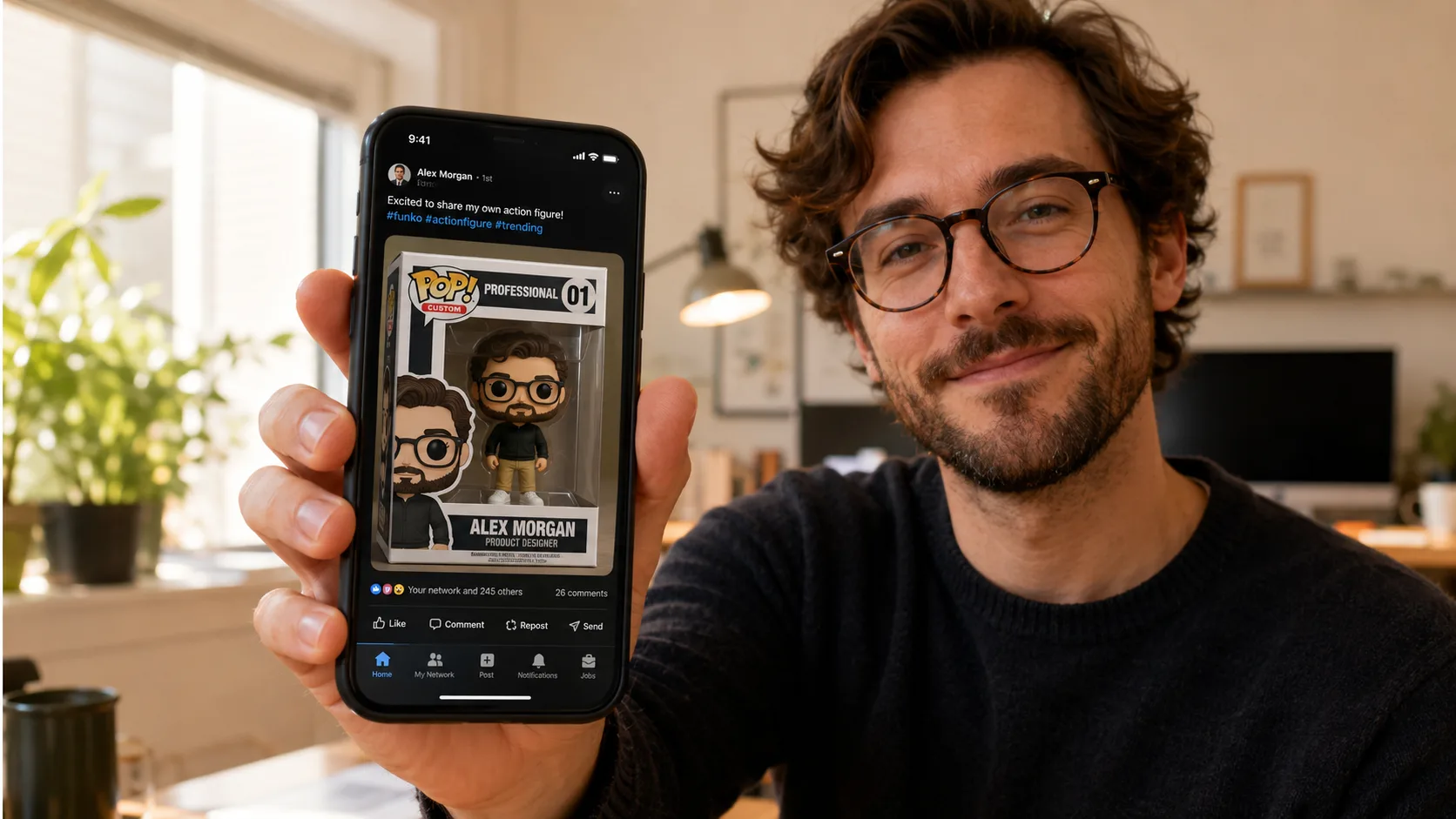
AI Action Figure Generator is built for people who need to create boxed toy portraits, collectible character mockups, and viral product-style posts from a photo. Great for creator profiles, event souvenirs, fan edits, and playful brand character tests.
AI Action Figure Generator

Related AI tools

  • AI Studio Portrait Generator

    AI Studio Portrait Generator

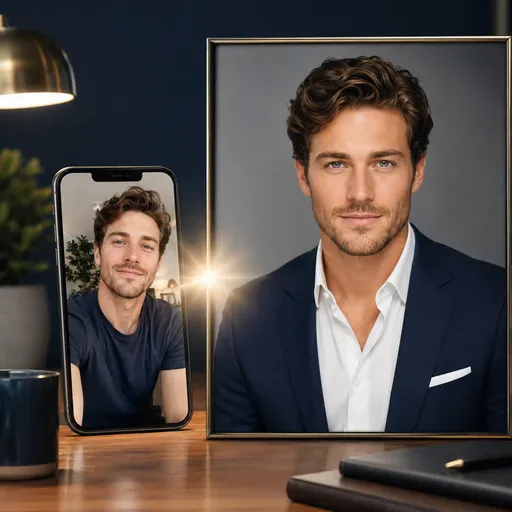
    Turn a casual selfie into a polished studio-style portrait for a professional profile, CV, team page or bio. Adjust the lighting, background and framing when a studio photo session is not practical.

  • AI Professional Headshot Generator

    AI Professional Headshot Generator

    Create a polished business headshot from a selfie for LinkedIn, a CV, a sales page, a team directory or a speaker bio. Get a professional-looking profile photo without booking a studio session.

  • AI Younger Self Portrait

    AI Younger Self Portrait

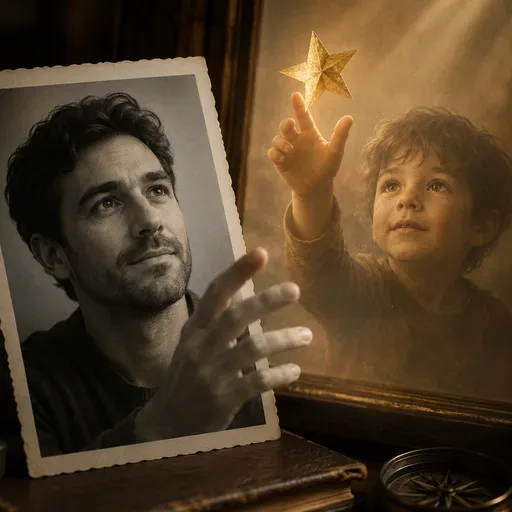
    Create a portrait that brings you and a younger version of yourself together in one frame. Choose an age range—baby, child, tween or teen—and a vertical 9:16 composition. The result depends on your photo and selected model.

  • AI ID Photo

    AI ID Photo

    Create an ID-style photo with an adjusted background and light skin retouching. Check the image against the requirements of the organisation requesting it.

AI Action Figure Generator

Create boxed toy portraits and collectible character mockups with the AI Action Figure Generator

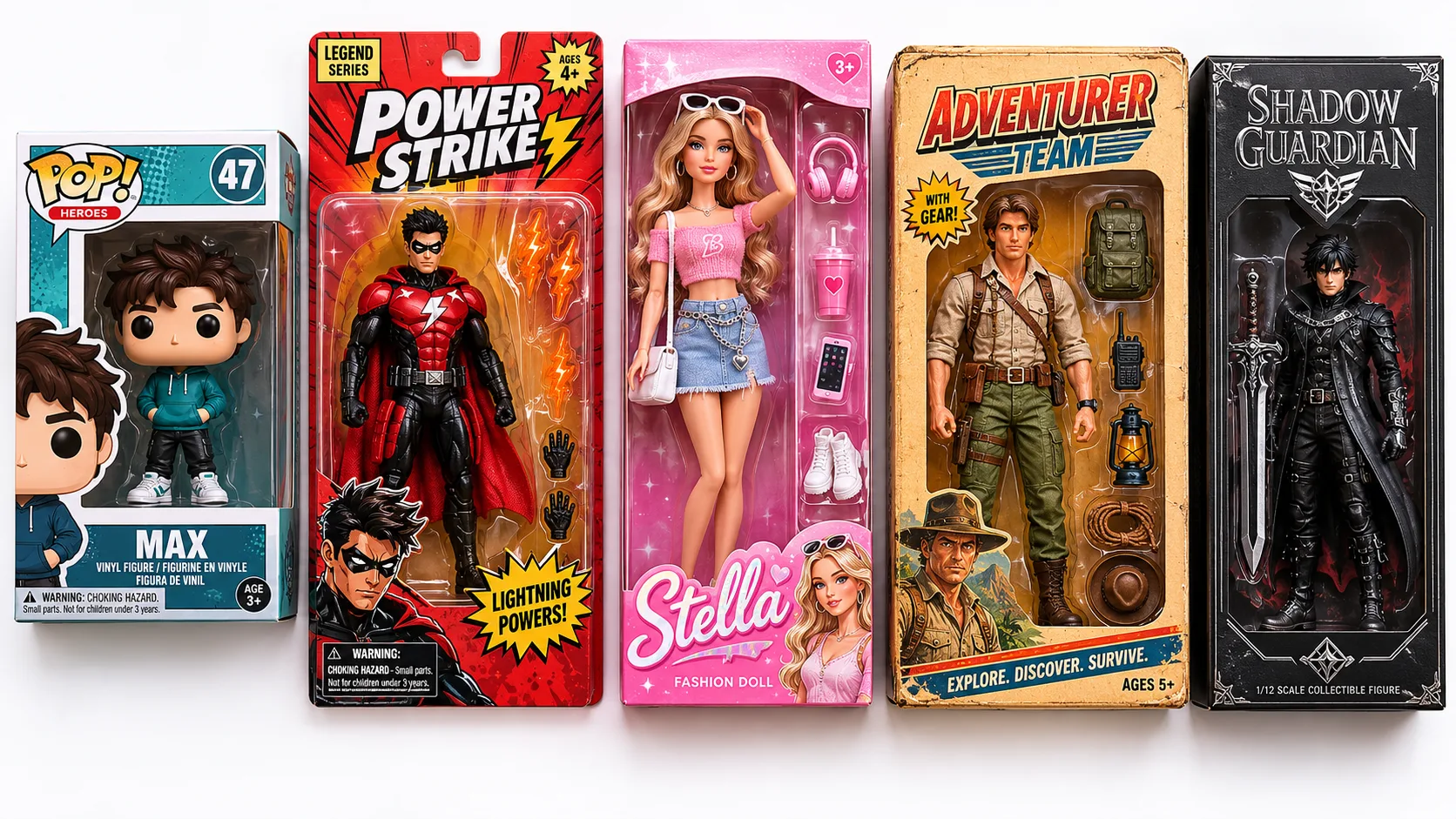
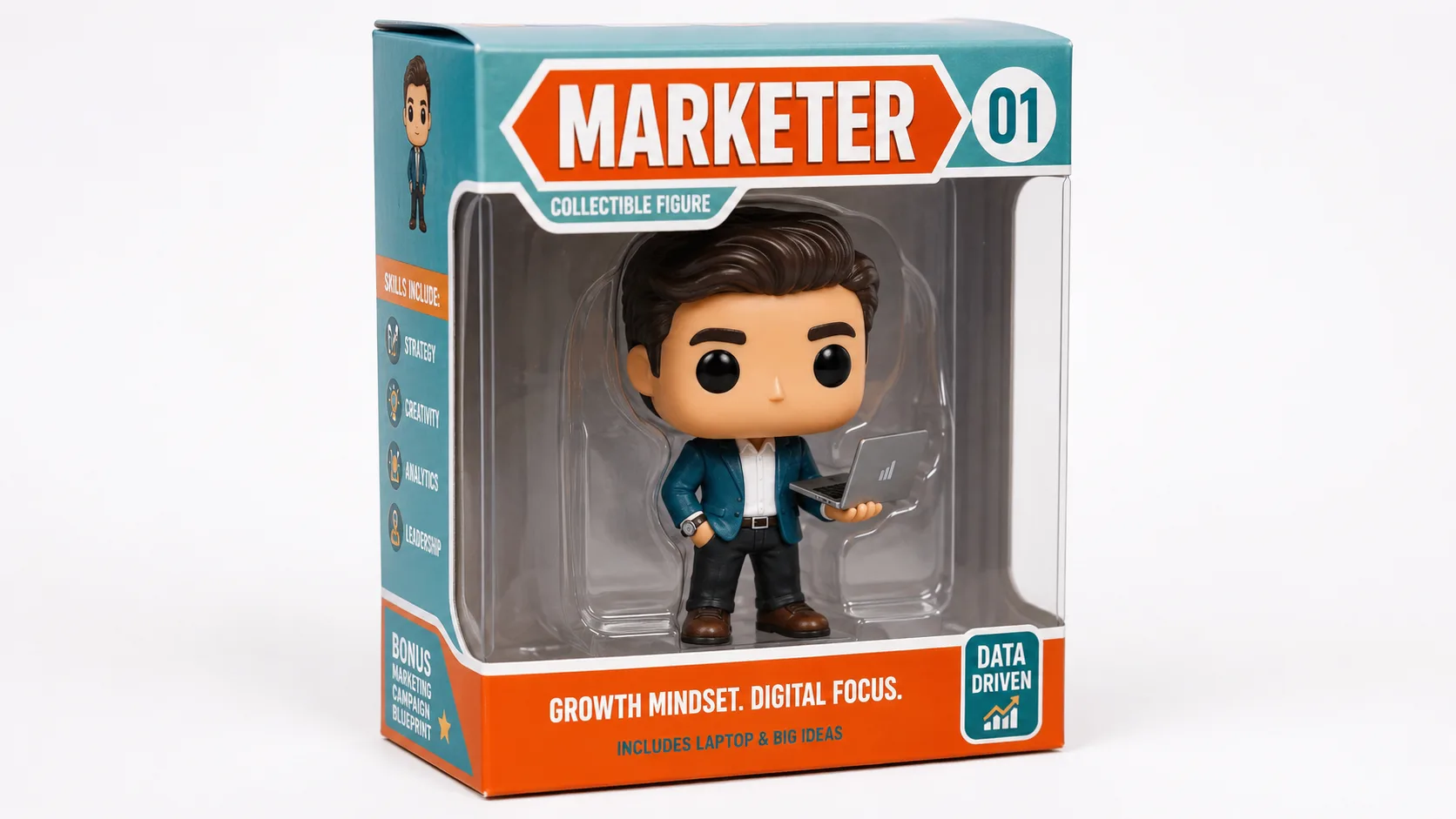
Choose a packaging style to guide the look of your boxed figure. Options include a vinyl-toy look with an oversized head, a tall blister-card style, a pink fashion-doll look, retro 80s-inspired packaging and a premium black-box look. The generated image may interpret colours, proportions and packaging details differently each time.

Funko Pop-inspired style

An oversized head, simplified body and square window box create a familiar vinyl-figure look.

Comic-book hero style

A tall blister card, dynamic pose and action-burst graphics give the packaging a comic-book feel.

Fashion-doll box

Pink and white colours, a cursive-style logo, a glamorous pose and fashion accessories suggest a fashion-doll look.

Vintage 80s style

Aged-looking cardboard, retro typography and hand-drawn illustrations on the back suggest a vintage toy package.

Premium collector style

A matte black box, embossed-style foil logo and polished presentation create a premium collector look.

AI Action Figure Generator

What to expect from the generated figure

Results depend on the reference photo, selected model and prompt, so you may want to try more than one version. Clear, front-facing portraits provide a useful reference, while side profiles and group photos can be harder for a model to interpret. Custom text may be misspelled or rendered inconsistently, particularly with long names or special characters. Accessories such as a coffee cup or laptop can help guide the scene, but their appearance can vary. Check the selected model’s available resolution and the downloaded image before deciding whether it suits your screen or print use.

AI Action Figure Generator

Ideas for using your boxed figure image

A boxed figure image can be used as a playful profile or social post, a draft concept for an event display, or a personalised gift idea. You can also explore a retro team image for a studio or small business. Results and audience responses vary, so treat these as creative ideas rather than guaranteed outcomes.

FAQ

AI Action Figure Generator: answers for your project

How closely the figure resembles you depends on the photo, model and chosen style. A clear, front-facing portrait gives the model the best reference, but the toy styling can change facial features. Side profiles and group photos may be harder to interpret. Treat the result as a stylised version of your photo, rather than an exact likeness.

AI image models can render custom packaging text inaccurately, especially longer names or special characters. Short names may be easier to read, but spelling and typography can still vary. If the exact wording matters, check the result and try again, or leave the brand field blank for packaging without custom text.

A clear photo of one person’s face is the most straightforward reference. With a group photo, the model may choose the wrong person or combine features. A full-body photo can also be used, but the model may create a different pose. For a particular pose, try a head-and-shoulders portrait and describe the pose in your prompt.

The result is a generated toy-box image, not a licensed product. Before sharing or selling it, consider the rights to the photo you upload and any names, logos or recognisable brand designs in the image. Packaging that resembles a protected brand may raise intellectual property concerns, especially for commercial use. Check the terms that apply to your use and get appropriate advice if needed.

The output format, aspect ratio and resolution depend on the selected model and its available settings. Check those settings before generating; this tool does not guarantee a particular pixel size or print quality. For a physical print, confirm that the downloaded image has enough resolution for your intended dimensions.

This tool is designed to create a figure in its packaging, and may not produce a standalone figure directly. You can try cropping the box from the generated image or use the Object Eraser tool to remove it. The figure may look different against a new background because its lighting was created for the scene inside the box.

Generation time can vary with the selected model and current demand. Check the task status or your history if the result takes longer than expected.

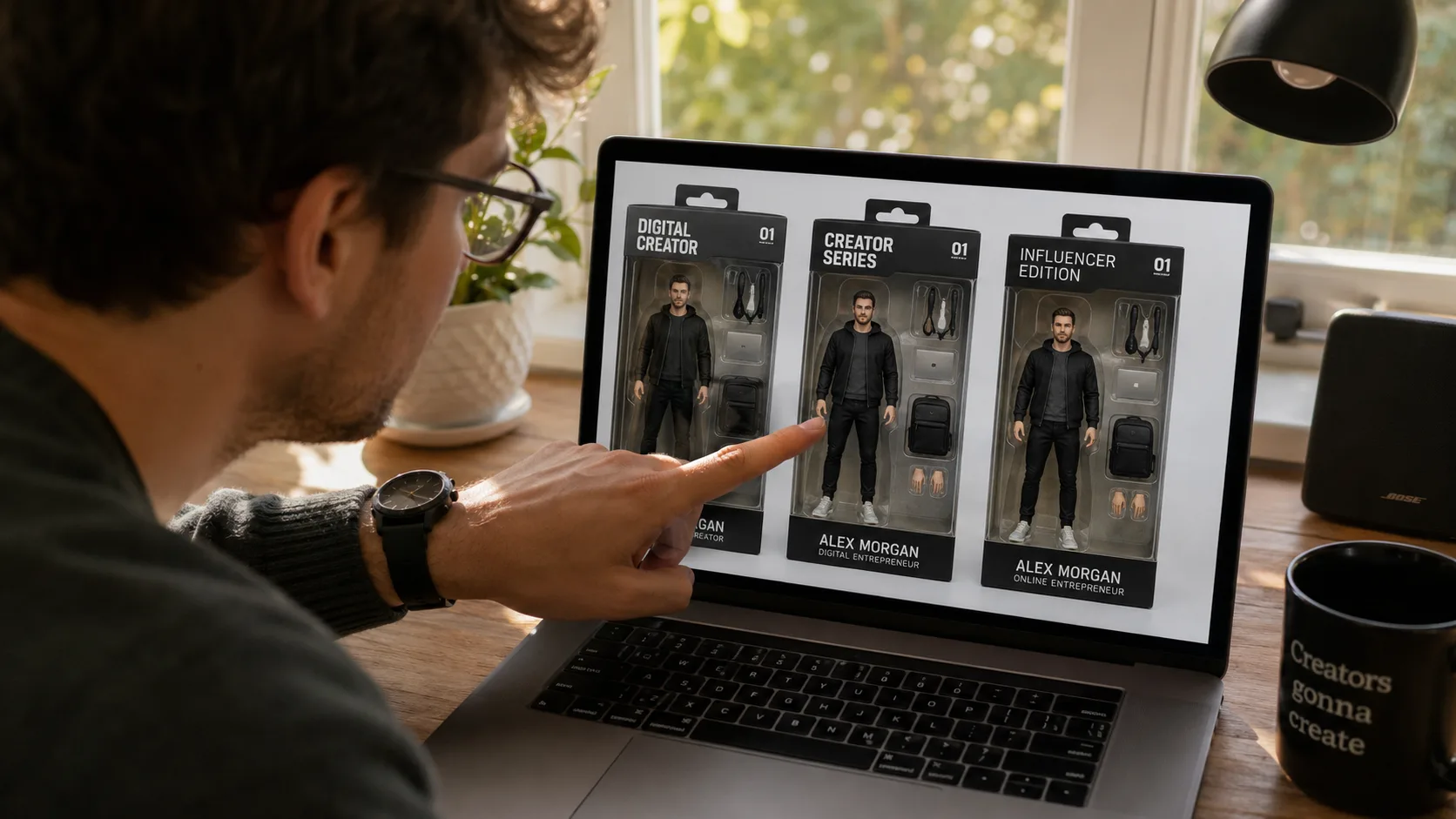
Illustrative projectTry creating a boxed figure from a portrait, with a laptop or coffee cup accessory and a smart-casual outfit. The result could be used as a playful visual for a personal profile or social post.
Illustrative projectCreate a set of boxed figures with coordinated colours and accessories as a playful keepsake idea for a wedding party. Use photos only with permission from the people shown.
Illustrative projectCreate a retro-style boxed figure concept for each member of a small game studio, using individual portraits and props that reflect their roles. These images could be explored as draft artwork for a team page or game promotion.
Illustrative projectTry a boxed figure concept with a name on the packaging. Generated text may contain spelling or typography errors, so check it carefully; short names may be easier for the model to render.
Illustrative projectCreate boxed figure concepts from speaker portraits, then explore adapting the images for an event display. Check the image resolution and print suitability before producing physical materials, and use each person’s photo with permission.
Illustrative projectCreate a boxed figure concept from a family portrait and add a favourite soft toy as an accessory. For a child’s image, use it only with appropriate permission and care.
Project ideas

Project ideas

Explore creative examples
Illustrative projectTry creating a boxed figure from a portrait, with a laptop or coffee cup accessory and a smart-casual outfit. The result could be used as a playful visual for a personal profile or social post.
Illustrative projectCreate a set of boxed figures with coordinated colours and accessories as a playful keepsake idea for a wedding party. Use photos only with permission from the people shown.
Illustrative projectCreate a retro-style boxed figure concept for each member of a small game studio, using individual portraits and props that reflect their roles. These images could be explored as draft artwork for a team page or game promotion.
Illustrative projectTry a boxed figure concept with a name on the packaging. Generated text may contain spelling or typography errors, so check it carefully; short names may be easier for the model to render.
Illustrative projectCreate boxed figure concepts from speaker portraits, then explore adapting the images for an event display. Check the image resolution and print suitability before producing physical materials, and use each person’s photo with permission.
Illustrative projectCreate a boxed figure concept from a family portrait and add a favourite soft toy as an accessory. For a child’s image, use it only with appropriate permission and care.
Illustrative projectFace resemblance can vary with the reference photo, model and style. A clear, front-facing portrait may provide a more useful reference, but the result can still differ from the person. Try another prompt or image if you want to explore different versions.
AI Models You May Like

AI Models You May Like

  • GPT Image 2
    Image

    GPT Image 2

    GPT Image 2 is an OpenAI image model for generating and editing images. It can render text in multiple languages and ...

  • Nano Banana Pro
    Image

    Nano Banana Pro

    Generate and edit images with Nano Banana Pro. Sign-in and account credits are required; review the displayed cost be...

  • Veo 3.1
    Video

    Veo 3.1

    Create videos from text prompts, animate an image or use video input in supported modes. Choose a generation mode and...

  • Sora 2
    Video

    Sora 2

    Create videos from text prompts or images with Sora 2. Choose from the available options, then review the displayed c...

  • Seedance 2.0
    Video

    Seedance 2.0

    ByteDance's AI video model combines text, images, video clips and audio in one prompt. Use its @-reference system to ...

Start Creating with Nano Banana Pro

Create stunning images today
Get Started
Nano Banana Pro
Nano Banana ProNano Banana Pro

Nano Banana Pro gives you access to advanced AI image models for creating professional-quality images.

Email
FAQShowcasesChangelogAPIManga ColorizerCyberpunk
العربيةDeutschEnglishEspañolFrançais繁體中文日本語한국어Bahasa MelayuTürkçeไทยTiếng ViệtPortuguês (Brasil)中文עבריתPolski
© 2026 Nano Banana Pro· All rights reserved
Privacy PolicyTerms of ServiceRefund PolicyRefund RequestAbout Us
HomeAI ToolsAssetsProfile