Nano Banana ProNano Banana Pro
Home
Showcases
Pricing
Nano Banana Pro
Nano Banana ProNano Banana Pro

Nano Banana Pro is an AI image generation platform providing access to advanced models for professional-quality output.

Email
FAQShowcasesChangelogAPI
deDeutschenEnglishesEspañolfrFrançaiszh-HK繁体中文ja日本語ko한국어trTürkçezh中文heעבריתplPolski
© 2026 Nano Banana Pro, All rights reserved
Privacy PolicyTerms of ServiceRefund PolicyRefund RequestAbout Us
This service is powered by advanced AI API technology. We are an independent service provider and are not affiliated with, endorsed by, or associated with Google, OpenAI, or any other major technology companies.
  1. Home
  2. AI Toolbox
  3. AI Tattoo Generator
AI Tattoo Generator

AI Tattoo Generator

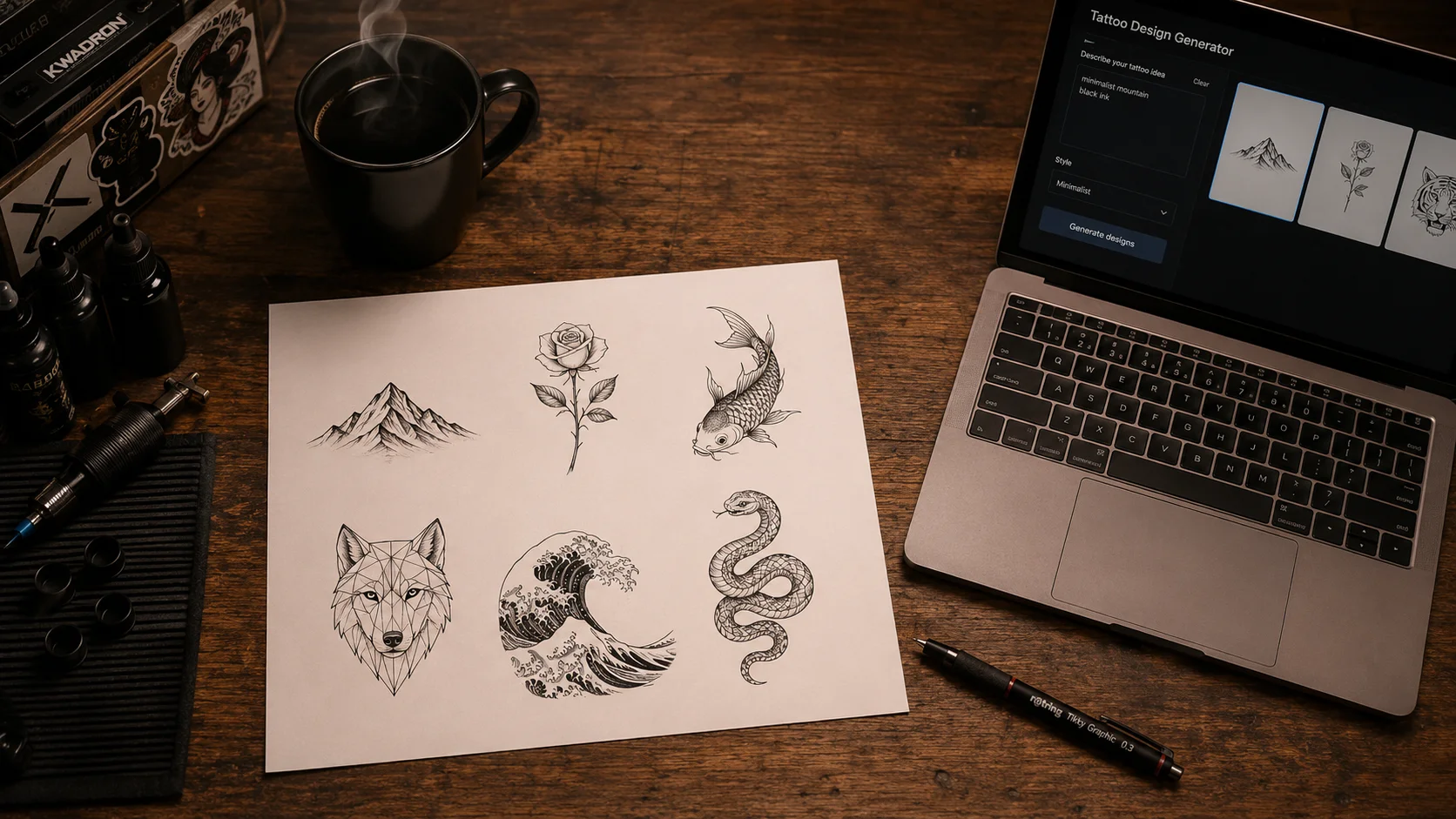
Type any idea and watch AI sketch a clean, stencil-ready tattoo design in six classic styles. No drawing skills, no booking fee, no signup.

Loading generator...
AI Tattoo Generator

From Vague Idea to Stencil-Ready Sketch in 30 Seconds

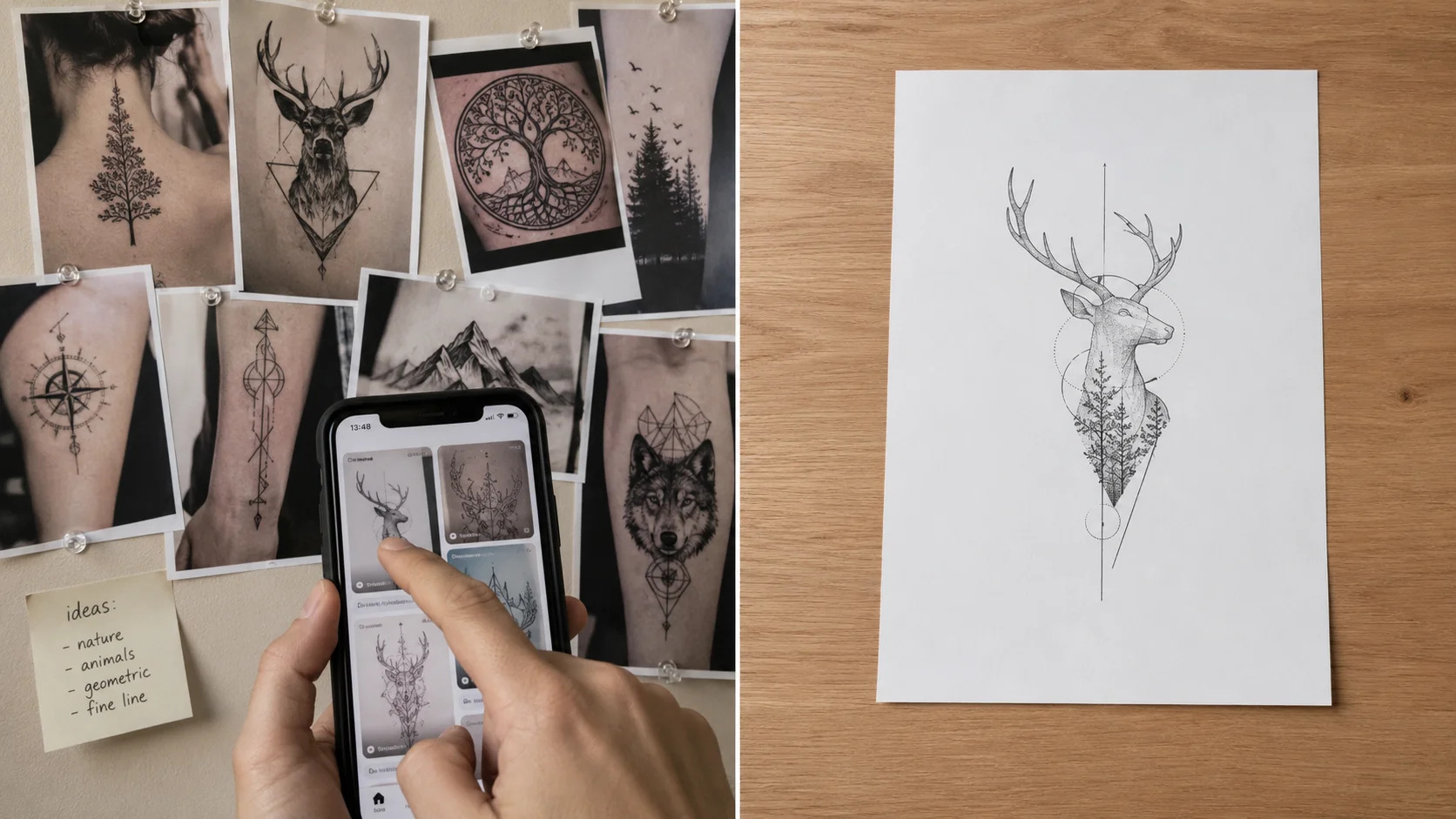
Most tattoo consultations start with a half-formed idea, three Pinterest screenshots, and a lot of "you know what I mean" hand-waving. The AI Tattoo Generator turns that mess into a single concrete starting point: type the idea, pick a style lane, get a clean black-line sketch you can actually print and hand to an artist. It is not a replacement for a real tattooer's craft — it is the brief you should have walked in with.

AI Tattoo Generator
AI Tattoo Generator
AI Tattoo Generator

Six Tattoo Traditions, Each Trained Differently

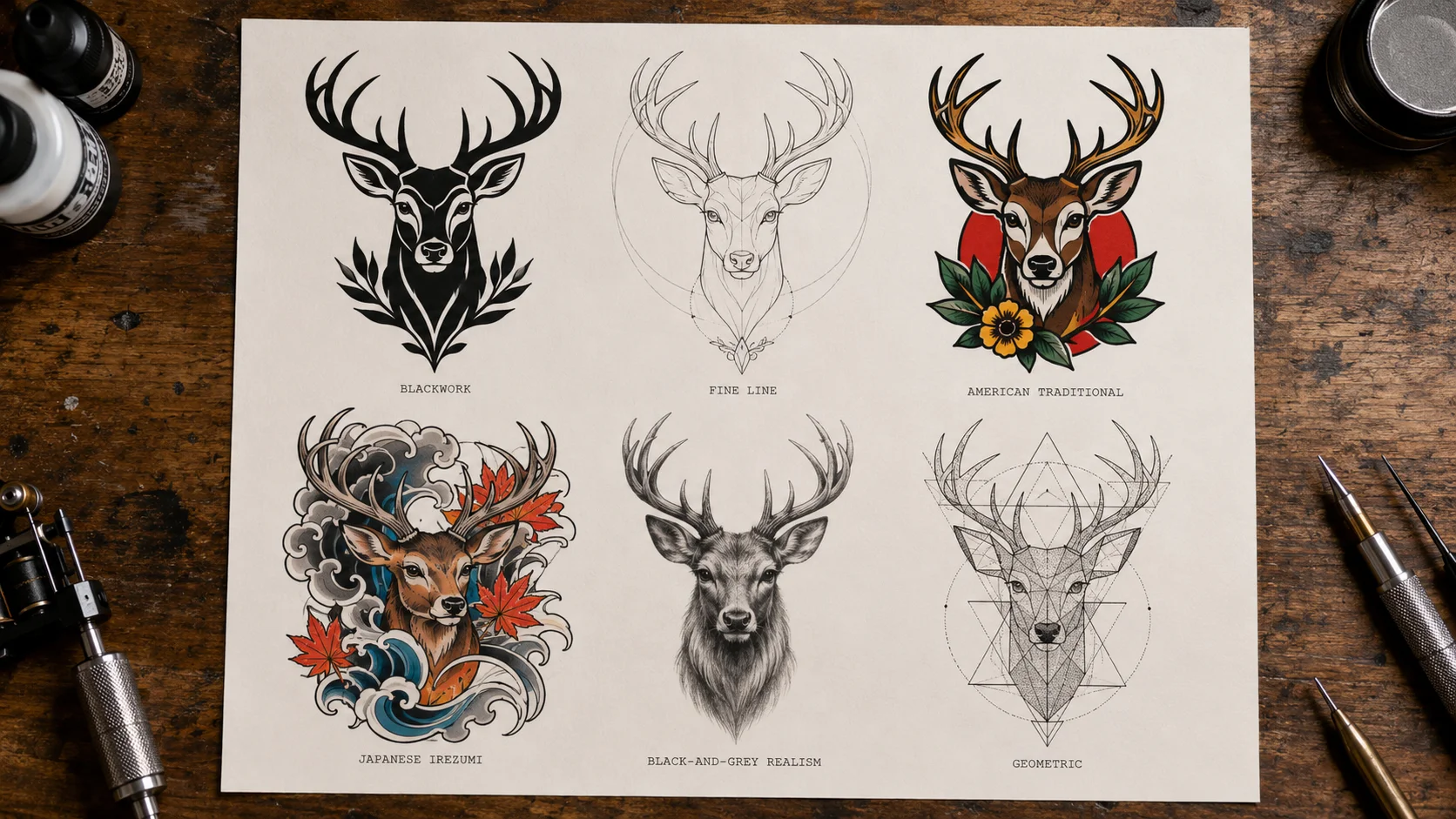
The style picker is not just a filter. Each preset uses a different prompt structure and reference grammar so blackwork actually reads as blackwork, traditional follows the bold-outline-flat-color rules, and Japanese irezumi composes with the right water-and-wind motion. Realism mode delivers smooth grey shading that prints well as a reference but almost always needs an artist to redraw the value structure before transfer.

Blackwork & Fine Line

American Traditional

Japanese Irezumi

Geometric & Realism

AI Tattoo Generator
AI Tattoo Generator

Honest About What AI Tattoo Designs Can and Can't Do

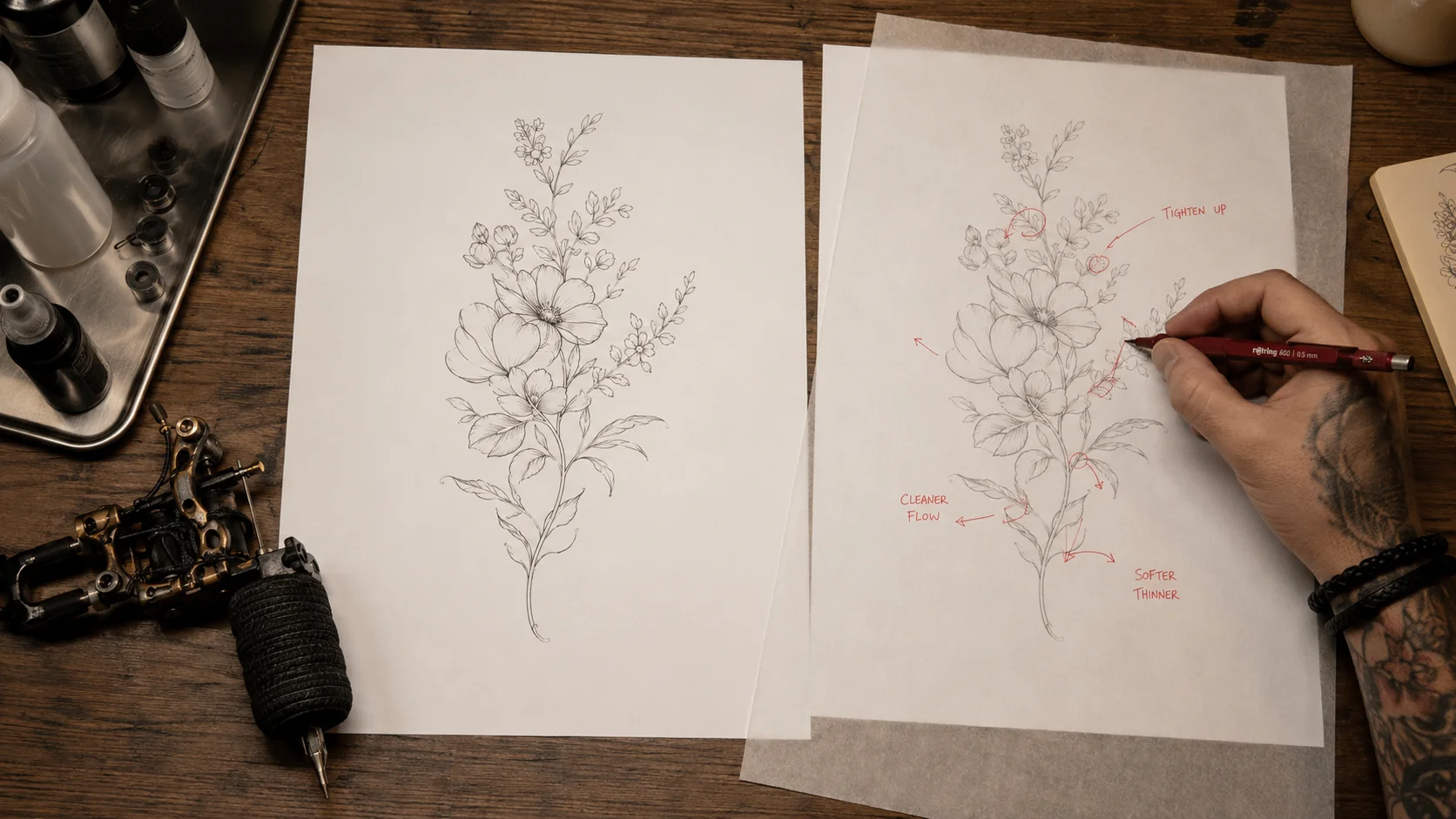
Two things the marketing copy on most tattoo generators won't tell you. First, AI struggles with anatomy that bends — wrap a sleeve composition around a forearm and the AI rarely accounts for how the design distorts on a curved limb. Bring the flash sheet to your artist and let them redraw it on tracing paper against your actual skin. Second, fine line designs under 0.3mm look stunning on a flat PNG and fade in 18 months on a real wrist. Use the AI to lock in the concept, not the technical execution.

FAQ

FAQ

Use it as a reference, not a finished stencil. Most artists will redraw the concept by hand to suit your skin, scale, and the way ink will heal long-term. Send the AI design as a starting brief, then trust the artist to clean lines, fix anatomy, and adapt the placement.

Flash mode produces solid black lines on pure white that copy reasonably well to thermal transfer paper. Fine line and intricate geometric designs sometimes show subtle thickness variation that a tattoo artist will need to clean up before transferring. Always print at full size and inspect line continuity before applying.

Fine line and small placements heal cleanly and stay readable as the skin ages. Realism and densely shaded blackwork hold up well too but cost more chair time. Avoid extremely thin lines under 0.3mm if you live in a sunny climate or a thin-skinned area like wrist or fingers — they fade fastest.

Diffusion models occasionally add scribbled marks that look like an artist signature. Add "no text, no signatures, no watermark" to your prompt or regenerate. Honest answer: this is one of the more annoying failure modes and we have not eliminated it 100%.

Yes for use as a client reference and as personal flash. Avoid generating designs that imitate copyrighted characters, logos, or another tattooer's recognizable signature style — the AI will sometimes echo references it has seen and you do not want that on a paying client.

Black and grey realism mode generates shading that reads on screen but rarely tattoos clean as-is. The AI hides detail in low-contrast greys that disappear once tattooed. Realism portraits almost always need an artist to hand-redraw the value structure before transfer.

Specify the line weight ("thick black ink", "single needle"), reference a tattoo tradition by name (Sailor Jerry traditional, Japanese irezumi, Sak Yant), and describe negative space explicitly. Generic prompts produce the same vague "AI tattoo" look most generators output.

User Reviews

2,000+ Happy Users

“Walked into the shop with three printed AI variations of the same wolf. My artist redrew it in five minutes and we skipped the awkward back-and-forth. Saved me at least a session of consultation.”

M

Mason R.

First-time client

“Fine line preset is the only one that consistently looks like the work I actually want. Realism mode is impressive on screen but I had to throw out the print — way too much detail to tattoo.”

K

Kira M.

Fine line collector

“We generated a dozen variations of the same pine tree concept, picked the one that worked at small scale for both of us. Saved hours of arguing over Pinterest boards.”

H

Hana W.

Matching couple tattoos

“Walked into the shop with three printed AI variations of the same wolf. My artist redrew it in five minutes and we skipped the awkward back-and-forth. Saved me at least a session of consultation.”

M

Mason R.

First-time client

“Fine line preset is the only one that consistently looks like the work I actually want. Realism mode is impressive on screen but I had to throw out the print — way too much detail to tattoo.”

K

Kira M.

Fine line collector

“We generated a dozen variations of the same pine tree concept, picked the one that worked at small scale for both of us. Saved hours of arguing over Pinterest boards.”

H

Hana W.

Matching couple tattoos

“Walked into the shop with three printed AI variations of the same wolf. My artist redrew it in five minutes and we skipped the awkward back-and-forth. Saved me at least a session of consultation.”

M

Mason R.

First-time client

“Fine line preset is the only one that consistently looks like the work I actually want. Realism mode is impressive on screen but I had to throw out the print — way too much detail to tattoo.”

K

Kira M.

Fine line collector

“We generated a dozen variations of the same pine tree concept, picked the one that worked at small scale for both of us. Saved hours of arguing over Pinterest boards.”

H

Hana W.

Matching couple tattoos

“Walked into the shop with three printed AI variations of the same wolf. My artist redrew it in five minutes and we skipped the awkward back-and-forth. Saved me at least a session of consultation.”

M

Mason R.

First-time client

“Fine line preset is the only one that consistently looks like the work I actually want. Realism mode is impressive on screen but I had to throw out the print — way too much detail to tattoo.”

K

Kira M.

Fine line collector

“We generated a dozen variations of the same pine tree concept, picked the one that worked at small scale for both of us. Saved hours of arguing over Pinterest boards.”

H

Hana W.

Matching couple tattoos

“I use it for warm-ups. Generate twenty flash sheets in an evening, sketch over the ones I like, build my own portfolio faster. Not a replacement for drawing daily but a great mood board.”

S

Sasha L.

Apprentice tattooer

“I've wanted a tattoo for ten years but never knew what. Spent an hour generating ideas around my grandfather's compass, narrowed to one design, finally booked the appointment.”

T

Tomás P.

Hesitant first-timer

“I use it for warm-ups. Generate twenty flash sheets in an evening, sketch over the ones I like, build my own portfolio faster. Not a replacement for drawing daily but a great mood board.”

S

Sasha L.

Apprentice tattooer

“I've wanted a tattoo for ten years but never knew what. Spent an hour generating ideas around my grandfather's compass, narrowed to one design, finally booked the appointment.”

T

Tomás P.

Hesitant first-timer

“I use it for warm-ups. Generate twenty flash sheets in an evening, sketch over the ones I like, build my own portfolio faster. Not a replacement for drawing daily but a great mood board.”

S

Sasha L.

Apprentice tattooer

“I've wanted a tattoo for ten years but never knew what. Spent an hour generating ideas around my grandfather's compass, narrowed to one design, finally booked the appointment.”

T

Tomás P.

Hesitant first-timer

“I use it for warm-ups. Generate twenty flash sheets in an evening, sketch over the ones I like, build my own portfolio faster. Not a replacement for drawing daily but a great mood board.”

S

Sasha L.

Apprentice tattooer

“I've wanted a tattoo for ten years but never knew what. Spent an hour generating ideas around my grandfather's compass, narrowed to one design, finally booked the appointment.”

T

Tomás P.

Hesitant first-timer

“I had a hard time describing what I wanted. Generated about thirty options across blackwork and Japanese, picked one, my artist used it as the brief. Final tattoo is way closer to my idea than my words ever were.”

D

Diego F.

Custom client

“I used reference upload mode with a photo of my old faded star and asked for blackwork cover-up ideas around it. Not perfect but it gave me three viable directions to bring to a consult.”

R

Riley B.

Cover-up planner

“I had a hard time describing what I wanted. Generated about thirty options across blackwork and Japanese, picked one, my artist used it as the brief. Final tattoo is way closer to my idea than my words ever were.”

D

Diego F.

Custom client

“I used reference upload mode with a photo of my old faded star and asked for blackwork cover-up ideas around it. Not perfect but it gave me three viable directions to bring to a consult.”

R

Riley B.

Cover-up planner

“I had a hard time describing what I wanted. Generated about thirty options across blackwork and Japanese, picked one, my artist used it as the brief. Final tattoo is way closer to my idea than my words ever were.”

D

Diego F.

Custom client

“I used reference upload mode with a photo of my old faded star and asked for blackwork cover-up ideas around it. Not perfect but it gave me three viable directions to bring to a consult.”

R

Riley B.

Cover-up planner

“I had a hard time describing what I wanted. Generated about thirty options across blackwork and Japanese, picked one, my artist used it as the brief. Final tattoo is way closer to my idea than my words ever were.”

D

Diego F.

Custom client

“I used reference upload mode with a photo of my old faded star and asked for blackwork cover-up ideas around it. Not perfect but it gave me three viable directions to bring to a consult.”

R

Riley B.

Cover-up planner

More AI Tools

More AI Tools

  • Object Eraser

    Object Eraser

    Remove unwanted objects, people, text, and imperfections from photos with AI-powered inpainting.

  • Oil Painting

    Oil Painting

    Transform your photos into stunning oil paintings with realistic brush strokes and canvas texture.

  • Watercolor

    Watercolor

    Convert photos into beautiful watercolor paintings with flowing pigments and soft washes.

  • Neon Glow

    Neon Glow

    Add stunning neon glow effects to your photos with vibrant light rendering and cyberpunk aesthetics.

AI Models You May Like

AI Models You May Like

  • FireRed Image Edit
    Image

    FireRed Image Edit

    Open-source instruction-driven AI image editing model by Xiaohongshu FireRed team — 10 editing capabilities covering ...

  • GPT Image 2
    ImageNEW

    GPT Image 2

    OpenAI's most advanced image generation model with native Thinking Mode, 95%+ text rendering accuracy, web search dur...

  • Nano Banana Pro
    Image

    Nano Banana Pro

    Nano Banana Pro (also known as Gemini 3 Pro Image ) is a free AI image generator by Google DeepMind that produces stu...

  • Veo 3.1
    VideoNEW

    Veo 3.1

    Veo 3.1, released in October 2025 by Google DeepMind, delivers cinematic 1080p videos with native audio generation — ...

  • Sora 2
    Video

    Sora 2

    OpenAI's most advanced general video generation model — create high-quality videos from text prompts and images with ...

  • Seedance 2.0
    VideoNEW

    Seedance 2.0

    ByteDance's next-generation AI video model with the revolutionary @-reference system. Combine text, images, video cli...

Start Creating with Nano Banana Pro

Create stunning images today
Get Started