Nano Banana Pro
  • Home
  • Assets
  • Pricing
Models
Nano Banana 2.1Nano Banana 2Nano Banana 2 LiteNano Banana ProSeedream 5.5Seedream 5.0 LiteSeedream 5.0 ProSeedream 5.0 FlashGPT Image 2.6 FlareGPT Image 2.6 SunburstGPT Image 2.5 FlareGPT Image 2.5 SunburstGPT Image 2Grok Imagine Image 2.0Z-ImageMiniMax H3 ImageGemini Omni 1.2 FlashGemini Omni 1.1 FlashGemini OmniMiniMax H3MiniMax H3 MaxMiniMax H3 Max TurboMiniMax H3 LiteSeedance 2.5Seedance 2.5 FlashSeedance 2Seedance 2 FastSeedance 2 MiniWan 3.0 VideoWan 3.0 Video PrimeKling 3.0Kling 3.0 OmniKling 4.0Kling 4.0 FlashPixVerse V6PixVerse V6 MaxGrok Imagine Video 1.5 PreviewGrok Imagine Video 1.5 LiteVidu Q4LTX 2.5 FastLTX 2.5 Pro
Nano Banana ProNano Banana Pro
Generation mode
Model

Image

JPG, JPEG, PNG, WEBP · 10MB

Drop an image or click to upload.

0 / 5000
Aspect ratio
Resolution
Duration5s
5s8s10s
× 1

HappyHorse

Alibaba’s multimodal video model brings audio and video generation together. Use it for text-to-video, image-to-video, video generation with multiple image references, or editing an existing video. Try it on Nano Banana Pro . Sign in first and check the selected model and displayed credit cost.

HappyHorse
How it works

Create with HappyHorse

HappyHorse is Alibaba’s multimodal AI video model. It supports four workflows: text-to-video, image-to-video, video generation with multiple image references, and editing an existing video. The page describes native audio-video generation and 720p or 1080p output for uses such as advertising, e-commerce, short-form drama, and social content.

01

Describe the shot

Prompt tips: Describe the subject, movement, camera style and audio mood. For video editing, say what to replace, what to keep and which movement to follow. For reference-to-video, use labels such as Image 1 and Image 2 to identify elements.

02

Add references

Generation mode: Text-to-Video / Image-to-Video / Video-to-Video. Reference image: 5. Video references are supported. Only use source material you can process, and say what each reference should guide. A reference cannot guarantee identical details.

03

Generate and refine

Duration: 5s / 8s / 10s. Resolution: 720p / 1080p. Aspect ratio: 16:9 / 9:16 / 1:1. Check the controls for the active generation mode before submitting. Watch the entire clip for continuity, unintended objects, timing and audio where available before using it.

Generation mode

Text-to-Video / Image-to-Video / Video-to-Video

Duration

5s / 8s / 10s

Resolution

720p / 1080p

Aspect ratio

16:9 / 9:16 / 1:1

Reference image

5 ·

Prompt (max)

5000

About

About HappyHorse

HappyHorse is Alibaba’s multimodal AI video model. It supports four workflows: text-to-video, image-to-video, video generation with multiple image references, and editing an existing video. The page describes native audio-video generation and 720p or 1080p output for uses such as advertising, e-commerce, short-form drama, and social content.

About HappyHorse

HappyHorse Features

Multimodal Architecture

HappyHorse is designed to generate audio and video together. It can create motion and sound in one generation, though results may vary.

Four Video Workflows in One Model

Use one model for text-to-video, image-to-video, video generation with multiple image references, or editing an existing video. Describe your goal in a prompt suited to the selected workflow.

Guide Videos with Multiple Images

Use up to 5 reference images to guide characters, settings, and props. Combine references to help shape a scene with several visual elements; results may vary.

Edit an Existing Video

Describe changes to subjects, outfits, or visual style in an existing video. The result may differ from the source in camera movement, lighting, or composition.

720p and 1080p Output

Choose 720p or 1080p when available for the selected model and workflow. Consider the output you need for iteration or delivery; quality and compression can vary.

For Commercial Content Ideas

Explore HappyHorse for advertising, e-commerce, short-form drama, and social content. Results depend on your prompt, references, and selected options.

Examples & use cases

What you can make with HappyHorse

Suitable for adverts and marketing content, e-commerce showcases, short dramas, social videos and in-place edits that replace elements while preserving the original movement.

01

View example prompt 1

Brand adverts

Suitable for adverts and marketing content, e-commerce showcases, short dramas, social videos and in-place edits that replace elements while preserving the original movement.

View example prompt

A miniature city made from cardboard and bottle caps comes to life at night. Tiny lights illuminate a cardboard train as it rolls through.

02

View example prompt 2

Short dramas

Prompt tips: Describe the subject, movement, camera style and audio mood. For video editing, say what to replace, what to keep and which movement to follow. For reference-to-video, use labels such as Image 1 and Image 2 to identify elements.

View example prompt

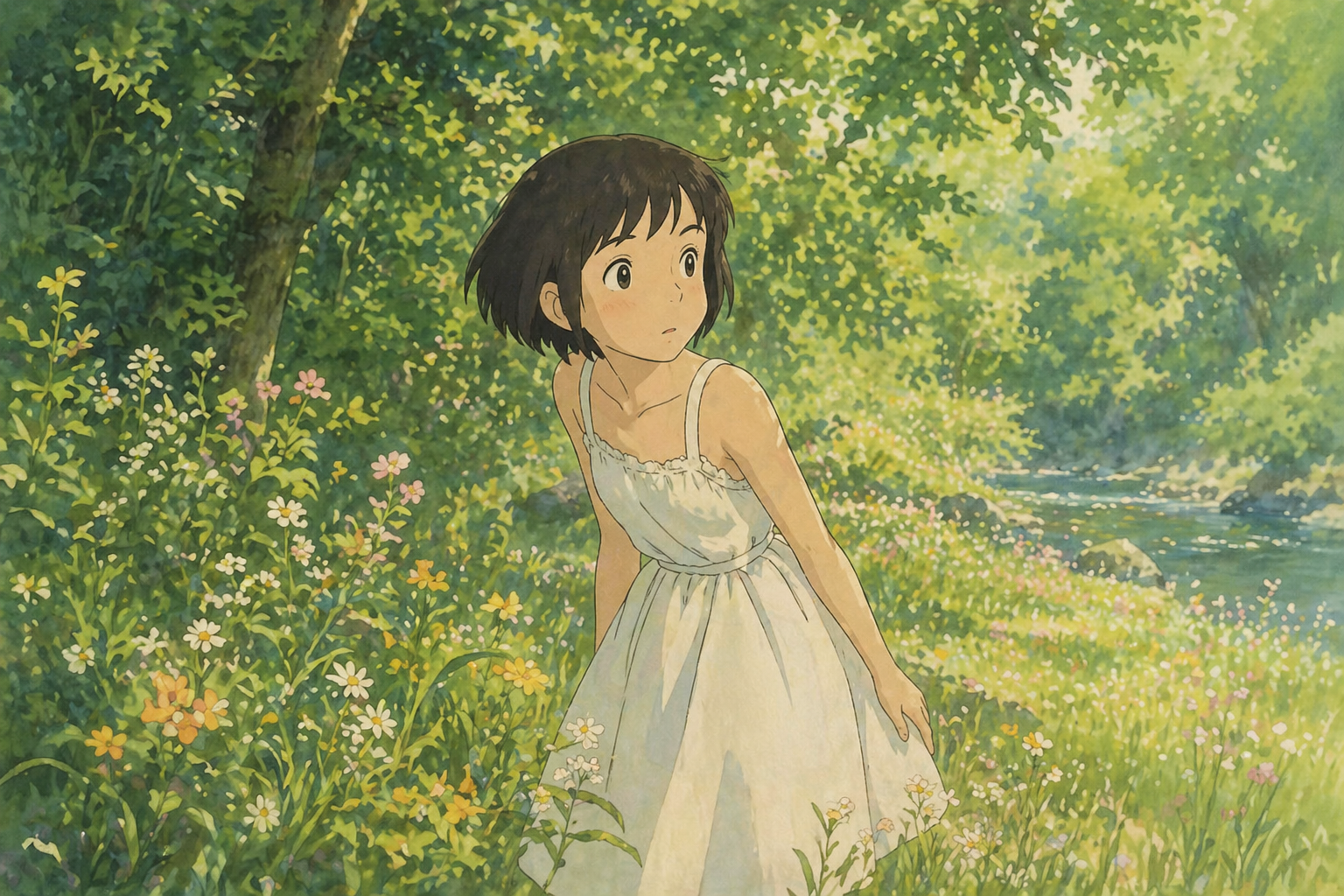
A girl walks through a sunlit meadow, her dress and hair moving in the breeze, in a cinematic tracking shot with gentle ambient audio.

03

View example prompt 3

E-commerce product videos

Brand adverts,Short dramas,E-commerce product videos,Social media content,In-place video editing

View example prompt

Replace the person in the video with a cartoon sea sponge character riding a skateboard. Use a realistic 3D-rendered look and keep the camera tracking the action.

FAQ

HappyHorse FAQs

HappyHorse FAQ

HappyHorse is Alibaba’s multimodal video model. The page describes four workflows: text-to-video, image-to-video, video generation with multiple image references, and editing an existing video. It also describes native audio-video generation and 720p or 1080p output. Try the workflow that fits your project; results depend on your prompt, references, and selected options.

The page describes 720p and 1080p output, but available options depend on the selected model and workflow. Check the generator for the video-length choices available to you; video-editing workflows may use a source video. Sign in and review the displayed credit cost before generating.

The page describes up to 5 reference images for reference-to-video and video-editing workflows. Check the selected model’s available settings, and label each image in your prompt—for example, Image 1 and Image 2—to explain how it should be used.

Upload a source video and describe the changes you want, such as replacing a subject, changing an outfit, or applying a different visual style. You can also describe the camera movement, timing, and composition you want to retain, but results may vary. This workflow can help you explore localization, creative remixes, and visual ideas.

You need to sign in before generating, and generation uses account credits. Check your balance and the displayed cost for the selected model and output options before you start. The page lists these HappyHorse rates: 720p costs 31 credits per second and 1080p costs 51 credits per second; check the current displayed cost in the generator.

Yes. Sign in before generating. Check your account credit balance and the displayed cost for the selected model and output options before you start.

Generation mode: Text-to-Video / Image-to-Video / Video-to-Video. Suitable for adverts and marketing content, e-commerce showcases, short dramas, social videos and in-place edits that replace elements while preserving the original movement.

Prompt tips: Describe the subject, movement, camera style and audio mood. For video editing, say what to replace, what to keep and which movement to follow. For reference-to-video, use labels such as Image 1 and Image 2 to identify elements. Start with one subject, one action and a clear camera direction. Compare the result with your brief; generated motion can vary.

Duration: 5s / 8s / 10s. Check the controls for the active generation mode before submitting.

Resolution: 720p / 1080p. Check the controls for the active generation mode before submitting. Output quality can affect the credit estimate. Confirm the displayed total before generating.

Aspect ratio: 16:9 / 9:16 / 1:1. Check the controls for the active generation mode before submitting. Choose the framing for your destination and check how uploaded images are cropped.

Generation mode: Text-to-Video / Image-to-Video / Video-to-Video. Reference image: 5. Video references are supported. Only use source material you can process, and say what each reference should guide. A reference cannot guarantee identical details. Watch the entire clip for continuity, unintended objects, timing and audio where available before using it.

Illustrative project ideaPlan a product video in several visual styles from one brief. Multiple reference images can help guide the product, setting, and props in a scene; results will depend on the references and prompt.
Illustrative project ideaExplore a scene that combines generated audio and video. Review the result to decide whether it needs additional voice-over or sound effects.
Illustrative project ideaTry editing a source video to explore several visual directions without filming again. The result may vary from the original motion and composition.
Illustrative project ideaExplore a workflow that uses text, images, reference images, or video editing for an advertising concept. Choose the workflow that fits the brief and review the generated result.
HappyHorse Project Ideas

HappyHorse Project Ideas

Explore creative examples
Illustrative project ideaPlan a product video in several visual styles from one brief. Multiple reference images can help guide the product, setting, and props in a scene; results will depend on the references and prompt.
Illustrative project ideaExplore a scene that combines generated audio and video. Review the result to decide whether it needs additional voice-over or sound effects.
Illustrative project ideaTry editing a source video to explore several visual directions without filming again. The result may vary from the original motion and composition.
Illustrative project ideaExplore a workflow that uses text, images, reference images, or video editing for an advertising concept. Choose the workflow that fits the brief and review the generated result.

Explore more AI video models

Veo 3.1 Quality

Veo 3.1 Quality

New

Veo 3.1 offers Lite, Fast and Quality variants where available. Choose text-to-video, image-to-video or video-to-video in supported modes; reference-to-video supports up to 3 images and requires Fast at 16:9. Available aspect options are Auto, 16:9 and 9:16. The interface has no duration or resolution selector. Check the displayed credit cost before generating.

Try now
Wan 2.6

Wan 2.6

New

Wan 2.6 supports text-to-video, image-to-video and video-to-video. It offers 5-, 10- and 15-second duration options, 720p and 1080p resolutions, and multi-shot generation.

Try now
Sora 2

Sora 2

The standard Sora model. It is designed for efficient video generation and can be used for storyboards, social clips and creative iterations.

Try now
Vidu Q4

Vidu Q4

New

Animate one first-frame image or use up to 15 reference images. Choose 540p–4K and a duration of 3–16 seconds for image animation or 1–16 seconds for references. Synchronized audio is optional. Reference audio must be MP3 and 3–12 seconds long.

Try now
Kling 4.0

Kling 4.0

New

Create 3–30-second videos from text, first and last frames, or visual references. Choose 720p or 1080p and review motion, sound and credits before developing your next edit.

Try now
Kling 2.6

Kling 2.6

Kling 2.6 is designed for complex motion and interactions. Use it to explore dynamic character movement, objects interacting and fluid camera moves.

Try now

Create Videos with HappyHorse

Explore HappyHorse, Alibaba’s multimodal video model. Sign in to generate and check the displayed credit cost.
Try HappyHorse
Nano Banana Pro
Nano Banana ProNano Banana Pro

Nano Banana Pro gives you access to advanced AI image models for creating professional-quality images.

Email
FAQShowcasesChangelogAPIManga ColorizerCyberpunk
العربيةDeutschEnglishEspañolFrançais繁體中文日本語한국어Bahasa MelayuTürkçeไทยTiếng ViệtPortuguês (Brasil)中文עבריתPolski
© 2026 Nano Banana Pro· All rights reserved
Privacy PolicyTerms of ServiceRefund PolicyRefund RequestAbout Us
HomeNEWToolsAssetsProfile
HappyHorse Showcase

12 Real-world Cases

See HappyHorse in action across all four scenes: text, image, multi-image reference, and video editing.

3 Text-to-Video Cases

Generate video from pure text prompts with native audio

Text
1080p

“A Pixar-style short about a nervous little traffic cone who dreams of being a finish line pylon at a major race. Other cones mock its ambitions. A construction worker accidentally places it at a marathon finish line. The cone's painted face shifts from terror to joy as runners pass. Confetti falls on its cone head. Other cones watch on TV, inspired. Audio: Traffic sounds becoming crowd cheers, inspirational swelling music.”

Duration: 5s

Text
1080p

“8mm vintage film style, grainy texture, slight light leaks. A group of friends laughing and running on a beach in the 1970s. Sun-drenched colors, nostalgic atmosphere, handheld camera shaking slightly. Authentic retro look.”

Duration: 5s

Text
1080p

“First-person POV (GoPro style), a high-speed mountain bike descent through a narrow, rocky forest trail. The camera vibrates with the bumps, trees rushing past in a blur. Intense sunlight filtering through the canopy. Adrenaline-pumping action, immersive sound of tires on gravel.”

Duration: 5s

3 Image-to-Video Cases

Animate still images into motion with synchronized sound

Image
1080p
1 Image

“Tracking shot as the girl walks gracefully through the meadow. Her dress and hair flutter in the wind, and clouds drift slowly. Cinematic audio of soft footsteps on grass, rustling summer wind, and melodic bird calls.”

Duration: 5s

Image
1080p
1 Image

“First-person POV. The camera glides smoothly and continuously forward deep into the sci-fi corridor. Glowing neon lights pass by rapidly on both sides. Tiny glowing dust particles float in the illuminated air. Steady tracking shot, immersive atmosphere.”

Duration: 5s

Image
1080p
1 Image

“Time-lapse effect. The thick morning mist rolls and flows fluidly through the pine trees like a slow-moving river. The bright volumetric light rays shift their angle dynamically as the sun rises. Cinematic slow zoom in.”

Duration: 5s

3 Multi-Image Reference Cases

Combine up to 5 reference images into a coherent scene

Reference
1080p
ref 1
ref 2

“The girl from Image 1 is jogging lightly through a sunlit forest. The glowing forest spirit from Image 2 playfully flies closely behind her like a small comet, leaving a faint luminous trail in the air. Golden light filters through the dense trees. Cinematic audio of soft, quick footsteps on grass, a gentle magical whoosh, and distant bird calls.”

Duration: 5s

Reference
1080p
ref 1
ref 2

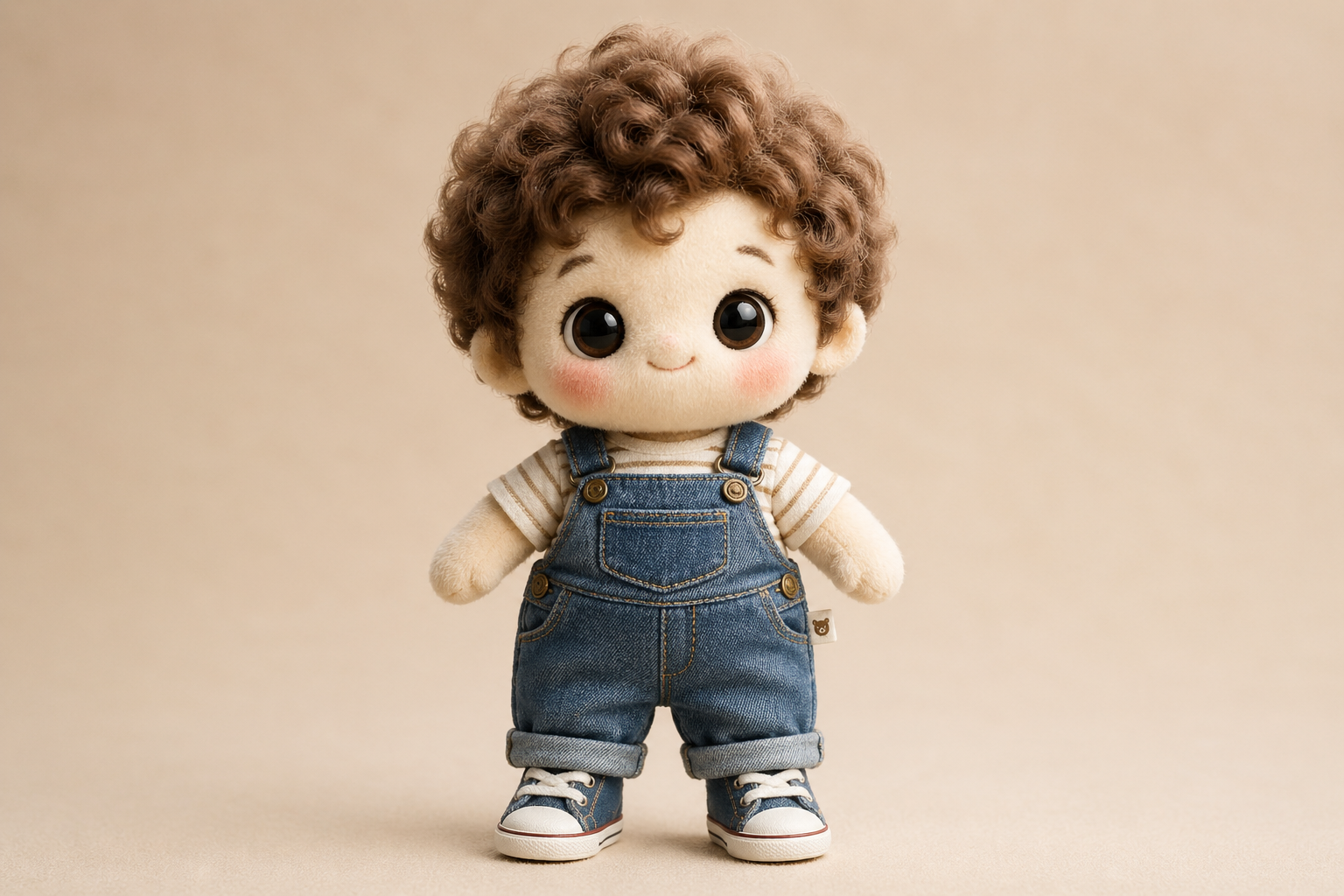
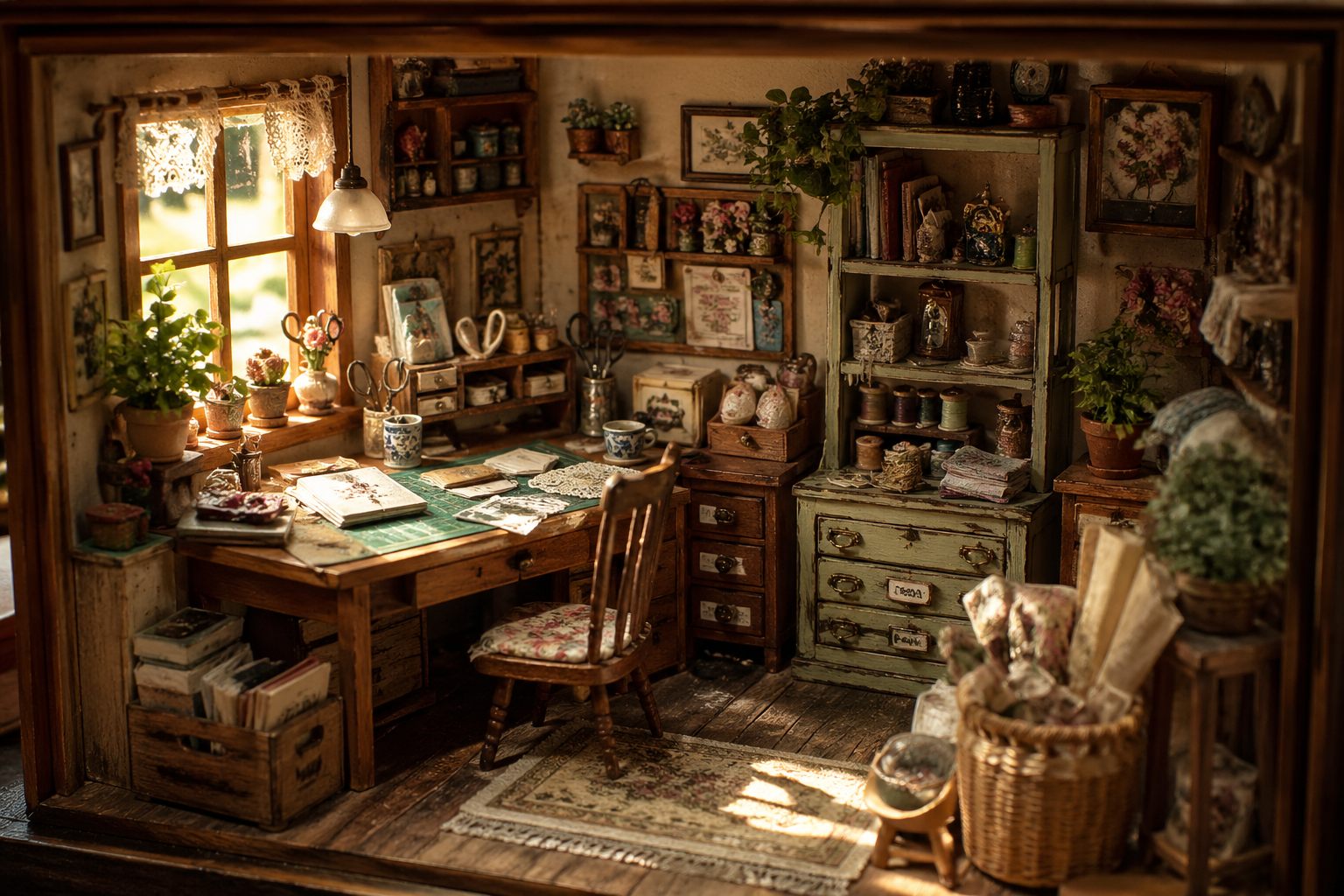
“Place the cotton doll from Image 1 into the vintage room from Image 2. The doll sits on the wooden workbench, gently swinging its legs, looking around curiously. Keep the lighting of Image 2 and the plush texture of Image 1 strictly consistent.”

Duration: 5s

Reference
1080p
ref 1
ref 2

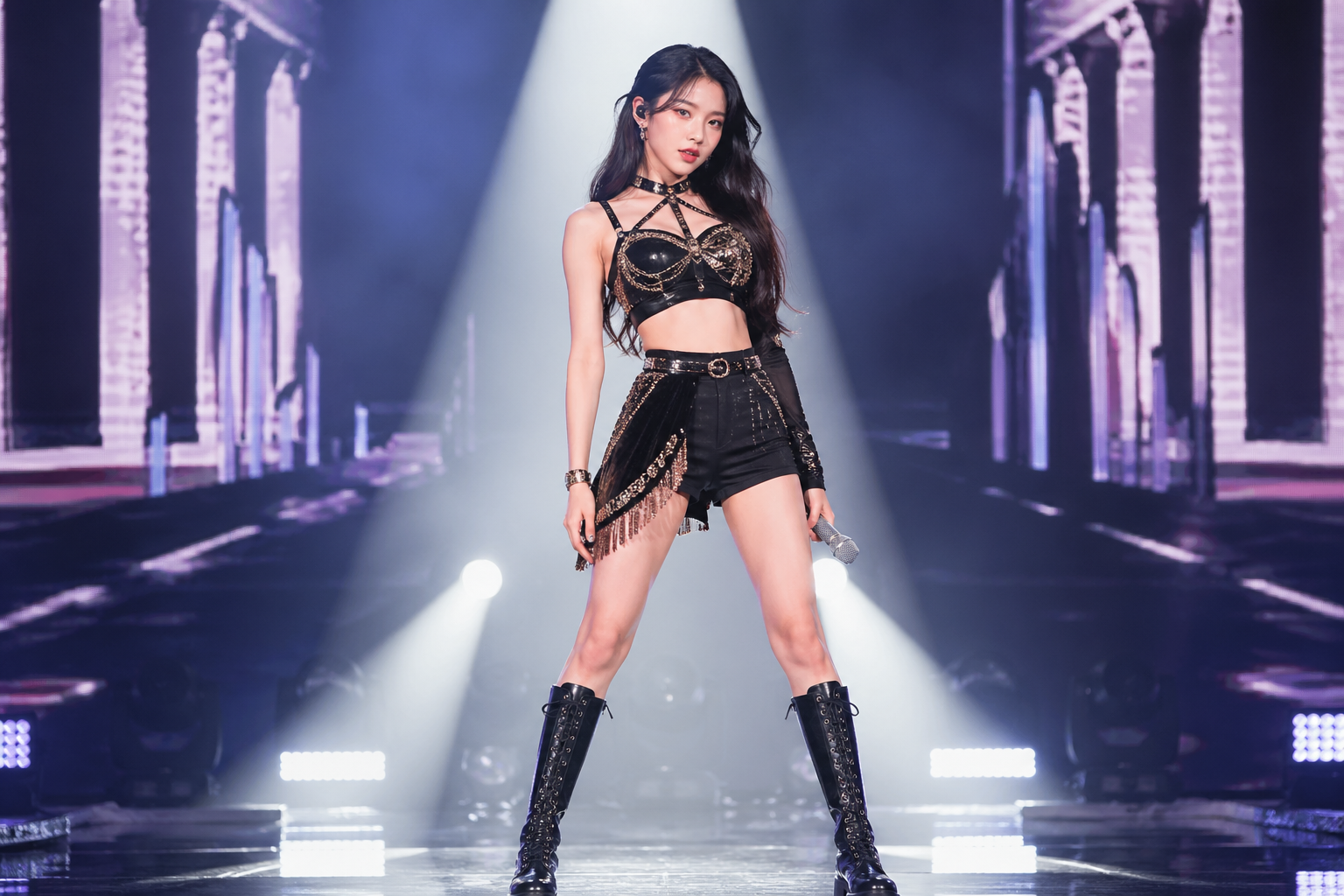
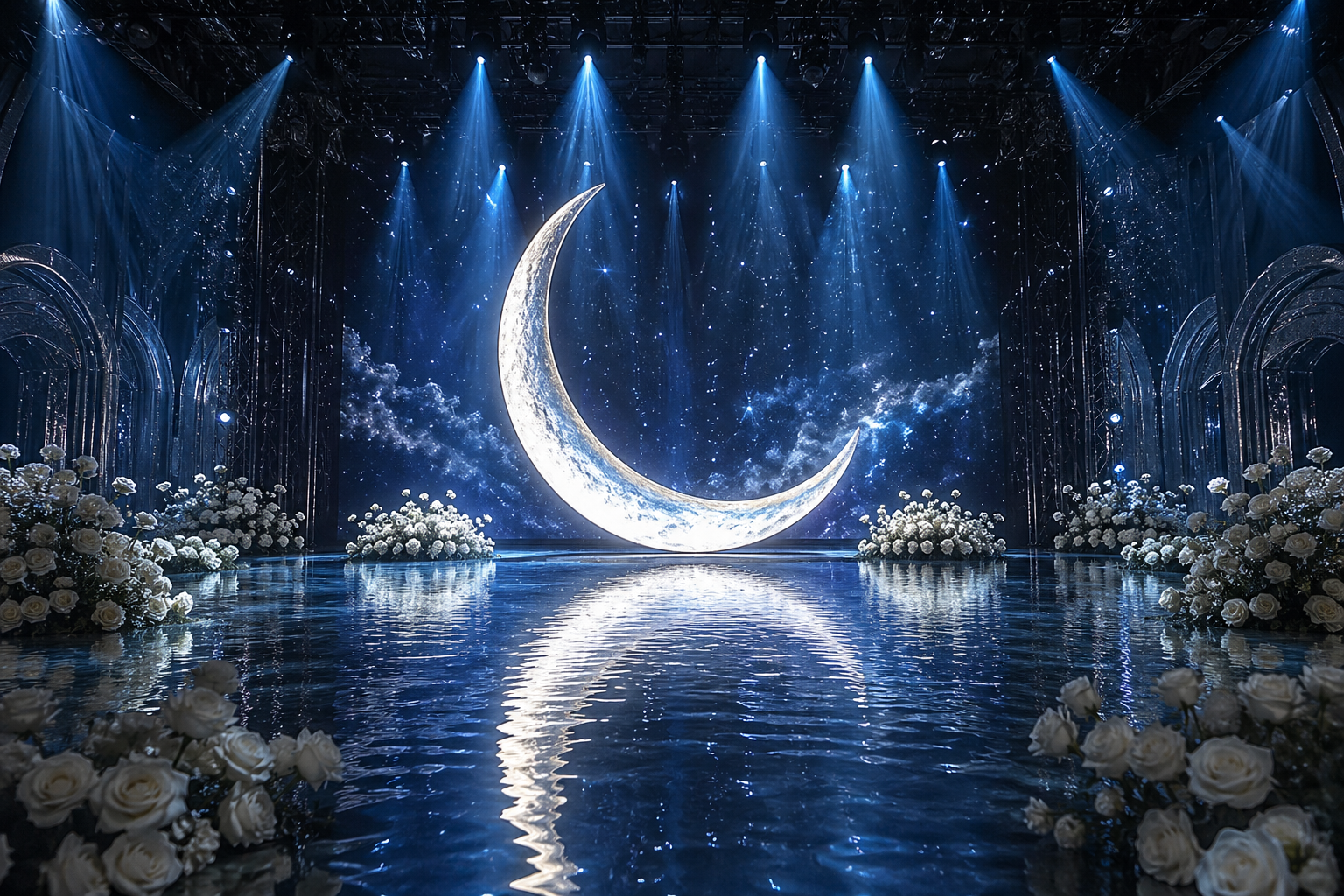
“The idol from Image 1 stands on the water stage from Image 2, directly in front of the giant glowing moon. The idol steps forward slowly, creating gentle ripples in the water, and raises the microphone to sing. The soft blue light from the moon reflects perfectly on the idol's outfit.”

Duration: 5s

3 Video Edit Cases

Replace subjects, styles, or elements while keeping camera motion

Video Edit
1080p
Source Video

“Replace the teenage boy in the video with SpongeBob SquarePants. He should retain his classic iconic look: a yellow rectangular sea sponge with large blue eyes, wearing a white collared shirt, red tie, and brown square pants. SpongeBob should be riding the skateboard naturally and performing the kickflip. Render him in a high-quality 3D realistic style to match the lighting and shadows of the real-world park background. Keep the original camera tracking and motion exactly the same.”

Video Edit
1080p
ref 1
Source Video

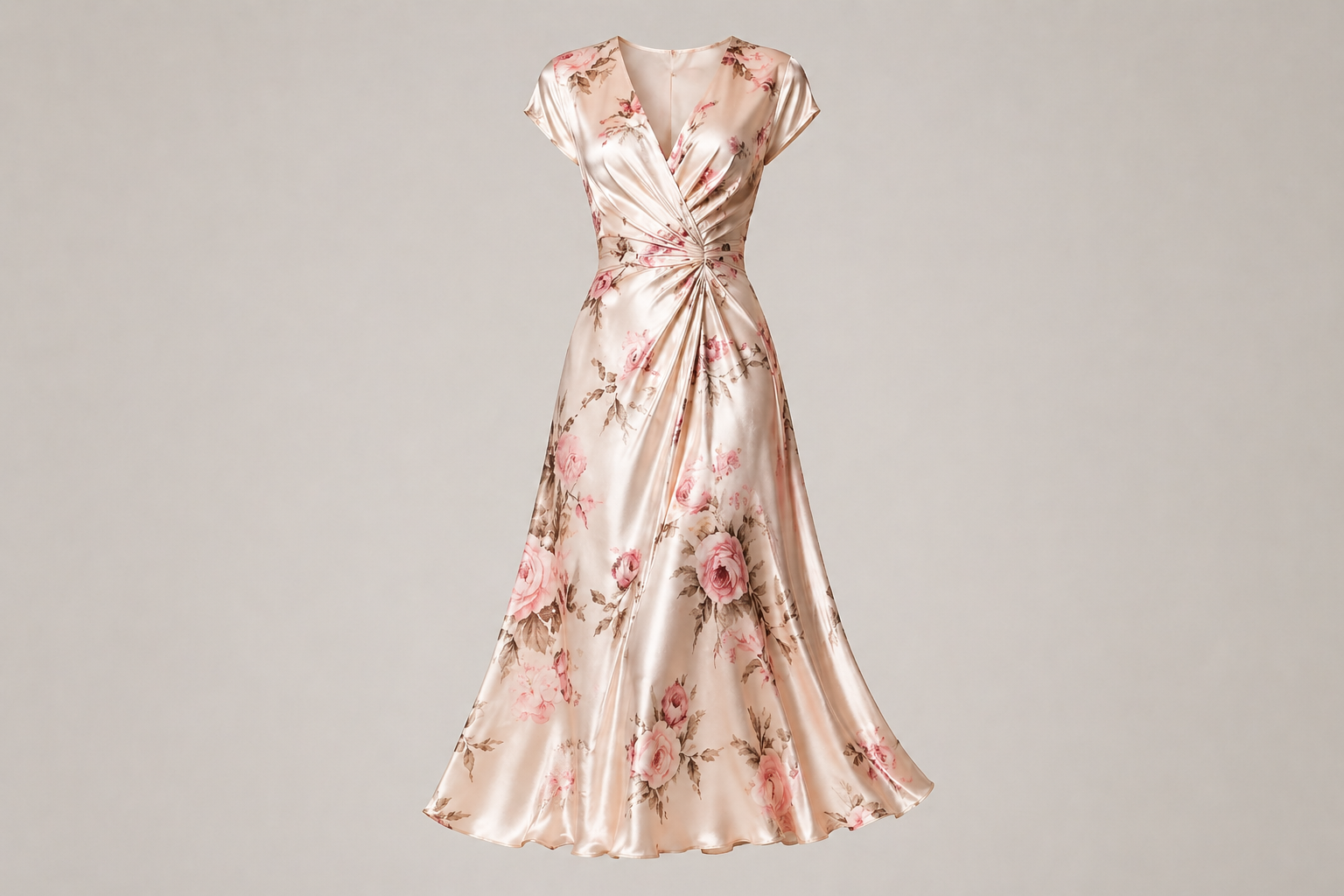
“Replace the grey hoodie and pants with the floral silk skirt from the reference image. The skirt should flow and sway naturally with the woman's walking and spinning motion. Keep her face, hair, and the living room background exactly the same.”

Video Edit
1080p
Source Video

“Transform the entire video into a vibrant Lego world. The person, the desk, and every object in the room should be constructed from high-quality plastic Lego bricks. Keep the original waving motion and spatial layout perfectly. The lighting should be bright and clean, like a professional Lego toy commercial.”