Nano Banana Pro
  • Home
  • Reviews
  • Assets
  • Pricing
Models
Nano Banana 2.1Nano Banana 2Nano Banana 2 LiteNano Banana ProSeedream 5.0 LiteSeedream 5.0 ProSeedream 5.0 FlashGPT Image 2.5 FlareGPT Image 2.5 SunburstGPT Image 2Grok Imagine Image 2.0FLUX.3 KleinVeo 3.1 QualityGemini OmniGemini Omni 1.1 FlashMiniMax H3MiniMax H3 MaxMiniMax H3 Max TurboSeedance 2Seedance 2.5Seedance 2 FastSeedance 2 MiniHappyHorseWan 2.6Wan 3.0 VideoWan 3.0 Video PrimeKling 2.6Kling 3.0Kling 3.0 OmniKling 3.0 Motion ControlPixVerse V6Grok Imagine Video 1.5 PreviewVidu Q4Grok Imagine Video 1.5 Lite
Nano Banana ProNano Banana Pro
Nano Banana 2.1
Model

ImageOptional

JPG, JPEG, PNG, WEBP · 30MB

0/10
0/20000
Resolution
Aspect Ratio
Output Format

Nano Banana 2.1

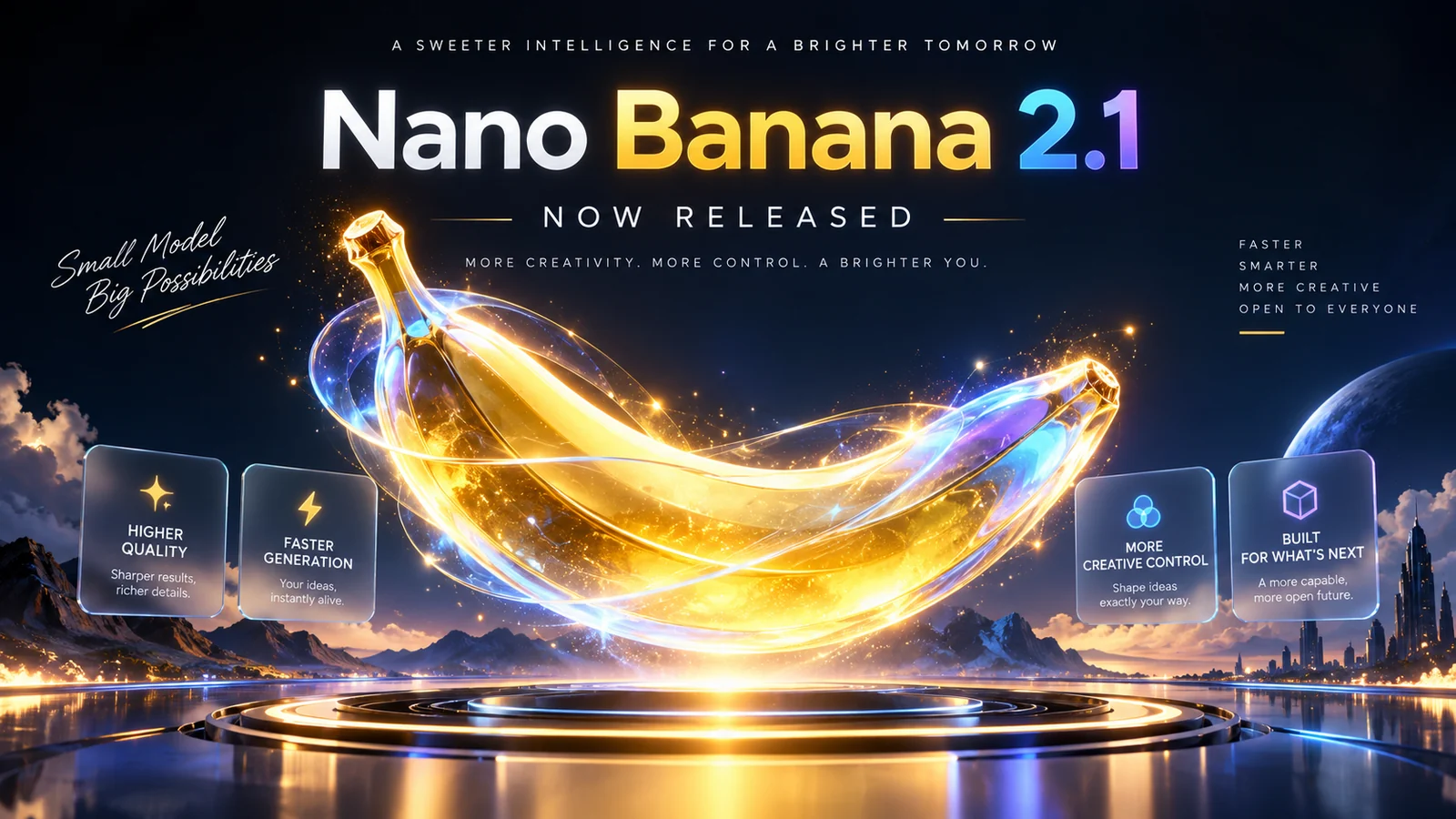
Nano Banana 2.1 is Google's efficient Gemini image model for generating images and making edits through conversation. It is a more efficient counterpart to Nano Banana Pro. Create images from a written description or edit them using up to 10 reference images. Choose 1K, 2K or 4K output and export as JPG or PNG.

Nano Banana 2.1
About

About Nano Banana 2.1

Nano Banana 2.1 is Google's efficiency-focused Gemini image model for generating images from text and editing them with reference images. Its model card highlights improvements to text within images and character and style consistency across a series of edits. Choose 1K, 2K or 4K output, use up to 10 reference images, enter descriptions of up to 20,000 characters, and select from 15 aspect ratios. Export as JPG or PNG.

About Nano Banana 2.1

Nano Banana 2.1 features and controls

Explore the resolution, reference image, description and review controls available for Gemini's efficient image model.

Google's efficient image model

Google describes Nano Banana 2.1 as a more efficient counterpart to Nano Banana Pro, with Flash-level speed and cost and improvements to visual quality and prompt adherence over Nano Banana 2. Try it when you want to explore several creative directions. Results depend on your description and references.

1K, 2K and 4K output

Choose 1K for drafts and social posts, 2K for detailed work, or 4K for large prints, banners and designs you plan to crop. 1K is the default, and each higher resolution costs more credits. The model card notes that tiling for wide and panoramic ratios such as 1:4, 4:1, 1:8 and 8:1 is fixed at 2K and 4K.

15 aspect ratios, from square to panoramic strips

Choose 1:1, 4:5, 3:4, 2:3, 9:16, 16:9 or 21:9 for common placements, or the very wide and tall 4:1, 1:4, 8:1 and 1:8 formats. Auto lets the model choose a ratio based on your description and references.

Combine multiple images, with up to 10 references here

Google's model card supports up to 14 reference images, with character consistency for up to 4 characters and object fidelity for up to 10 objects. This page accepts up to 10 JPEG, PNG or WebP files, up to 30 MB each. Give each image a clear role and state what must stay unchanged.

Text in images and infographic layouts

The model card highlights improved text rendering and layout accuracy, which can help with posters, price panels, comparison charts and diagrams where text needs to be readable and well placed. Check spelling and small print before publishing.

Edit through conversation, one step at a time

Describe the change you want, such as adjusting the lighting, background, framing or styling. You can focus on that change without restating the whole brief. Each run returns one image, and each edit is a new run charged at the displayed price for its resolution.

Descriptions up to 20,000 characters

Long briefs can help with multi-panel posters, recurring layouts, and character or product series. Try this order: subject, scene, framing, lighting, materials, styling, text to include, constraints and intended use.

Review images before publishing

Check the text in the image, small faces and hands, and product labels. If something is wrong, try again with a clearer instruction. Search grounding and thinking-level controls are not available on this page, so results are based on your description and references.

FAQ

Nano Banana 2.1 FAQs

Nano Banana 2.1 FAQ

Compare before choosing

Nano Banana 2 is the lighter, cheaper tier. Nano Banana Pro is the higher-fidelity option for complex professional work. With the AI image generator, you can try the same prompt with different models.

Nano Banana 2.1 (model code gemini-nano-banana-2.1) is Google's efficient image generation and conversational editing model. It updates Nano Banana 2 (Gemini 3.1 Flash Image) and is a more efficient counterpart to Nano Banana Pro (Gemini 3 Pro Image).

Google's model card says Nano Banana 2.1 maintains Flash-level speed and cost while improving visual quality, prompt adherence, character consistency across multiple editing turns, and text rendering. It also fixes tiling artefacts at 2K and 4K for wide aspect ratios.

Nano Banana 2 remains the lighter, cheaper tier, while Nano Banana Pro is the higher-fidelity option for complex professional work. All three are available in the same generator, so you can try your prompt with each before deciding.

Text-to-image costs 5 credits at 1K, 8 credits at 2K and 10 credits at 4K. Adding a reference image costs 1 extra credit at each resolution, so image-to-image costs 6, 9 or 11 credits. Each generation returns one image. Check the selected model and displayed credit cost before generating.

Choose 1K, 2K or 4K, and save the image as JPG or PNG. The default is 1K.

There are 15 aspect-ratio options: 1:1, 4:5, 5:4, 3:4, 4:3, 2:3, 3:2, 9:16, 16:9 and 21:9; panoramic 4:1 and 1:4; tall 8:1 and 1:8; and auto.

This page accepts up to 10 JPEG, PNG or WebP images, up to 30 MB each. Google's model card lists support for up to 14 references, with character consistency for up to 4 characters and object fidelity for up to 10 objects.

Use sharp, well-lit images and explain what each one is for, such as the product shape, person, pose, material, colour palette or background. State what must not change. A few clearly described references are often more useful than a large, mixed set.

Descriptions can be up to 20,000 characters. A useful order is: subject, scene, framing, lighting, materials, styling, any text to include in the image, constraints and intended use.

Start with what needs to be right, such as the product, face, wording or space for a headline, then add the style. If a detail must stay exactly as it is, say so clearly.

Read any text in the image, check small faces and hands, and confirm product labels, logos and factual details. If anything is wrong, try again with a clearer instruction. Check each result before using it.

This page accepts images and text as input. Google's model card also lists video and PDF input for the Gemini API, but this page's controls do not include Web or Image Search grounding or configurable thinking levels.

To continue, keep the same references and change one thing at a time. Draft at 1K, compare a few directions, then generate the image you want to keep at 2K or 4K. Export as JPG for a smaller file or PNG when you need that format, and check the result after each change. Each run uses credits at the displayed cost for the selected model and resolution.

Product listing imagesUse a product photo as a reference and ask for a different background or lighting while specifying that the product shape and label should stay the same. Check the result, as details may change.
Campaign draft conceptsDescribe the headline and layout you want to try, then compare several image directions. Check the text and layout, and confirm the selected output resolution suits your client presentation.
Social media graphicsTry a concept at 1K, then generate the version you prefer at 2K for a social post. Reuse the same brief and references between runs, and check that the look remains consistent.
E-commerce product imagesUse a reference photo of the product and specify which details, such as its label, should stay the same. Review the output carefully, since generated edits may change product details.
Marketing campaign graphicsInclude the headline, price and small print in your description, then check every word in the generated image before using it. Small text may need correction.
Brand identity visualsReuse the same references across a series and describe the visual elements to keep consistent. Check each image, as the composition or details may still vary between generations.
ai.models.nano-banana-2-1.testimonials_badge

Illustrative Nano Banana 2.1 project ideas

Explore creative examples
Product listing imagesUse a product photo as a reference and ask for a different background or lighting while specifying that the product shape and label should stay the same. Check the result, as details may change.
Campaign draft conceptsDescribe the headline and layout you want to try, then compare several image directions. Check the text and layout, and confirm the selected output resolution suits your client presentation.
Social media graphicsTry a concept at 1K, then generate the version you prefer at 2K for a social post. Reuse the same brief and references between runs, and check that the look remains consistent.
E-commerce product imagesUse a reference photo of the product and specify which details, such as its label, should stay the same. Review the output carefully, since generated edits may change product details.
Marketing campaign graphicsInclude the headline, price and small print in your description, then check every word in the generated image before using it. Small text may need correction.
Brand identity visualsReuse the same references across a series and describe the visual elements to keep consistent. Check each image, as the composition or details may still vary between generations.
Market-specific campaign assetsTry the same layout for different markets and specify the on-image copy for each version. Review the wording and composition in every result against your brand requirements.
Small-studio concept workTry concepts at 1K, then generate the selected image at 4K if that resolution suits your needs. Check the displayed credit cost for each run and plan your credit use accordingly.
Market-specific campaign assetsTry the same layout for different markets and specify the on-image copy for each version. Review the wording and composition in every result against your brand requirements.
Small-studio concept workTry concepts at 1K, then generate the selected image at 4K if that resolution suits your needs. Check the displayed credit cost for each run and plan your credit use accordingly.

Explore More AI Image Models

Nano Banana 2

Nano Banana 2

New

Fast and affordable image generation model powered by Google Gemini Flash Image. Ideal for everyday creative tasks with flexible resolutions from 0.5K to 4K.

Try now
Nano Banana Pro

Nano Banana Pro

New

Generate detailed images with consistent results across a series.

Try now
Nano Banana 2 Lite

Nano Banana 2 Lite

New

Google DeepMind’s fastest, most efficient Gemini Image model, designed for responsive image generation and editing. Use it for quick drafts, edits guided by reference images, and 1K visual exploration at a lower credit cost.

Try now
FLUX.2

FLUX.2

New

FLUX.2 is an image generation model designed to follow detailed instructions, including requests for text in images, hand poses and the spatial relationships between objects. Results can vary with the prompt and settings.

Try now
FLUX.3 Klein

FLUX.3 Klein

New

FLUX.3 Klein from Black Forest Labs creates images from text and edits images using up to 10 references. Choose 1K, 2K or 4K output; review the result before use.

Try now
Z-Image

Z-Image

A text-to-image model designed to turn detailed prompts into visual elements, including conceptual and abstract ideas.

Try now

Create images with Nano Banana 2.1

Start at 1K to try an idea, then generate the image you want to keep at 2K or 4K and export it as JPG or PNG. Check the credit cost for your chosen model and resolution before generating.
Try Nano Banana 2.1
Nano Banana Pro
Nano Banana ProNano Banana Pro

Nano Banana Pro gives you access to advanced AI image models for creating professional-quality images.

Email
FAQShowcasesChangelogAPIManga ColorizerCyberpunk
العربيةDeutschEnglishEspañolFrançais繁體中文日本語한국어Bahasa MelayuTürkçeไทยTiếng ViệtPortuguês (Brasil)中文עבריתPolski
© 2026 Nano Banana Pro· All rights reserved
Privacy PolicyTerms of ServiceRefund PolicyRefund RequestAbout Us
HomeAI ToolsAssetsProfile