Nano Banana Pro
  • Home
  • Reviews
  • Assets
  • Pricing
Models
Nano Banana 2.1Nano Banana 2Nano Banana 2 LiteNano Banana ProSeedream 5.0 LiteSeedream 5.0 ProSeedream 5.0 FlashGPT Image 2.5 FlareGPT Image 2.5 SunburstGPT Image 2Grok Imagine Image 2.0Z-ImageVeo 3.1 QualityGemini OmniGemini Omni 1.1 FlashMiniMax H3MiniMax H3 MaxMiniMax H3 Max TurboSeedance 2Seedance 2.5Seedance 2 FastSeedance 2 MiniWan 3.0 VideoWan 3.0 Video PrimeKling 3.0Kling 3.0 OmniKling 4.0PixVerse V6PixVerse V6 MaxGrok Imagine Video 1.5 PreviewGrok Imagine Video 1.5 LiteVidu Q4
Nano Banana ProNano Banana Pro
Flux 2
Model

ImageOptional

JPG, JPEG, PNG, WEBP · 30MB

0/10
0/20000
Resolution
Aspect Ratio
Output Format

Flux 2

Flux 2 is an AI image model from Black Forest Labs. Use it to explore photorealistic looks, detailed compositions and text in images. Create images with Nano Banana Pro . Sign in first and check the selected model’s credit cost.

Flux 2
About

About Flux 2

Flux 2 is an image generation model from Black Forest Labs, the team behind the original Stable Diffusion architecture. It can create photorealistic images, complex compositions and a range of artistic styles, and can render text within images. Results vary with the prompt and selected settings.

About Flux 2
Feature overview

Key Features

Explore photorealistic images, detailed compositions, text in images and a range of artistic styles

Create Detailed Images example

Create Detailed Images

01

Use Flux 2 to create detailed images. Generation time can vary.

Flux 2 can create detailed, coherent images from a range of prompts. Try different descriptions and settings to explore variations for your concepts, batch workflows or creative projects. Generation time and results may vary.

Prompt

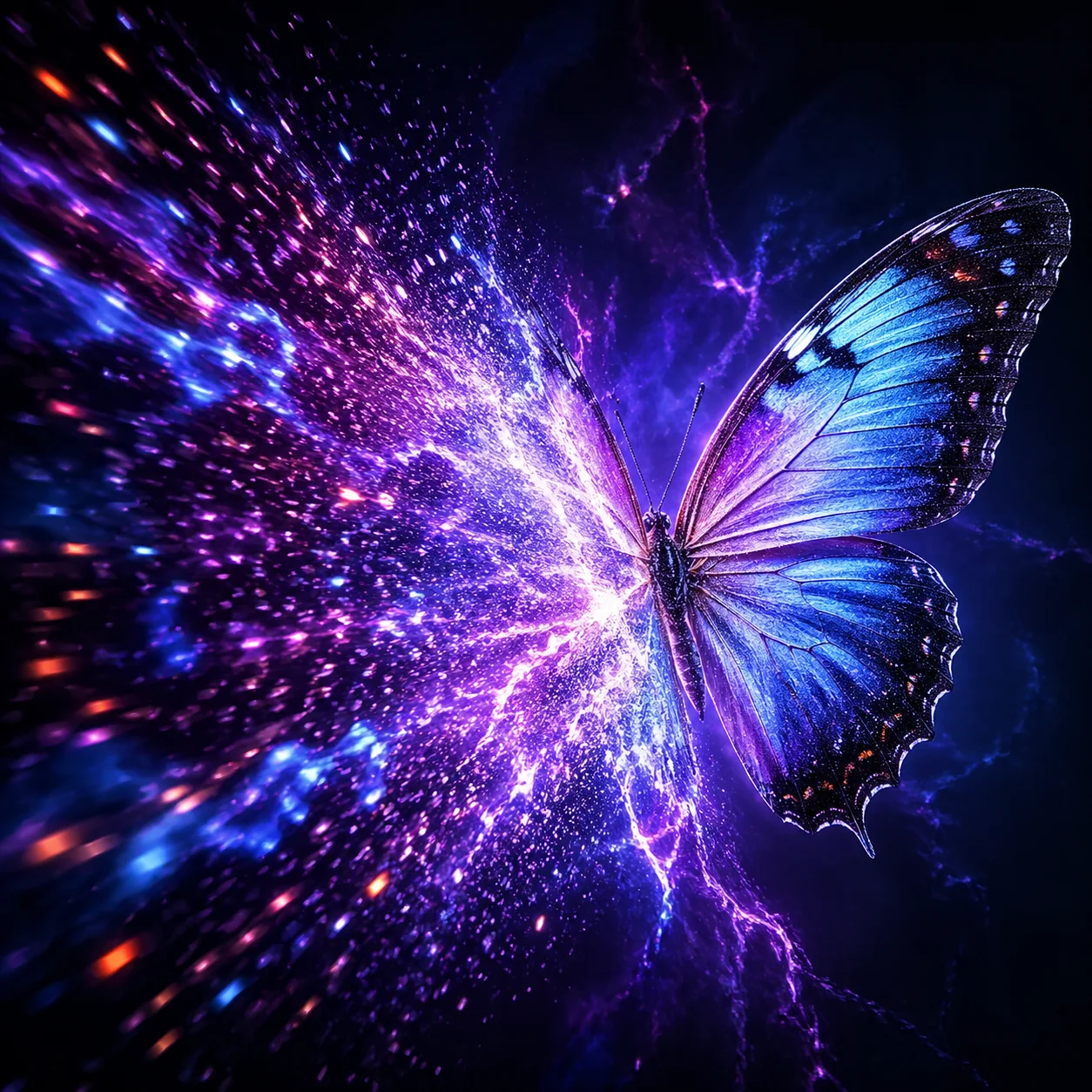
A burst of colourful light particles spreads outward and forms a detailed butterfly, shown mid-transformation. On the left, loose particles; on the right, the fully formed, photorealistic butterfly. Deep blue and purple background with electric-blue trails of light.

An example prompt for a particle-to-butterfly transformation

Output example
1
Photorealistic Styles example

Photorealistic Styles

02

Explore realistic lighting, natural skin tones and detailed textures.

Try Flux 2 for portrait, product or commercial image concepts. Skin, hair, reflections and depth of field depend on the prompt and generated result; review images before using them.

Prompt

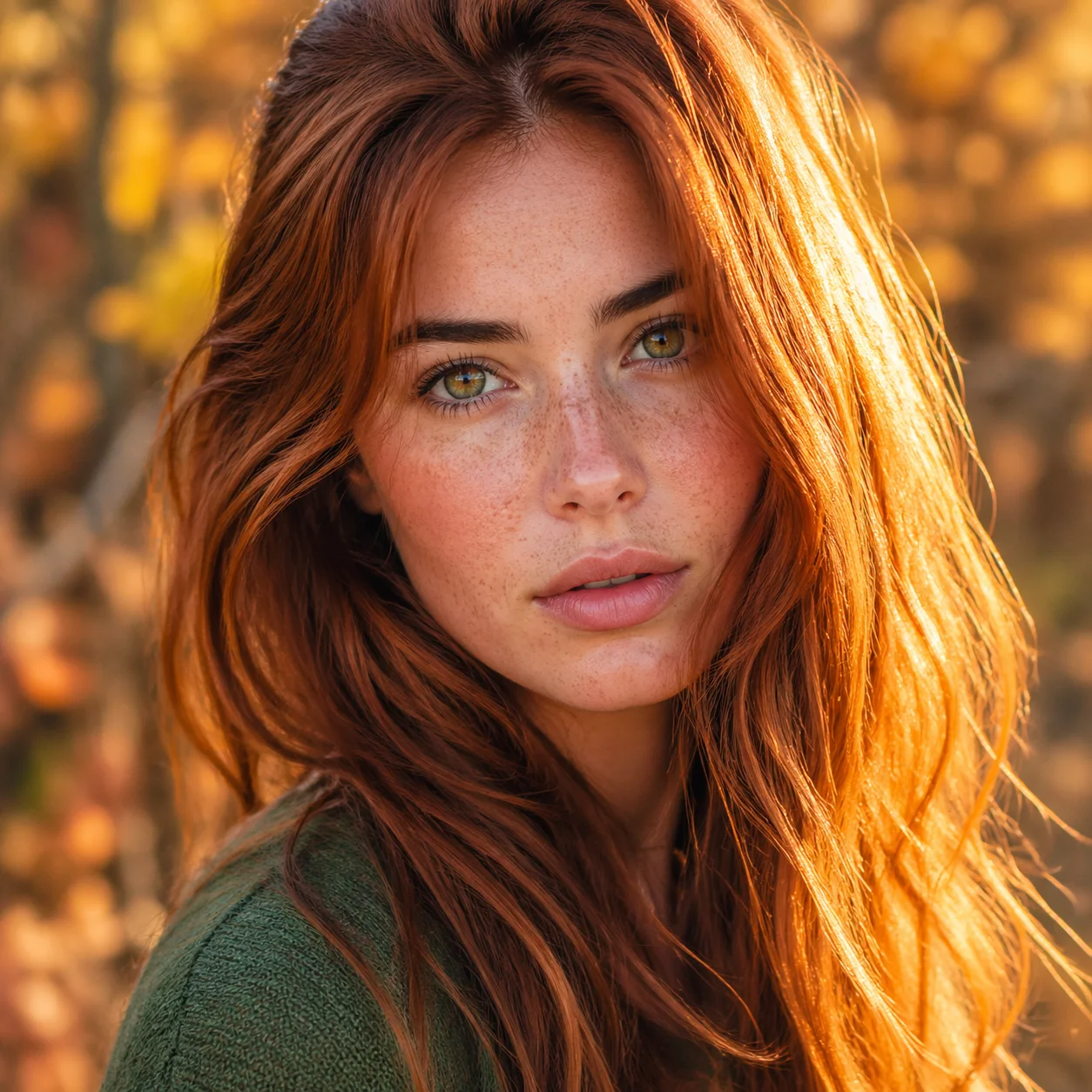
A photorealistic portrait of a young woman with freckles in golden-hour light. Detailed skin texture, individual strands of hair catching the light, natural catchlights in green eyes, and a soft, blurred background of autumn leaves. Canon EOS R5, 85mm f/1.4.

Portrait prompt featuring detailed skin and hair

Output example
1
Text in Images example

Text in Images

03

Ask for legible, styled text within generated images.

Describe the wording and style you want for signs, posters, product packaging or UI mockups. Text rendering can vary, so check the generated image for spelling and legibility.

Prompt

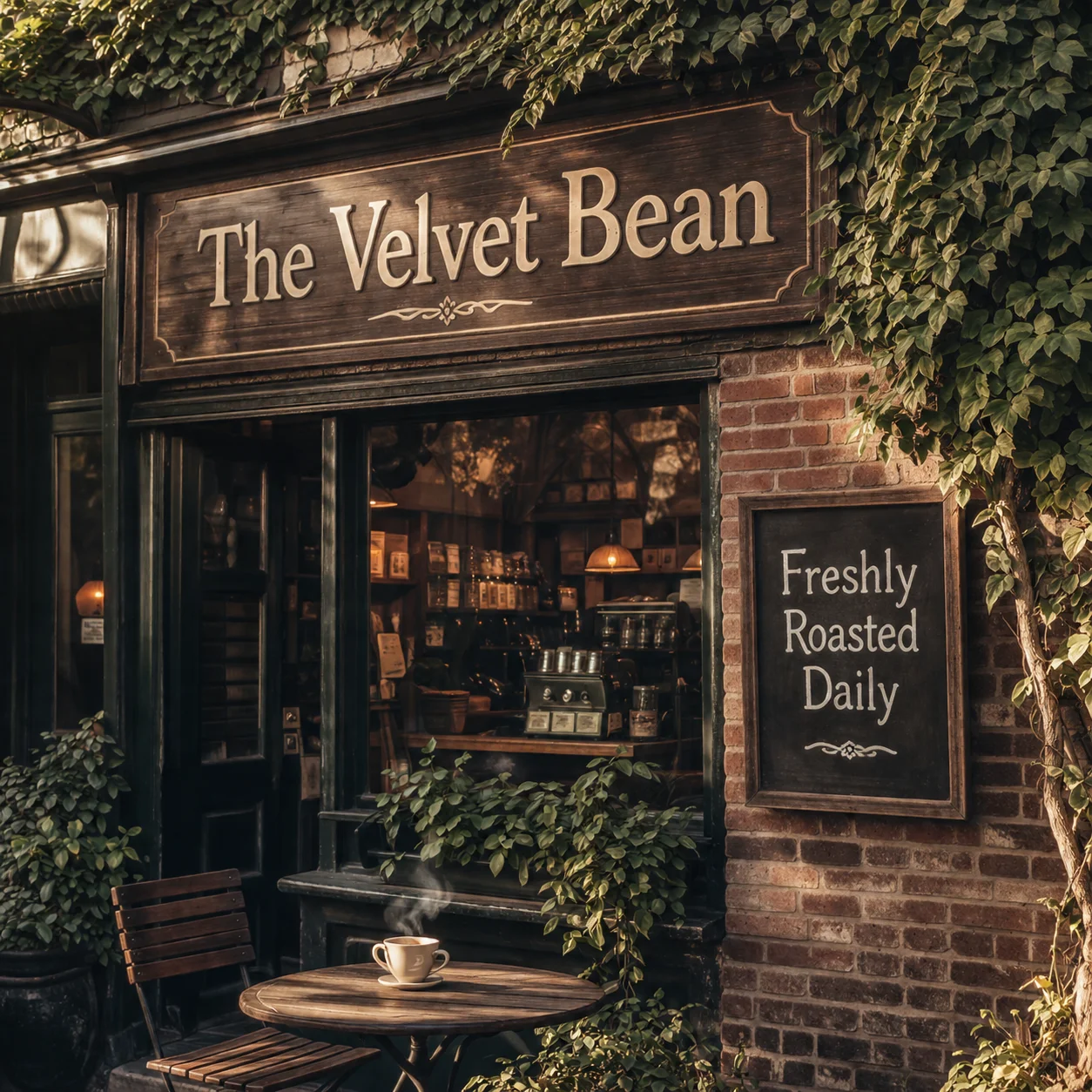
A vintage coffee shop storefront with a hand-painted wooden sign reading 'The Velvet Bean' in elegant serif lettering. Below it, a chalkboard reads 'Freshly Roasted Daily'. Warm afternoon light, brick facade with climbing ivy.

Example prompt with two text elements

Output example
1
A Range of Artistic Styles example

A Range of Artistic Styles

04

Explore photorealism, illustration, anime-inspired looks and oil-painting styles.

Describe a subject and the visual styles you want to explore, such as photorealism, ukiyo-e, pop art or watercolour. The result depends on the prompt and may not match every style detail exactly.

Prompt

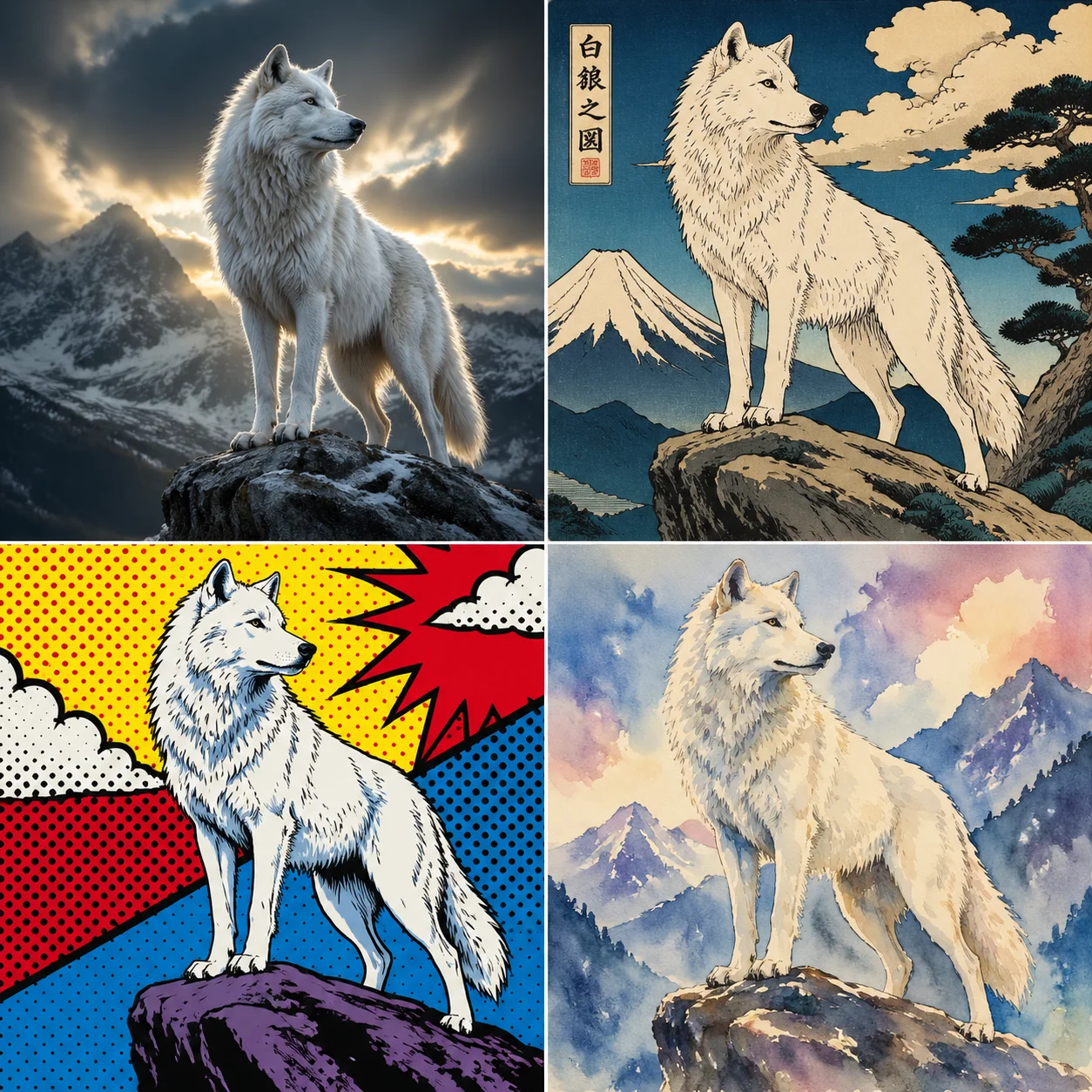
A 2x2 grid showing a majestic white wolf in four styles: photorealistic wildlife photography (top-left), Japanese ukiyo-e woodblock print (top-right), vibrant pop art with halftone dots (bottom-left), dreamy watercolour painting (bottom-right).

One subject described in four different styles

Output example
1
FAQ

Frequently Asked Questions

Flux 2 FAQ

Sign in to use Flux 2 on Nano Banana Pro. Generation requires account credits; check your balance and the displayed cost for the selected model before starting. Available credits and any applicable conditions are shown in your account. Review the generated image for quality and any watermark before using it.

Flux 2 is an image model from Black Forest Labs. You can explore photorealistic styles, detailed compositions, text in images and a range of visual styles. Results depend on the prompt and available settings.

Available resolutions and aspect ratios depend on the selected model and settings shown in the generator. Check the options there before generating with Flux 2.

Check the applicable usage terms before using generated images commercially. Rights and restrictions may depend on the selected model and service terms.

Generation time can vary with the prompt, selected model and service conditions. Check the selected model and displayed credit cost before generating.

Use Flux 2 to create detailed images. The result depends on your prompt and the available settings.

Explore realistic lighting, natural skin tones and lifelike textures. Try Flux 2 for portraits, product concepts and other visual ideas; results can vary.

Describe the composition, placement of elements and fine details you want. Flux 2 may interpret complex prompts differently, so review the result and adjust your description as needed.

Illustrative project ideaConcept exploration: try Flux 2 prompts to compare variations in lighting, composition and realistic style. Results and generation time depend on the prompt and settings.
Illustrative project ideaCampaign visual concept: describe a campaign image and any text you want to include, then review the generated image for wording, legibility and suitability before use.
Illustrative project ideaStyle exploration: use prompts to compare photorealistic product concepts with stylised illustrations. The result depends on the prompt and available settings.
ai.models.flux-2.testimonials_badge

Flux 2 Project Ideas

Explore creative examples
Illustrative project ideaConcept exploration: try Flux 2 prompts to compare variations in lighting, composition and realistic style. Results and generation time depend on the prompt and settings.
Illustrative project ideaCampaign visual concept: describe a campaign image and any text you want to include, then review the generated image for wording, legibility and suitability before use.
Illustrative project ideaStyle exploration: use prompts to compare photorealistic product concepts with stylised illustrations. The result depends on the prompt and available settings.

Explore More AI Image Models

FLUX.3 Klein

FLUX.3 Klein

New

FLUX.3 Klein from Black Forest Labs creates images from text and edits images using up to 10 references. Choose 1K, 2K or 4K output; review the result before use.

Try now
Z-Image

Z-Image

A text-to-image model designed to turn detailed prompts into visual elements, including conceptual and abstract ideas.

Try now
GPT Image 2

GPT Image 2

New

A multi-reference image generation model that accepts up to 16 reference images for projects requiring consistency, detailed direction and complex commercial workflows. Supports both text-to-image and image-to-image generation.

Try now
Seedream 5.0 Lite

Seedream 5.0 Lite

New

Seedream 5.0 Lite is a lightweight image generation model from ByteDance. It supports batches of up to 15 images and is suited to frequent creative work. Available speed and image quality depend on your model and settings.

Try now
Seedream 4.5

Seedream 4.5

New

Seedream 4.5 is an image generation model for prompts that describe a scene, mood or lighting. It can be used for realistic photography or surreal artwork; results depend on the prompt and settings.

Try now
GPT-Image 1.5

GPT-Image 1.5

A photorealistic image generation model for detailed light and shadow, natural expressions and realistic textures. It supports text-to-image and image-to-image generation, for work where a realistic look is important.

Try now

Create Images with Flux 2

Explore Flux 2 online. Sign in and check the displayed credit cost before generating.
Create an Image
Nano Banana Pro
Nano Banana ProNano Banana Pro

Nano Banana Pro gives you access to advanced AI image models for creating professional-quality images.

Email
FAQShowcasesChangelogAPIManga ColorizerCyberpunk
العربيةDeutschEnglishEspañolFrançais繁體中文日本語한국어Bahasa MelayuTürkçeไทยTiếng ViệtPortuguês (Brasil)中文עבריתPolski
© 2026 Nano Banana Pro· All rights reserved
Privacy PolicyTerms of ServiceRefund PolicyRefund RequestAbout Us
HomeAI ToolsAssetsProfile