Nano Banana Pro
  • Home
  • Assets
  • Pricing
Models
Nano Banana 2.1Nano Banana 2Nano Banana 2 LiteNano Banana ProSeedream 5.5Seedream 5.0 LiteSeedream 5.0 ProSeedream 5.0 FlashGPT Image 2.6 FlareGPT Image 2.6 SunburstGPT Image 2.5 FlareGPT Image 2.5 SunburstGPT Image 2Grok Imagine Image 2.0Z-ImageGemini Omni 1.2 FlashGemini Omni 1.1 FlashGemini OmniMiniMax H3MiniMax H3 MaxMiniMax H3 Max TurboSeedance 2Seedance 2.5Seedance 2 FastSeedance 2 MiniWan 3.0 VideoWan 3.0 Video PrimeKling 3.0Kling 3.0 OmniKling 4.0Kling 4.0 FlashPixVerse V6PixVerse V6 MaxGrok Imagine Video 1.5 PreviewGrok Imagine Video 1.5 LiteVidu Q4
Nano Banana ProNano Banana Pro
Generation mode
Model

Image

JPG, JPEG, PNG, WEBP · 10MB

Drop an image or click to upload.

0 / 2000
Aspect ratio
Resolution
Duration4s
4s6s8s10s

What is Character Consistency?

Upload a reference video to show a character’s appearance and traits. Generated videos may use it as a reference for that character.

Useful for storylines, brand characters and virtual avatars.

No characters created yet

Gemini Omni

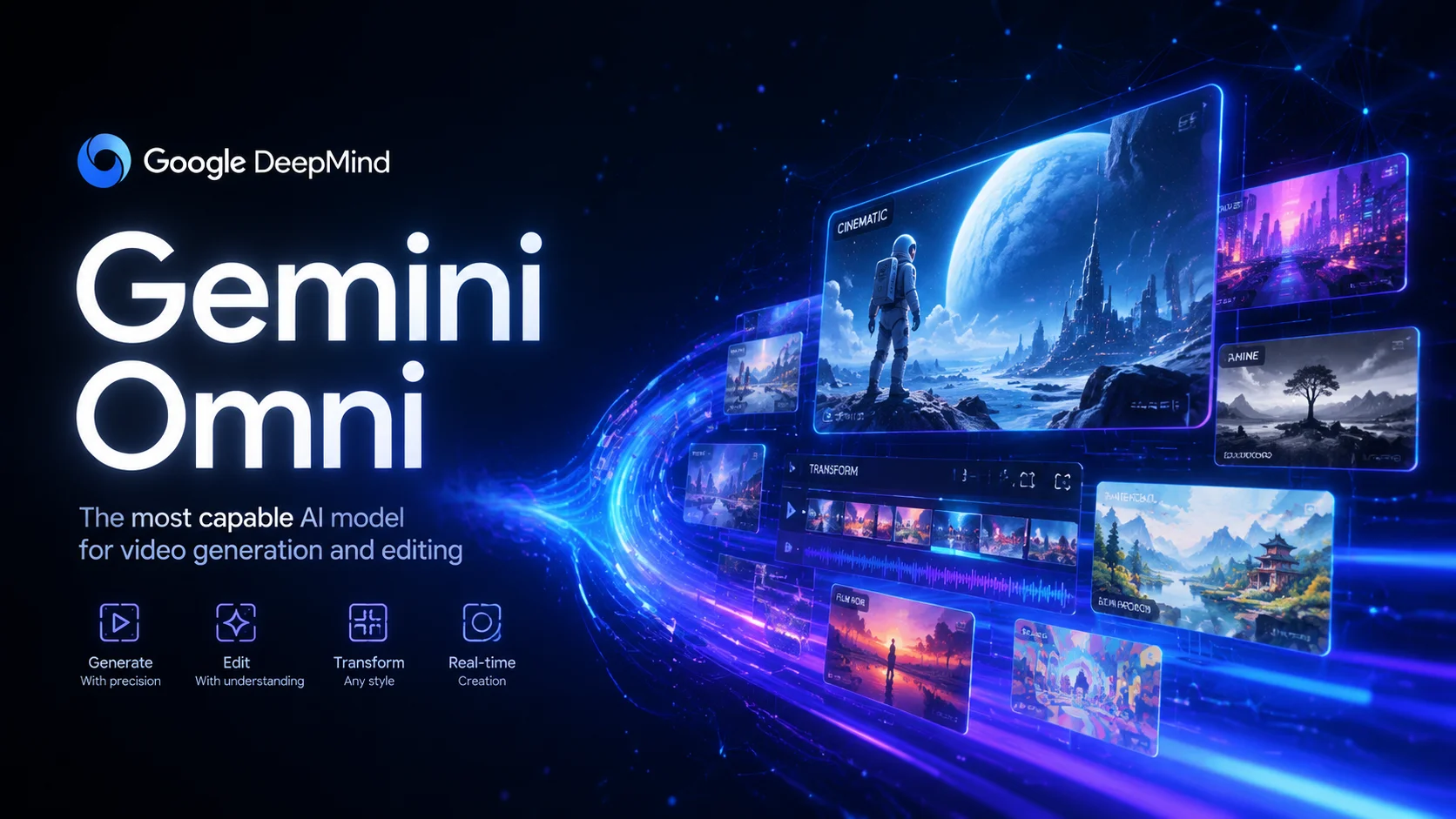
Google's multimodal creation model brings Gemini's reasoning together with generative media. Create and edit videos from text, images, video or audio using natural language, with each edit building on the previous one. Explore it with Nano Banana Pro .

Gemini Omni
How it works

Create with Gemini Omni

Gemini Omni is described as Google DeepMind's multimodal creation model, announced at Google I/O 2025. It combines Gemini's reasoning capabilities with generative media systems for video creation and editing beyond simple prompt-to-video. The model is designed to interpret scenes, actions, environments, physical behaviour and real-world context. Gemini Omni Flash is described as the first model in the Omni family, for video workflows that transform footage, use references and refine scenes through natural-language conversation.

01

Describe the shot

Prompt tips: Describe the lighting, camera movement and atmosphere in detail. Use reference images to guide visual consistency. Choose a duration from the options available for the selected model.

02

Add references

Generation mode: Text-to-Video / Image-to-Video / Reference-to-Video / Video-to-Video. Reference image: 7. Video references are supported. Only use source material you can process, and say what each reference should guide. A reference cannot guarantee identical details.

03

Generate and refine

Duration: 4s / 6s / 8s / 10s. Resolution: 720p / 1080p / 4k. Aspect ratio: 16:9 / 9:16. Check the controls for the active generation mode before submitting. Watch the entire clip for continuity, unintended objects, timing and audio where available before using it.

Generation mode

Text-to-Video / Image-to-Video / Reference-to-Video / Video-to-Video

Duration

4s / 6s / 8s / 10s

Resolution

720p / 1080p / 4k

Aspect ratio

16:9 / 9:16

Reference image

7 ·

Prompt (max)

2000

About

About Gemini Omni

Gemini Omni is described as Google DeepMind's multimodal creation model, announced at Google I/O 2025. It combines Gemini's reasoning capabilities with generative media systems for video creation and editing beyond simple prompt-to-video. The model is designed to interpret scenes, actions, environments, physical behaviour and real-world context. Gemini Omni Flash is described as the first model in the Omni family, for video workflows that transform footage, use references and refine scenes through natural-language conversation.

About Gemini Omni
Feature overview

Key capabilities

Multimodal input, conversational editing, style transformation and real-world knowledge in one model

Your browser does not support video playback.

Multi-turn conversational editing

01

Refine videos through natural-language instructions, with each edit building on the previous result.

Gemini Omni is presented as a conversational approach to video editing. Start with an initial video, then use instructions to change the background, adjust the action, replace objects, shift the camera angle or add effects. You can make changes step by step while asking the model to retain other parts of the scene. Results may vary with the input and instructions.

Prompt

Across several edits, change the camera angle while asking the model to keep the scene coherent.

An example of refining a scene across multiple editing turns.

Start with a person in a room. Then ask to change the lighting to golden hour, followed by adding rain on the window. Each instruction builds on the previous edit.

An example of refining a scene through successive instructions.

Output example
2
Your browser does not support video playback.

Transform the video's visual style

02

Describe a new look for your video, such as metal, sketch, puppet, hologram or voxel art.

The page describes transforming an input video's visual style while aiming to retain its motion, structure and composition. You can request metallic surfaces, hand-drawn sketches, felt puppets, holographic projections or voxel art. How consistently these changes carry through the frames depends on the input and model output.

Prompt

When the person touches the mirror, make it ripple like liquid and turn their arm into reflective mirror material.

Example prompt for requesting a metallic transformation while retaining the scene's motion.

When the person touches the mirror, turn the entire environment into 3D voxel art with blocky geometric shapes.

Example prompt for transforming an environment into voxel art while retaining its spatial layout.

Output example
2
Your browser does not support video playback.

Multimodal input

03

Use text, images, video and audio as creative references in one generation, where supported by the selected model.

Gemini Omni is described as processing multiple input types together: text for direction, images for visual reference, video for motion guidance and audio for speech or sound cues. The model can use these inputs to guide a video generation. For a creative brief, you might combine a storyboard sketch, a reference clip, a voice recording and a written description. Supported inputs and results depend on the selected model.

Prompt

Add harp sounds in sync with each touch of a fern leaf. Turn the leaves into bioluminescent plants with fireflies flying around them.

Example prompt combining video, text instructions and an audio reference for a synchronised result.

Create a claymation-style visualisation of protein folding, drawing on scientific knowledge of the process and molecular behaviour.

An illustrative prompt combining a science topic with a creative visual style; verify scientific details independently.

Output example
2
Examples & use cases

What you can make with Gemini Omni

Suitable for high-quality video projects, marketing content, social videos, product demonstrations and creative storytelling with image references.

01

View example prompt 1

Short films

Suitable for high-quality video projects, marketing content, social videos, product demonstrations and creative storytelling with image references.

View example prompt

A peaceful Japanese garden as cherry blossom petals fall and koi swim in a clear pond, with soft morning light and cinematic slow motion.

02

View example prompt 2

Marketing videos

Prompt tips: Describe the lighting, camera movement and atmosphere in detail. Use reference images to guide visual consistency. Choose a duration from the options available for the selected model.

View example prompt

A futuristic robot assembles itself from scattered parts in a high-tech lab, with dramatic lighting and smooth mechanical movements.

03

View example prompt 3

Social media

Short films,Marketing videos,Social media,Product showcases,Creative projects

View example prompt

A time-lapse of a city skyline from golden sunset to a starry night, as clouds race by and lights come on in buildings.

FAQ

Frequently Asked Questions

Gemini Omni FAQ

Gemini Omni is described as Google DeepMind's multimodal video creation model, announced at Google I/O 2025. The page presents it as supporting multi-turn conversational editing, combined text, image, video and audio input, and real-world context. These are product descriptions, not a guarantee of output accuracy or a statement that every capability is available in the selected model. Sign in to Nano Banana Pro, choose a supported model and check its credit cost before generating.

Sign in to Nano Banana Pro, select an available video model and check your account's credit balance and the displayed generation cost. Enter a text prompt or add supported references, then submit your request. Available models, settings and credit costs may vary; check them before generating.

The page describes text prompts, up to 7 reference images, one video clip of up to 100 MB and 30 seconds, and audio inputs. It also describes combining input types, such as pairing an image reference with text instructions. These limits and inputs may depend on the selected model and configured mode, so check the options shown before generating.

Start with an initial generation, then use natural-language instructions to request changes across multiple turns, such as adjusting the camera angle or lighting, replacing objects, adding effects or changing the style. The page describes edits as building on the previous result and aiming to retain elements you do not mention. Results can vary with the input and instructions.

The page describes 4, 6, 8 or 10-second videos in 16:9 landscape and 9:16 portrait formats, along with seed control. These are not guaranteed settings for every model. Check the selected model's available options before generating.

Commercial-use rights depend on the applicable service terms, selected model and your account. Review those terms before using generated videos commercially; this page does not establish a blanket commercial-use licence.

This page presents Gemini Omni's potential distinctions as multi-turn conversational editing, combined text, image, video and audio inputs, and use of real-world context. Capabilities and available settings vary by model, and the descriptions here do not verify comparative performance or guarantee physically accurate or contextually correct results. Check each model's options and terms for your intended task.

Generation mode: Text-to-Video / Image-to-Video / Reference-to-Video / Video-to-Video. Suitable for high-quality video projects, marketing content, social videos, product demonstrations and creative storytelling with image references.

Prompt tips: Describe the lighting, camera movement and atmosphere in detail. Use reference images to guide visual consistency. Choose a duration from the options available for the selected model. Start with one subject, one action and a clear camera direction. Compare the result with your brief; generated motion can vary.

Duration: 4s / 6s / 8s / 10s. Check the controls for the active generation mode before submitting.

Resolution: 720p / 1080p / 4k. Check the controls for the active generation mode before submitting. Output quality can affect the credit estimate. Confirm the displayed total before generating.

Aspect ratio: 16:9 / 9:16. Check the controls for the active generation mode before submitting. Choose the framing for your destination and check how uploaded images are cropped.

Generation mode: Text-to-Video / Image-to-Video / Reference-to-Video / Video-to-Video. Reference image: 7. Video references are supported. Only use source material you can process, and say what each reference should guide. A reference cannot guarantee identical details. Watch the entire clip for continuity, unintended objects, timing and audio where available before using it.

Illustrative project ideaTry refining a scene in several rounds of instructions. For instance, change the camera angle while asking the model to retain the scene's overall continuity. The result depends on the input and model.
Illustrative project ideaExplore how one shoot might be adapted into variations with metal, sketch or hologram-inspired looks while retaining the original motion. The number and quality of variations depend on the model and inputs.
Illustrative project ideaTry prompting a protein-folding visualisation in a chosen style, then check any scientific details against reliable sources. Generated visuals may not accurately represent molecular behaviour.
Illustrative project ideas

Illustrative project ideas

Explore creative examples
Illustrative project ideaTry refining a scene in several rounds of instructions. For instance, change the camera angle while asking the model to retain the scene's overall continuity. The result depends on the input and model.
Illustrative project ideaExplore how one shoot might be adapted into variations with metal, sketch or hologram-inspired looks while retaining the original motion. The number and quality of variations depend on the model and inputs.
Illustrative project ideaTry prompting a protein-folding visualisation in a chosen style, then check any scientific details against reliable sources. Generated visuals may not accurately represent molecular behaviour.

Explore more AI video models

Veo 3.1 Quality

Veo 3.1 Quality

New

Veo 3.1 offers Lite, Fast and Quality variants where available. Choose text-to-video, image-to-video or video-to-video in supported modes; reference-to-video supports up to 3 images and requires Fast at 16:9. Available aspect options are Auto, 16:9 and 9:16. The interface has no duration or resolution selector. Check the displayed credit cost before generating.

Try now
Wan 2.6

Wan 2.6

New

Wan 2.6 supports text-to-video, image-to-video and video-to-video. It offers 5-, 10- and 15-second duration options, 720p and 1080p resolutions, and multi-shot generation.

Try now
Sora 2

Sora 2

The standard Sora model. It is designed for efficient video generation and can be used for storyboards, social clips and creative iterations.

Try now
Vidu Q4

Vidu Q4

New

Animate one first-frame image or use up to 15 reference images. Choose 540p–4K and a duration of 3–16 seconds for image animation or 1–16 seconds for references. Synchronized audio is optional. Reference audio must be MP3 and 3–12 seconds long.

Try now
Kling 4.0

Kling 4.0

New

Create 3–30-second videos from text, first and last frames, or visual references. Choose 720p or 1080p and review motion, sound and credits before developing your next edit.

Try now
Kling 2.6

Kling 2.6

Kling 2.6 is designed for complex motion and interactions. Use it to explore dynamic character movement, objects interacting and fluid camera moves.

Try now

Create with Gemini Omni

Explore Gemini Omni online. Sign in to get started, then check your available credits and the selected model's displayed cost.
Try it now
Nano Banana Pro
Nano Banana ProNano Banana Pro

Nano Banana Pro gives you access to advanced AI image models for creating professional-quality images.

Email
FAQShowcasesChangelogAPIManga ColorizerCyberpunk
العربيةDeutschEnglishEspañolFrançais繁體中文日本語한국어Bahasa MelayuTürkçeไทยTiếng ViệtPortuguês (Brasil)中文עבריתPolski
© 2026 Nano Banana Pro· All rights reserved
Privacy PolicyTerms of ServiceRefund PolicyRefund RequestAbout Us
HomeNEWToolsAssetsProfile