Nano Banana Pro
  • Home
  • Reviews
  • Assets
  • Pricing
Models
Nano Banana 2.1Nano Banana 2Nano Banana 2 LiteNano Banana ProSeedream 5.0 LiteSeedream 5.0 ProSeedream 5.0 FlashGPT Image 2.5 FlareGPT Image 2.5 SunburstGPT Image 2Grok Imagine Image 2.0Z-ImageVeo 3.1 QualityGemini OmniGemini Omni 1.1 FlashMiniMax H3MiniMax H3 MaxMiniMax H3 Max TurboSeedance 2Seedance 2.5Seedance 2 FastSeedance 2 MiniWan 3.0 VideoWan 3.0 Video PrimeKling 3.0Kling 3.0 OmniKling 4.0PixVerse V6PixVerse V6 MaxGrok Imagine Video 1.5 PreviewGrok Imagine Video 1.5 LiteVidu Q4
Nano Banana ProNano Banana Pro
Model

Image

JPG, JPEG, PNG · 10MB

Drop an image or click to upload.

0 / 2500
Aspect ratio
Duration

Kling 2.6

Kuaishou's AI video model Kling 2.6 creates videos from text prompts and images, with an emphasis on motion and cinematic camera work. Try it with Nano Banana Pro . Sign in to generate and check the selected model and displayed credit cost first.

Kling 2.6
About

About Kling 2.6

Kling 2.6 is Kuaishou's AI video generation model. It supports text-to-video and image-to-video workflows, so you can describe a scene, use an image as a reference, or combine both. Results can vary with the prompt and inputs.

About Kling 2.6
Feature overview

Key Features

Explore motion, camera movement, visual detail and text-to-video or image-to-video workflows

Motion example

Motion

01

Explore fluid movement and natural-looking body dynamics

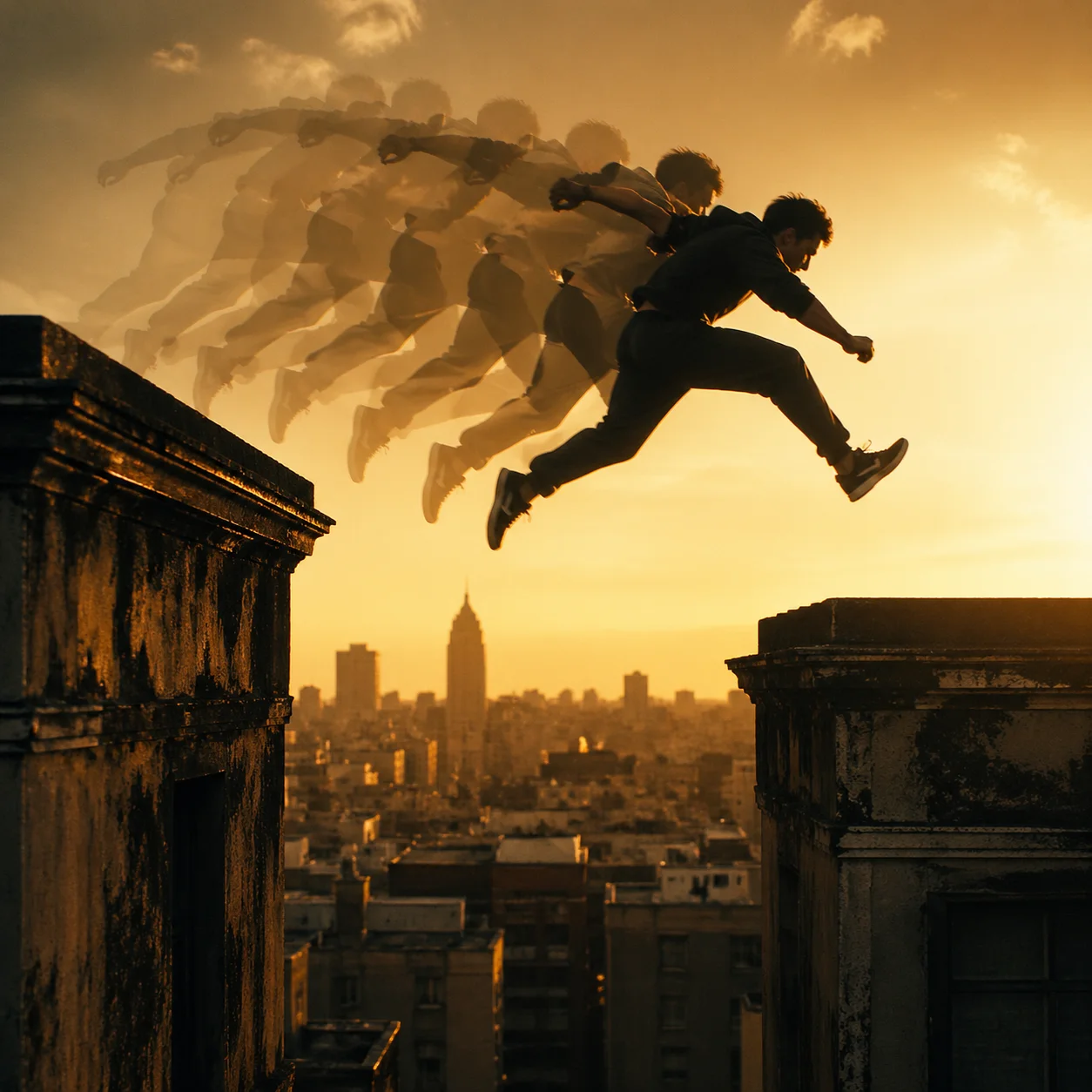
For an action scene, you could prompt a parkour athlete leaping between buildings and describe the movement, camera angle and lighting. The generated video may not reproduce every detail as written; motion and visual consistency depend on the prompt and model output.

Prompt

Action scene idea: a parkour athlete leaps between two buildings, captured mid-air with motion blur. Show a translucent trail suggesting the movement. Use warm golden-hour light, a vintage film look and rich gold and deep black tones.

An action scene prompt with movement, lighting and a cinematic look

Output example
1
Cinematic Camera Movement example

Cinematic Camera Movement

02

Describe tracking shots, dolly zooms and crane moves in your prompt

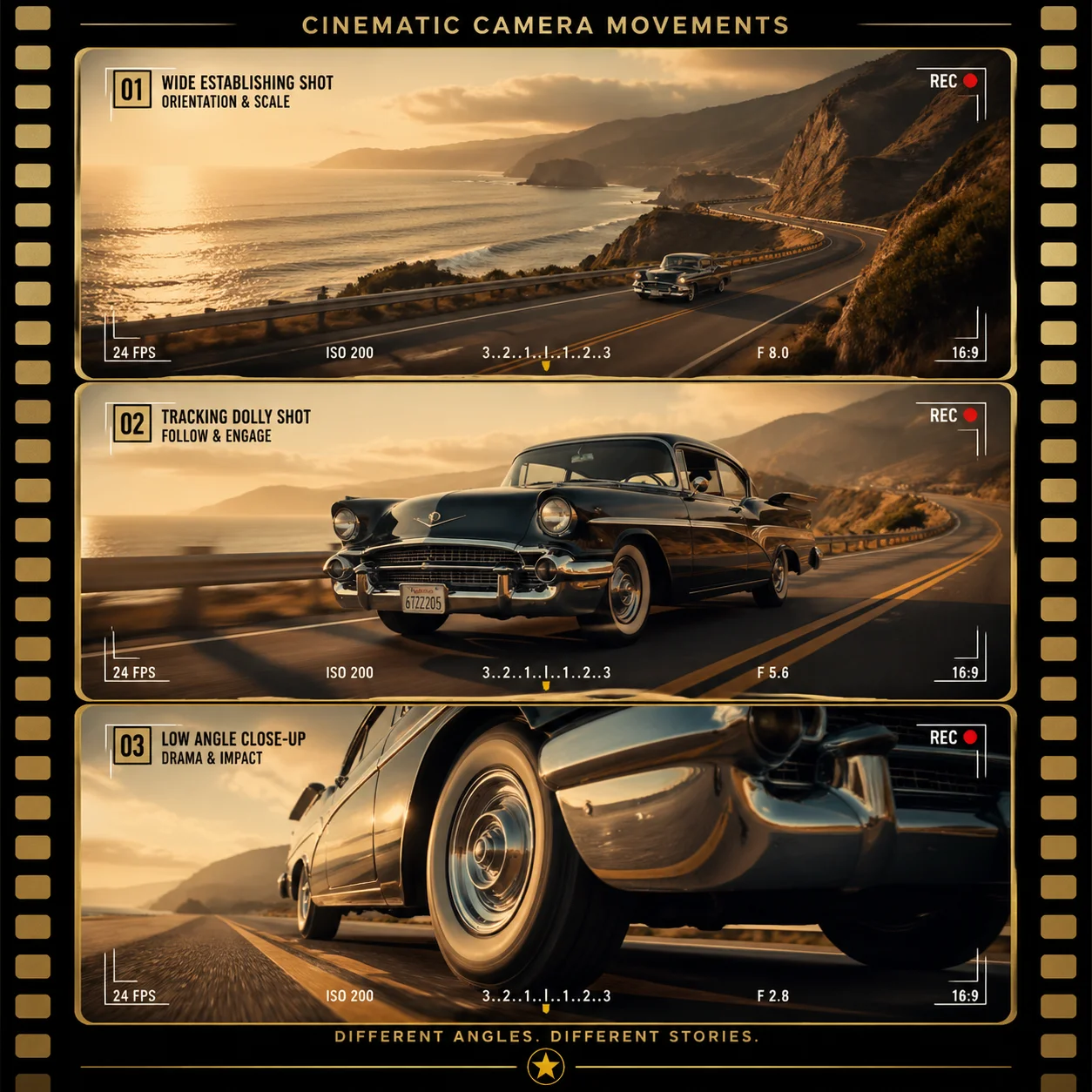
You can describe camera movement in cinematic terms: a tracking shot following a subject, a dolly zoom (also called the vertigo effect), a crane move revealing a landscape, or a smooth pan and tilt. These directions can guide the generated video, but the result may not follow them exactly. Try them for film concepts, creator projects or other video ideas.

Prompt

Three film frames show different views of a classic car on a coastal road. Top: a wide establishing shot. Middle: a tracking shot alongside the car. Bottom: a dramatic low-angle close-up of the front wheel. Add gold film-strip borders, a vintage Hollywood look and a director's viewfinder overlay.

A prompt idea for a multi-angle cinematic sequence

Output example
1
FAQ

Frequently Asked Questions

Kling 2.6 FAQ

Generation requires signing in and uses credits. Check your account balance, the selected model and the displayed credit cost before generating. Available credits and plan terms depend on your account.

Kling 2.6 supports text-to-video and image-to-video generation. You can prompt for character movement, camera directions and visual detail; the results and consistency vary with the input and model output.

Kling 2.6 supports text-to-video and image-to-video generation. Describe a scene with text, provide a reference image, or use both to guide the result. The output may not match the prompt or reference exactly.

Commercial usage rights depend on the applicable service terms and the content you provide. Review the current terms before using generated videos in marketing, social media, advertising, presentations or other professional work.

You can prompt Kling 2.6 for cinematic scenes with movement, such as action sequences, character-led stories, nature scenes and camera moves. Results vary with the prompt and model output.

Use Kling 2.6 to explore fluid movement in generated videos. Character movement and object interactions can vary with the prompt and scene.

Describe camera movements such as tracking shots, dolly zooms, crane moves and smooth transitions in your prompt. Results may vary.

Prompts can describe textures, lighting and colour for scenes ranging from indoor close-ups to outdoor landscapes. Results depend on the input and generation.

Action Scene ConceptA parkour sequence is one way to explore Kling 2.6's motion and camera prompts. Describe the athlete's movement, the setting and the shot you want; the result will depend on the prompt and model output.
Pre-Production PitchTry outlining a concept video for a client pitch. Describe the scene and visual direction, then use the generated result as a starting point for pre-production; it may need further refinement.
Nature SequenceA nature scene can help explore movement and frame-to-frame coherence. Prompt for the subject, setting and camera movement, and review the generated video for inconsistencies or visual artifacts.
Example Project Ideas

Example Project Ideas

Explore creative examples
Action Scene ConceptA parkour sequence is one way to explore Kling 2.6's motion and camera prompts. Describe the athlete's movement, the setting and the shot you want; the result will depend on the prompt and model output.
Pre-Production PitchTry outlining a concept video for a client pitch. Describe the scene and visual direction, then use the generated result as a starting point for pre-production; it may need further refinement.
Nature SequenceA nature scene can help explore movement and frame-to-frame coherence. Prompt for the subject, setting and camera movement, and review the generated video for inconsistencies or visual artifacts.

Explore more AI video models

Veo 3.1 Quality

Veo 3.1 Quality

New

Veo 3.1 offers Lite, Fast and Quality variants where available. Choose text-to-video, image-to-video or video-to-video in supported modes; reference-to-video supports up to 3 images and requires Fast at 16:9. Available aspect options are Auto, 16:9 and 9:16. The interface has no duration or resolution selector. Check the displayed credit cost before generating.

Try now
Wan 2.6

Wan 2.6

New

Wan 2.6 supports text-to-video, image-to-video and video-to-video. It offers 5-, 10- and 15-second duration options, 720p and 1080p resolutions, and multi-shot generation.

Try now
Sora 2

Sora 2

The standard Sora model. It is designed for efficient video generation and can be used for storyboards, social clips and creative iterations.

Try now
Vidu Q4

Vidu Q4

New

Animate one first-frame image or use up to 15 reference images. Choose 540p–4K and a duration of 3–16 seconds for image animation or 1–16 seconds for references. Synchronized audio is optional. Reference audio must be MP3 and 3–12 seconds long.

Try now
Kling 4.0

Kling 4.0

New

Create 3–30-second videos from text, first and last frames, or visual references. Choose 720p or 1080p and review motion, sound and credits before developing your next edit.

Try now
MiniMax H3

MiniMax H3

New

MiniMax H3 is a multimodal video model for text-to-video, image-to-video and reference-to-video. It offers 768p and 2K output, flexible duration options and reference audio.

Try now

Create with Kling 2.6

Try Kling 2.6 online. Sign in to generate and check the displayed credit cost.
Try Kling 2.6
Nano Banana Pro
Nano Banana ProNano Banana Pro

Nano Banana Pro gives you access to advanced AI image models for creating professional-quality images.

Email
FAQShowcasesChangelogAPIManga ColorizerCyberpunk
العربيةDeutschEnglishEspañolFrançais繁體中文日本語한국어Bahasa MelayuTürkçeไทยTiếng ViệtPortuguês (Brasil)中文עבריתPolski
© 2026 Nano Banana Pro· All rights reserved
Privacy PolicyTerms of ServiceRefund PolicyRefund RequestAbout Us
HomeAI ToolsAssetsProfile