Nano Banana Pro
  • Home
  • Reviews
  • Assets
  • Pricing
AI Tools
AI ToolsLine Art ColorizerAI Comic GeneratorPhoto to Anime GeneratorLuxury Car PortraitAI Consistent Character GeneratorPhoto RestorationRemove BackgroundImage UpscalerAI ID PhotoAnime FilterManga Filter3D CartoonAI OutpaintingSketch to ImageWatermark RemoverPortrait FilterPixel ArtManga ColorizerManga TranslatorManga CleanerColoring Page GeneratorPersonalized Story IllustrationsChildren’s Book IllustrationImage to Line ArtGender SwapBody EditorSketch to 3DBald Filter1990s PortraitBuzz CutProfessional HeadshotGrey HairAI Studio PortraitY2K Style2D to 3DRemove WatermarkObject EraserOil PaintingWatercolorNeon GlowCyberpunkVaporwaveAI Tattoo GeneratorAI Worksheet for KidsAI Action FigureAI Movie PosterAI HairstyleYounger SelfAI Product Photo GeneratorAI ClaymationAI Travel Photo GridAI Double-Exposure Travel Poster GeneratorAI Mini Me GeneratorFunny Bad Drawing AIK-Beauty Glass-Skin Photo EffectRainy-Window AI PortraitCafé-Style AI PhotoAI Virtual Room StagingAI Landscape DesignAI Logo GeneratorAI Packaging DesignAI Sticker GeneratorPlush Toy Design Sheet GeneratorPhoto Mishap GeneratorCharacter Nail Design Generator
Nano Banana ProNano Banana Pro

AI Buzz Cut

AI Toolbox
AI Buzz Cut

Upload Assets

Drag & drop reference images here or browse files

SUPPORTS: JPG, JPEG, PNG, WEBP • MAX 30 MB

Auto

AI Buzz Cut

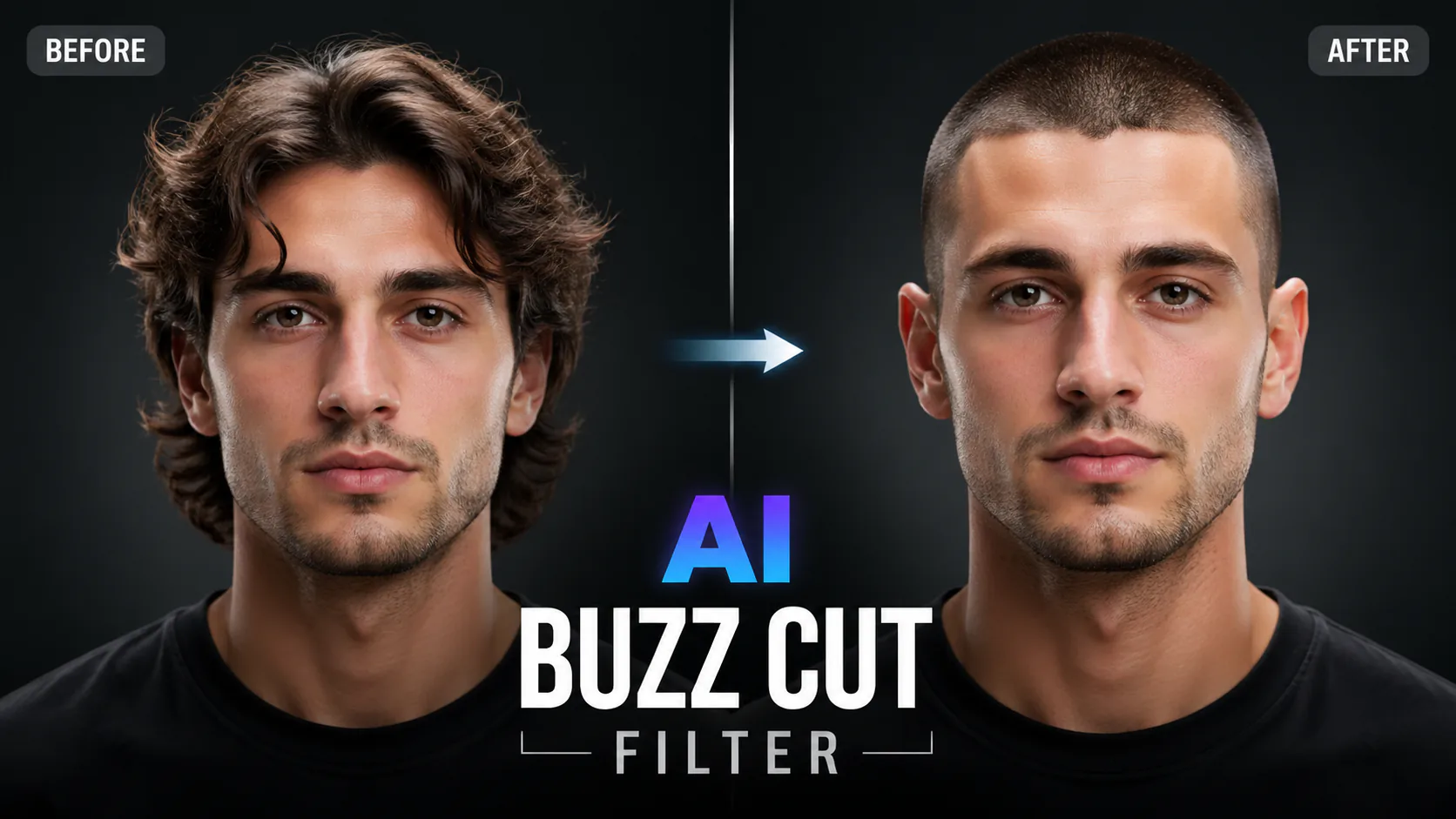
Preview how you'd look with a buzz cut — try different lengths and styles instantly with AI.
AI Buzz Cut

Related AI tools

  • Bald Filter

    Bald Filter

    See what you'd look like bald with AI. Photorealistic hair removal that maps your head shape and skin tone.
  • AI Hairstyle Changer

    AI Hairstyle Changer

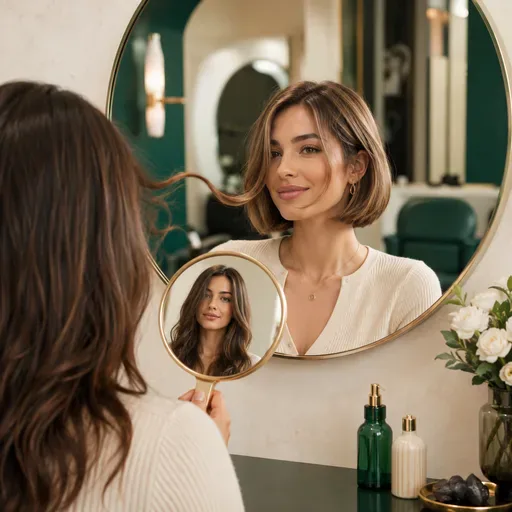
    Preview 12 hairstyles, from pixie cuts and bobs to wolf cuts and mohawks, in 8 colours before your salon appointment. Results depend on your photo and selected model.

  • AI ID Photo

    AI ID Photo

    Create an ID-style photo with an adjusted background and light skin retouching. Check the image against the requirements of the organisation requesting it.

  • AI 3D Cartoon Avatar Generator

    AI 3D Cartoon Avatar Generator

    Create a friendly 3D cartoon-style profile image for creator accounts, gaming profiles, team pages or personal branding. Use a photo as a reference for the face, while allowing for variation in the generated result.

AI Buzz Cut
AI Buzz Cut

Preview a Buzz Cut Before You Decide

Thinking about a buzz cut? Upload a photo and try the available style presets or describe the look you have in mind. The AI-generated preview can help you explore different lengths and styles, but it is only an approximation and may not show exactly how a real cut will look. Sign in to generate and check the selected model and displayed credit cost first.

AI Buzz Cut

Explore Buzz Cut Styles with a Photo Preview

A buzz cut can be a big change. Use a photo preview to explore a few styles and decide what you might want to discuss with a barber.

Preview Different Looks

Compare buzz cut lengths and styles using your photo before visiting a barber. Generated results are visual guides, not promises of how a cut will look in real life.

Multiple Styles to Explore

Try a classic even buzz, a fade or a textured crop with the presets, or describe another look. Results vary with your photo and the selected model.

Bring a Visual Reference

Save a preview and take it to your barber to discuss the style you want. A generated image cannot guarantee an exact haircut, so use it as a starting point for the conversation.

AI Buzz Cut

How to Preview a Buzz Cut

Upload a clear portrait, choose a supported image model and select a buzz cut preset or describe the style you want. The model uses your photo as a reference to generate a new image; details such as your hairline, texture and proportions may not be preserved exactly. Sign in and check the selected model and credit cost before generating.

FAQ

FAQ

Upload a photo to preview a buzz cut using an AI image-generation model. The result is a visual mock-up, not a guaranteed match for how a real haircut will look. You'll need to sign in and have enough credits to generate; check the selected model and displayed cost first.

Try the Classic Buzz, Buzz Fade, Military Cut, Textured Crop and Crew Cut presets, or describe the style you want. The result depends on your photo, prompt and selected model.

The model uses your uploaded photo as a reference, but the result may not preserve your exact face shape, hairline or other features. Try a clear, well-lit portrait and review the result as a visual guide.

You can try the tool with different hair types, but results vary with the photo, prompt and selected model. A clear, well-lit portrait may help the model interpret your hair.

You'll need to sign in to generate, and the tool checks your account credit balance. Check the selected model and displayed credit cost before starting; available access and costs may vary by plan.

You can save a preview and show it to your barber as a visual reference. The generated image is an approximation, so discuss the cut and practical details with your barber.

Reference photos may be processed by the selected model provider. How uploads and generated images are stored depends on the published account and storage policy. Check that policy before uploading a personal photo.

The preview is an AI-generated interpretation of your photo and may differ from your actual appearance after a haircut. Clear, well-lit, front-facing photos can give the model more useful visual information, but results vary.

Illustrative project ideaTry a buzz cut preview with a clear portrait, then compare different lengths and styles before deciding whether to speak with a barber.
Illustrative project ideaA generated buzz cut preview could give you a visual starting point for a barber consultation. Use it to discuss the length and sides you have in mind, keeping in mind that the result is only an approximation.
Illustrative project ideaCompare the Military Cut preset with other styles on a portrait to explore a very short look. Treat the image as a visual guide; it cannot guarantee a specific regulation haircut.
Illustrative project ideaTry the Buzz Fade preset on a portrait to explore a short fade. Review the generated image as a styling idea; results depend on the input photo and selected model.
Illustrative project ideaExplore a short, low-maintenance look with a buzz cut preview, then discuss practical length and upkeep with a barber before making a change.
Illustrative project ideaUse the Textured Crop preset to explore a modern short hairstyle for a portrait or editorial concept. The generated image is a visual mock-up and may not match a real cut exactly.
Buzz cut preview ideas

Buzz cut preview ideas

Explore creative examples
Illustrative project ideaTry a buzz cut preview with a clear portrait, then compare different lengths and styles before deciding whether to speak with a barber.
Illustrative project ideaA generated buzz cut preview could give you a visual starting point for a barber consultation. Use it to discuss the length and sides you have in mind, keeping in mind that the result is only an approximation.
Illustrative project ideaCompare the Military Cut preset with other styles on a portrait to explore a very short look. Treat the image as a visual guide; it cannot guarantee a specific regulation haircut.
Illustrative project ideaTry the Buzz Fade preset on a portrait to explore a short fade. Review the generated image as a styling idea; results depend on the input photo and selected model.
Illustrative project ideaExplore a short, low-maintenance look with a buzz cut preview, then discuss practical length and upkeep with a barber before making a change.
Illustrative project ideaUse the Textured Crop preset to explore a modern short hairstyle for a portrait or editorial concept. The generated image is a visual mock-up and may not match a real cut exactly.
Illustrative project ideaCreate a buzz cut preview to share as a possible new look with family or friends. Treat the image as an approximation before deciding on a haircut.
Illustrative project ideaA generated preview could help start a conversation about a dramatic haircut. Compare styles and discuss what is practical before making a decision.
Illustrative project ideaCreate a buzz cut preview to share as a possible new look with family or friends. Treat the image as an approximation before deciding on a haircut.
Illustrative project ideaA generated preview could help start a conversation about a dramatic haircut. Compare styles and discuss what is practical before making a decision.
AI Models You May Like

AI Models You May Like

  • GPT Image 2
    Image

    GPT Image 2

    GPT Image 2 is an OpenAI image model for generating and editing images. It can render text in multiple languages and ...

  • Nano Banana Pro
    Image

    Nano Banana Pro

    Generate and edit images with Nano Banana Pro. Sign-in and account credits are required; review the displayed cost be...

  • Veo 3.1
    Video

    Veo 3.1

    Create videos from text prompts, animate an image or use video input in supported modes. Choose a generation mode and...

  • Sora 2
    Video

    Sora 2

    Create videos from text prompts or images with Sora 2. Choose from the available options, then review the displayed c...

  • Seedance 2.0
    Video

    Seedance 2.0

    ByteDance's AI video model combines text, images, video clips and audio in one prompt. Use its @-reference system to ...

Start Creating with Nano Banana Pro

Create stunning images today
Get Started
Nano Banana Pro
Nano Banana ProNano Banana Pro

Nano Banana Pro gives you access to advanced AI image models for creating professional-quality images.

Email
FAQShowcasesChangelogAPIManga ColorizerCyberpunk
العربيةDeutschEnglishEspañolFrançais繁體中文日本語한국어Bahasa MelayuTürkçeไทยTiếng ViệtPortuguês (Brasil)中文עבריתPolski
© 2026 Nano Banana Pro· All rights reserved
Privacy PolicyTerms of ServiceRefund PolicyRefund RequestAbout Us
HomeAI ToolsAssetsProfile