Plushie Design Sheet Generator
Turn one character reference into a plush toy concept sheet with front, side and back views, a face detail and a color palette.
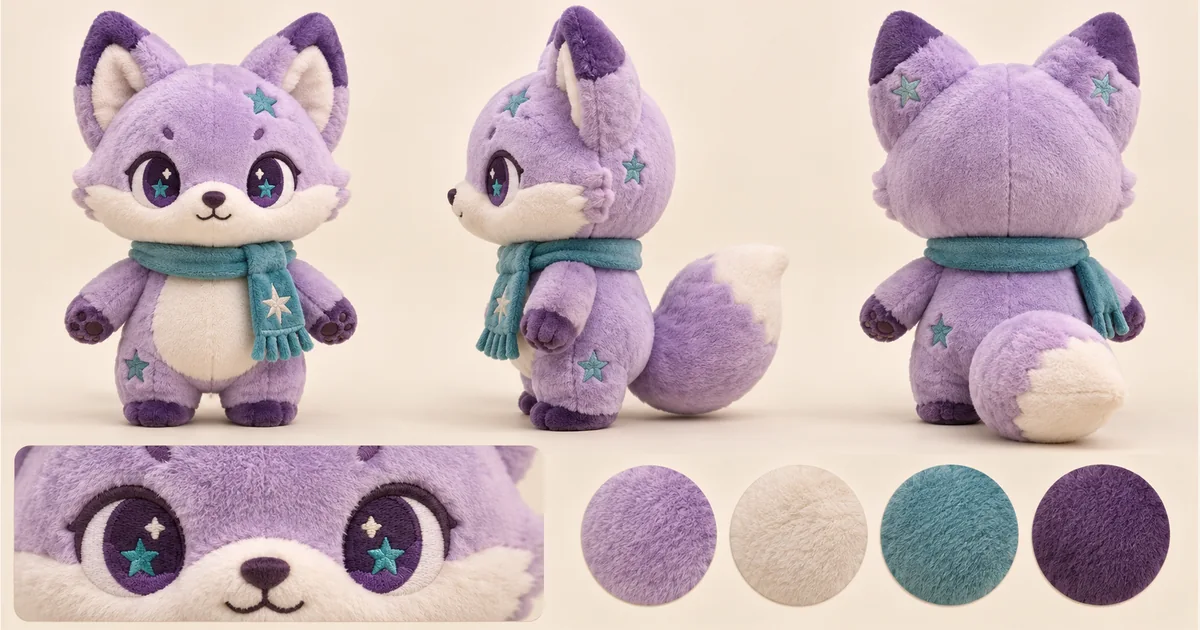

Turn one character reference into a plush toy concept sheet with front, side and back views, a face detail and a color palette.

Turn a pet, character or object reference into a sticker-style illustration. Choose an expression and drawing style, then review the silhouette.

Convert sketches and line drawings into photorealistic images with AI.
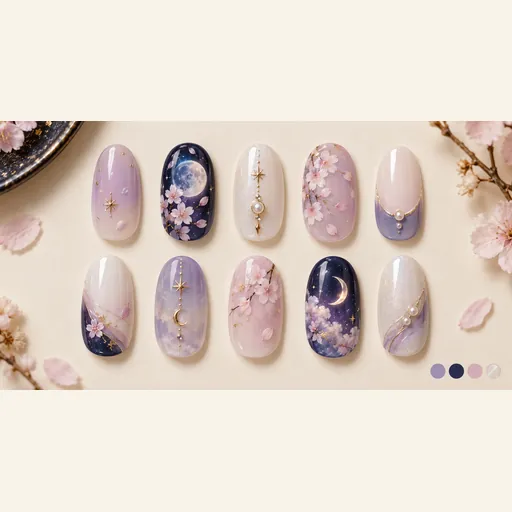
Explore a coordinated ten-nail design sheet inspired by a character’s colors, hair, eyes and outfit motifs.
Use a character reference to explore how its silhouette, hair, costume colors and signature accessories could translate into a soft toy. A coordinated sheet helps you discuss the overall shape with an illustrator or plush maker before preparing production documents. AI-generated showcase artwork.
Choose a full-body image with the face, ears, limbs and important accessories visible. A simple background makes the silhouette easier to understand. If the reference only shows the front, the side and back need interpretation: check those invented details rather than assuming they match a hidden original.
Upload a clear character reference, choose an available model and image settings, and check the displayed credits before generating. Open the finished image at full size to explore the shape, face and colors, then download the version you want to develop.
Explore the same plush character from the front, side and back, alongside a face close-up and a coordinated palette. Soft shapes, embroidered features and seam details help you picture how the character could look as a toy.
Compare the ears, hair, outfit, tail and accessories from every angle to choose a version that suits your character. A matching face close-up and palette make it easier to discuss the expression and colors. Keep the views together when sharing your favorite idea with a maker.
Bring the chosen sheet to a maker to discuss fabric, embroidery, seams and which small accessories should be simplified. The output is one concept image, not a sewing pattern, dimensioned drawing or manufacturing specification. A maker still needs to resolve construction, size, material availability and safety requirements before production.
A design sheet brings several views, face details and colors together. It is useful for discussing the whole toy, while a single portrait mainly shows its appearance from one angle.
Use a reference you are entitled to upload. A recognizable silhouette and a few strong color or accessory cues are more useful than many tiny details. The tool can explore a toy interpretation; it does not grant rights to third-party characters.
A front-only image does not reveal hidden details. The model may infer the back and side. Check hair, clothing and attachments against your own character notes; upload a more informative reference when those details matter.
No. Upload your reference, choose a model and the available settings, then select Generate. You can start with the character image alone.
No. Use the concept to communicate visual direction. Patterns, measurements, materials, embroidery files, construction details and production checks must be prepared with the maker; the page does not export these technical files.
Choose a model and image settings to see the credit amount beside the generation button. The amount can vary with the selected model and resolution; check it before submitting.
Choose from the aspect ratios and sizes available for your selected model. Match the image shape to where you want to display or share the result.
Use the result panel to inspect and download the image. You can also check generation history if you leave the page while the task runs. Review the full image before sharing it or handing it to a designer.