공식 플래그십

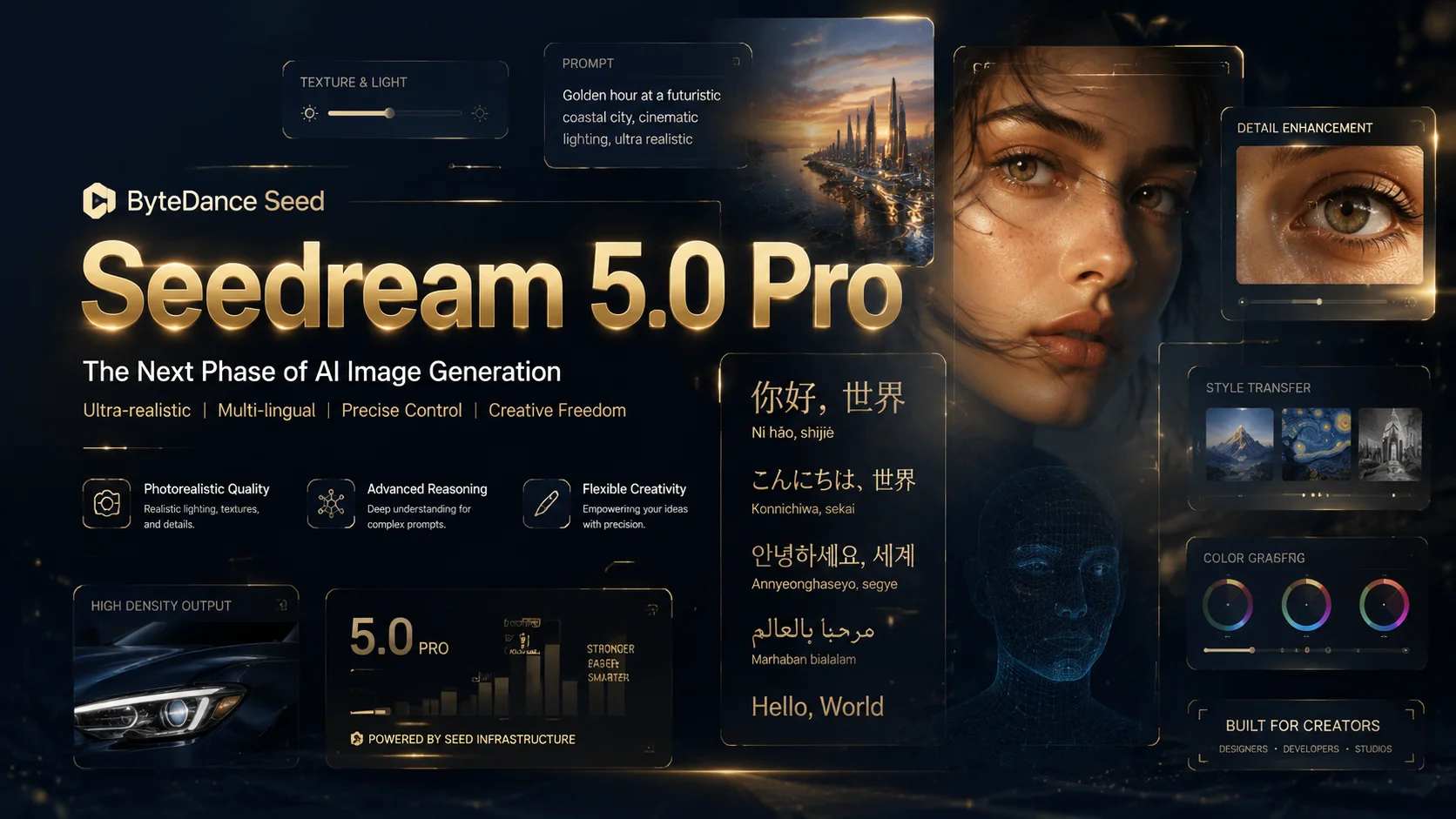
Seedream 5.0 Pro

ByteDance Seed 멀티모달 이미지 생성 모델. 고급 추론, 효율적 콘텐츠 제작, 전문 생산 역량을 갖췄습니다. Nano Banana Pro에서 무료 체험.

Loading generator...
About

Seedream 5.0 Pro 소개

Seedream 5.0 Pro는 고급 추론, 효율적 콘텐츠 제작, 전문 생산 역량을 갖춘 멀티모달 이미지 생성 모델입니다. 복잡한 정보 시각화, 인터랙티브 정밀 편집, 사실적 화질과 인물 질감, 네이티브 다국어 입출력이 핵심 돌파입니다.

Seedream 5.0 Pro 소개

Seedream 5.0 Pro 핵심 기능

사례·프롬프트·데모는 seed.bytedance.com 공식 페이지 출처

주요 기능

Official media

공식 제품 데모

seed.bytedance.com 공식 데모. 고급 추론과 전문 제작을 위한 멀티모달 모델입니다.

Seedream 5.0 Pro official product showcase video from ByteDance Seed.

Source: seed.bytedance.com official Seedream 5.0 Pro page

고밀도 인포그래픽

의도 분석·논리 추론·레이아웃 계획을 통합해 고밀도 인포그래픽을 안정적으로 출력.

프롬프트
Output (Example)

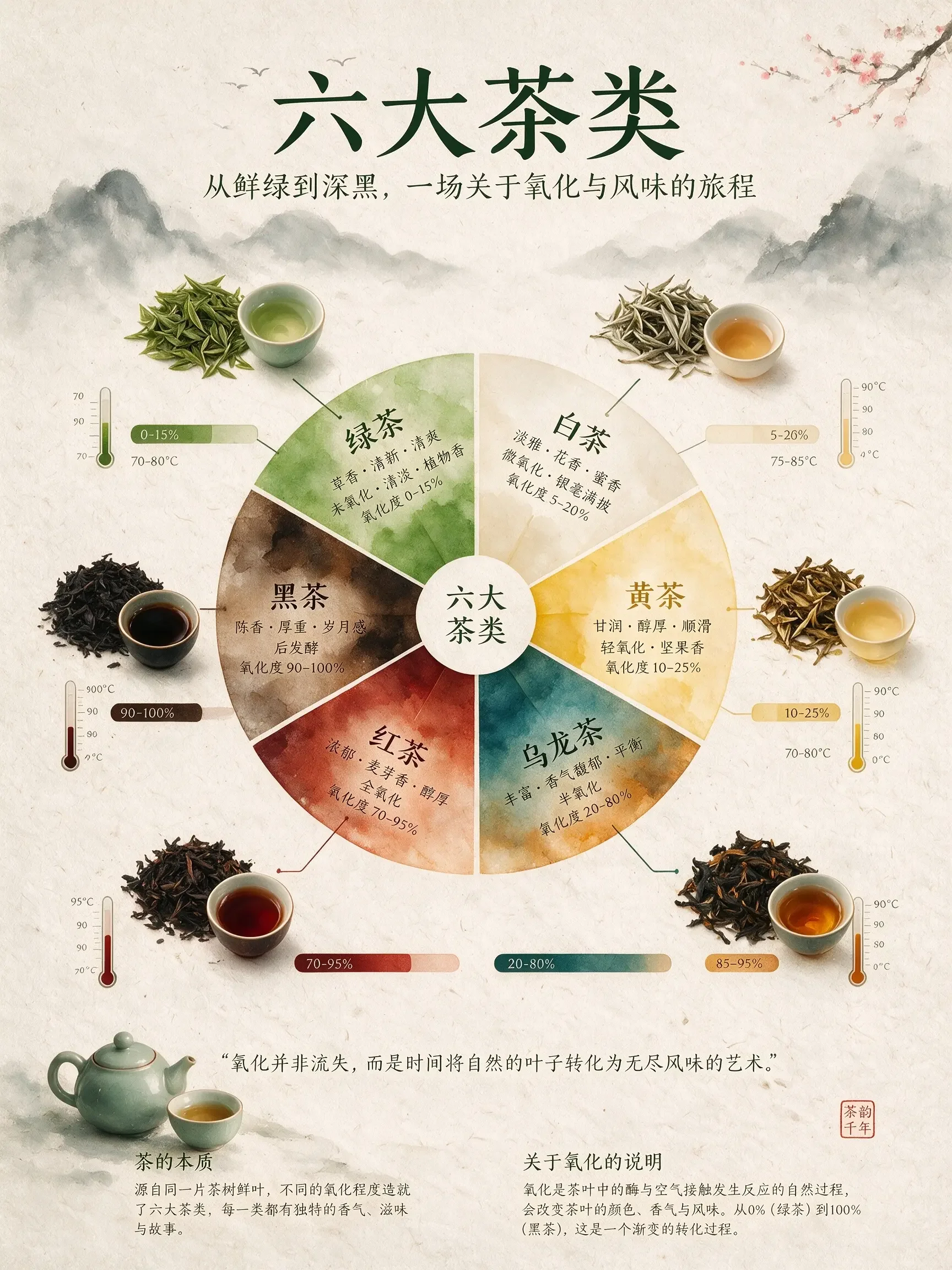
An infographic explaining the six major types of tea. The central focal point is a flavor wheel chart made of delicate watercolor gradients. Around the wheel are top-down images of tea leaves, showing different oxidation states. Connecting lines link the tea leaves to oxidation percentage bar charts and brewing temperature thermometers. The background is textured handmade rice paper. The overall layout is minimalist, zen-like, refined, and well-balanced.

Official tea classification infographic case

고밀도 인포그래픽 Example

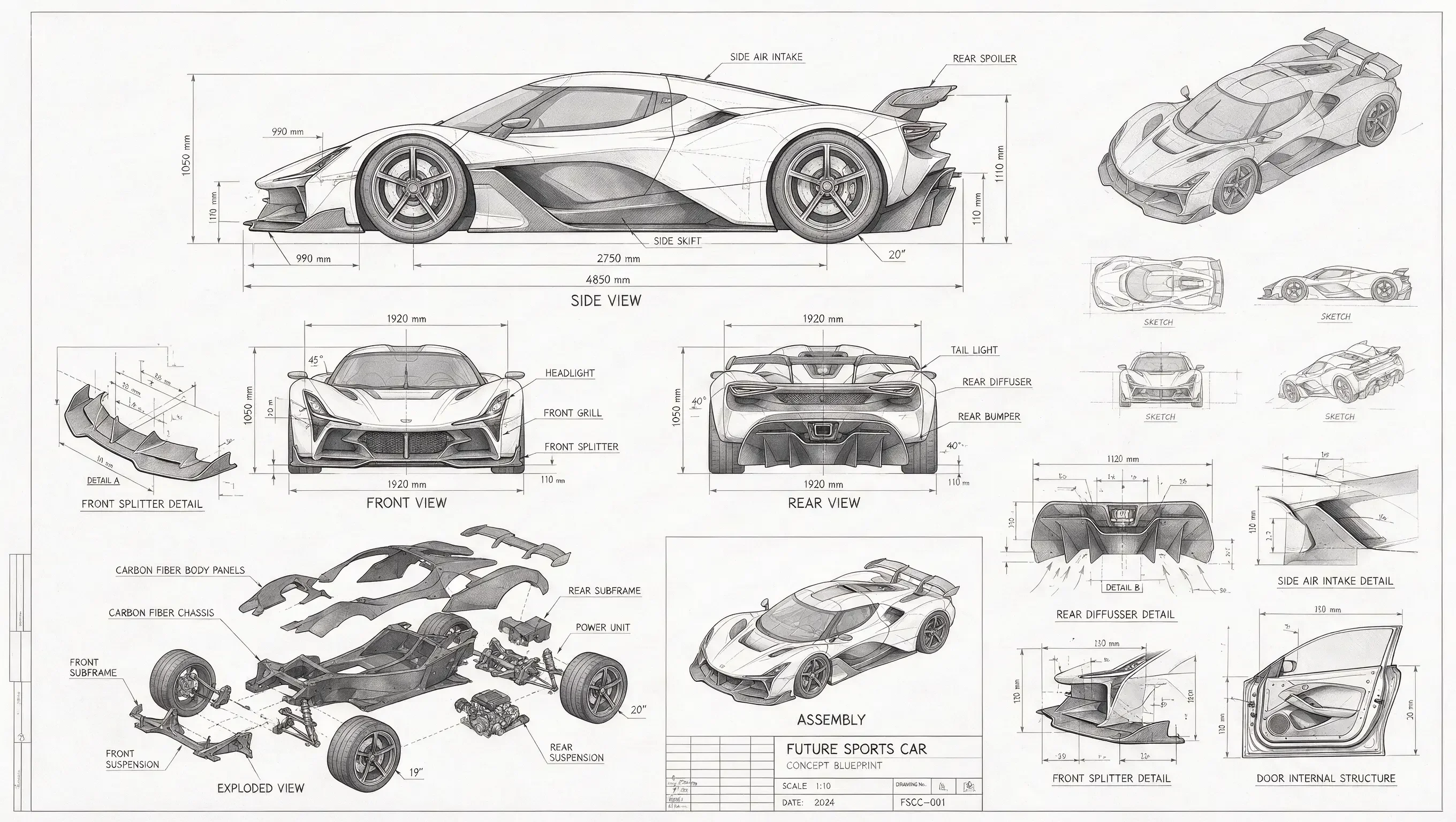
A technical drawing of a futuristic sports car in blueprint style. Include line drawings of the sports car from the front, side, and rear views, exploded parts sketches, parts assembly diagrams, and structural diagrams of disassembled components. Use abundant lines and measurement values to indicate the dimensions of each part, with grayscale tones expressing the overall sketch relationship. In addition to the main design, also show scattered thumbnails from different angles.

Blueprint / technical drawing case

고밀도 인포그래픽 Example

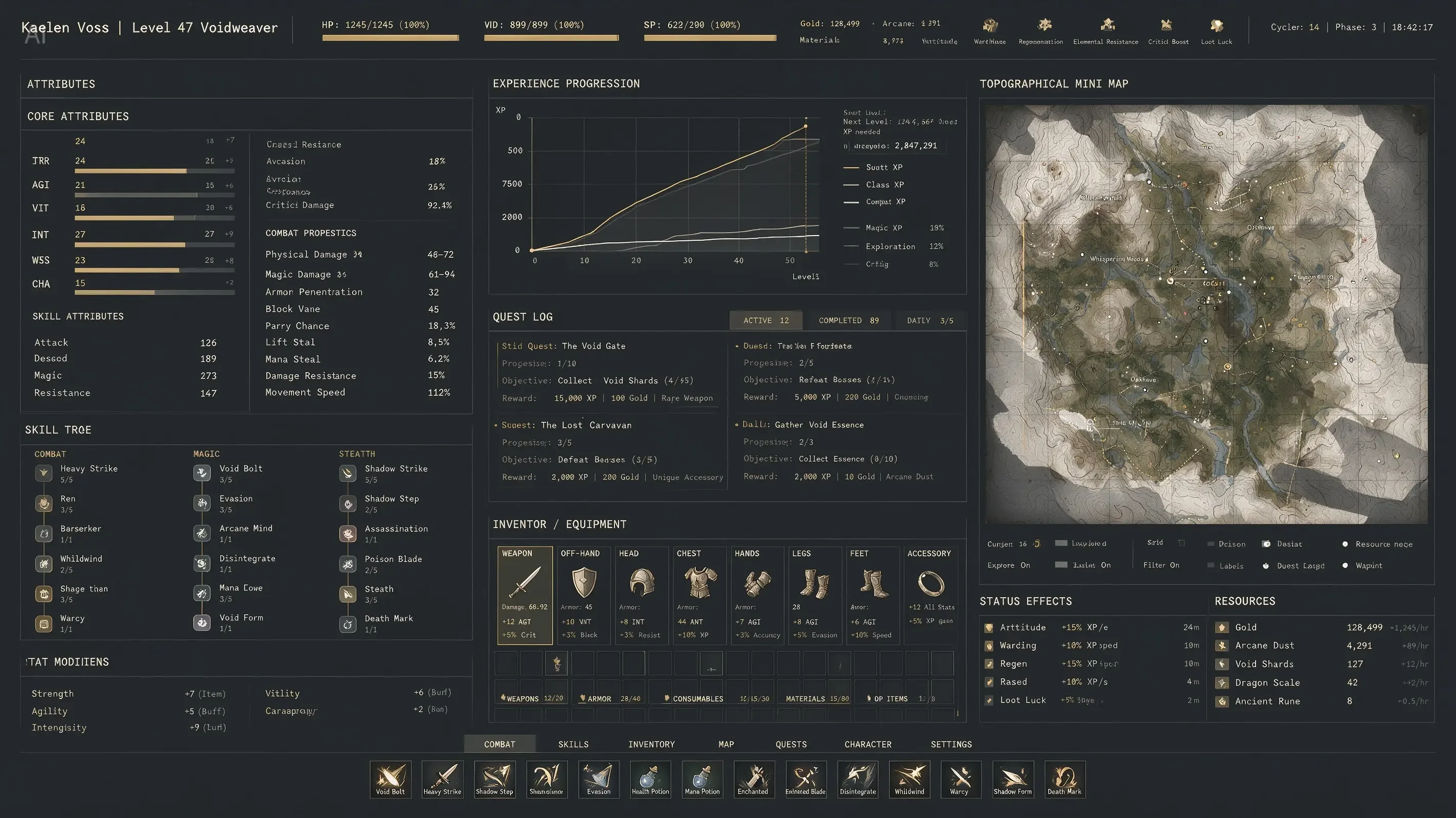
An extremely complex, highly information-dense RPG character interface. The image includes dense columns of character stats, complex line graphs for experience progression, and a massive topographical mini-map. Aesthetic style: high-end industrial functionalism. Deep matte slate-gray background. Crisp white monospaced fonts. Restrained color palette, using muted gold, with 1px grid lines separating all data. Extremely rich in detail.

Dense UI / dashboard generation

고밀도 인포그래픽 Example

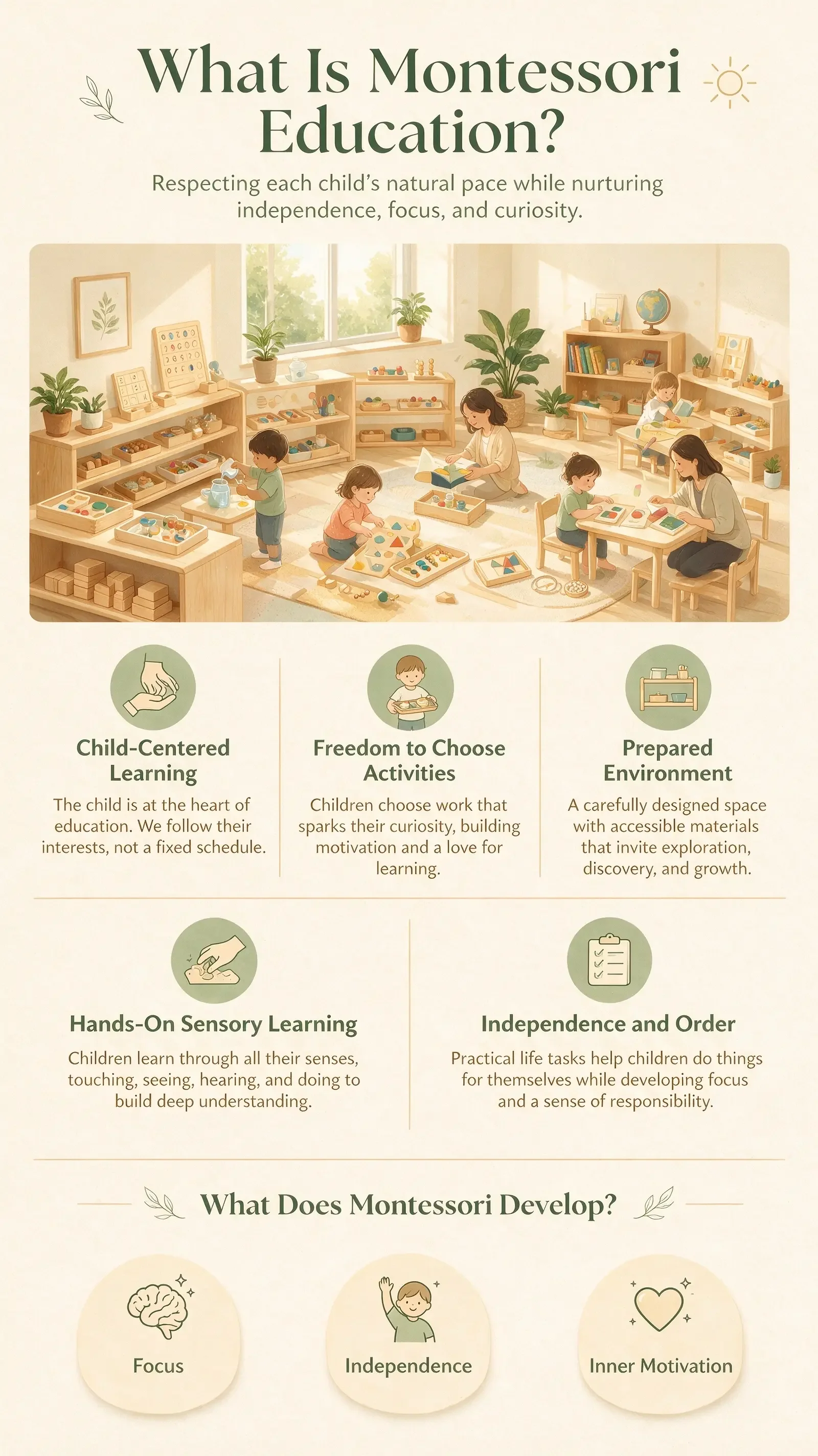
Vertical 9:16 educational infographic poster, topic: “What Is Montessori Education?”, designed for parents, warm, friendly, professional, and easy to understand. Soft color palette: warm ivory, light wood, sage green, and creamy yellow; clean white space, modern minimalist layout.

Education poster case

고밀도 인포그래픽 Example

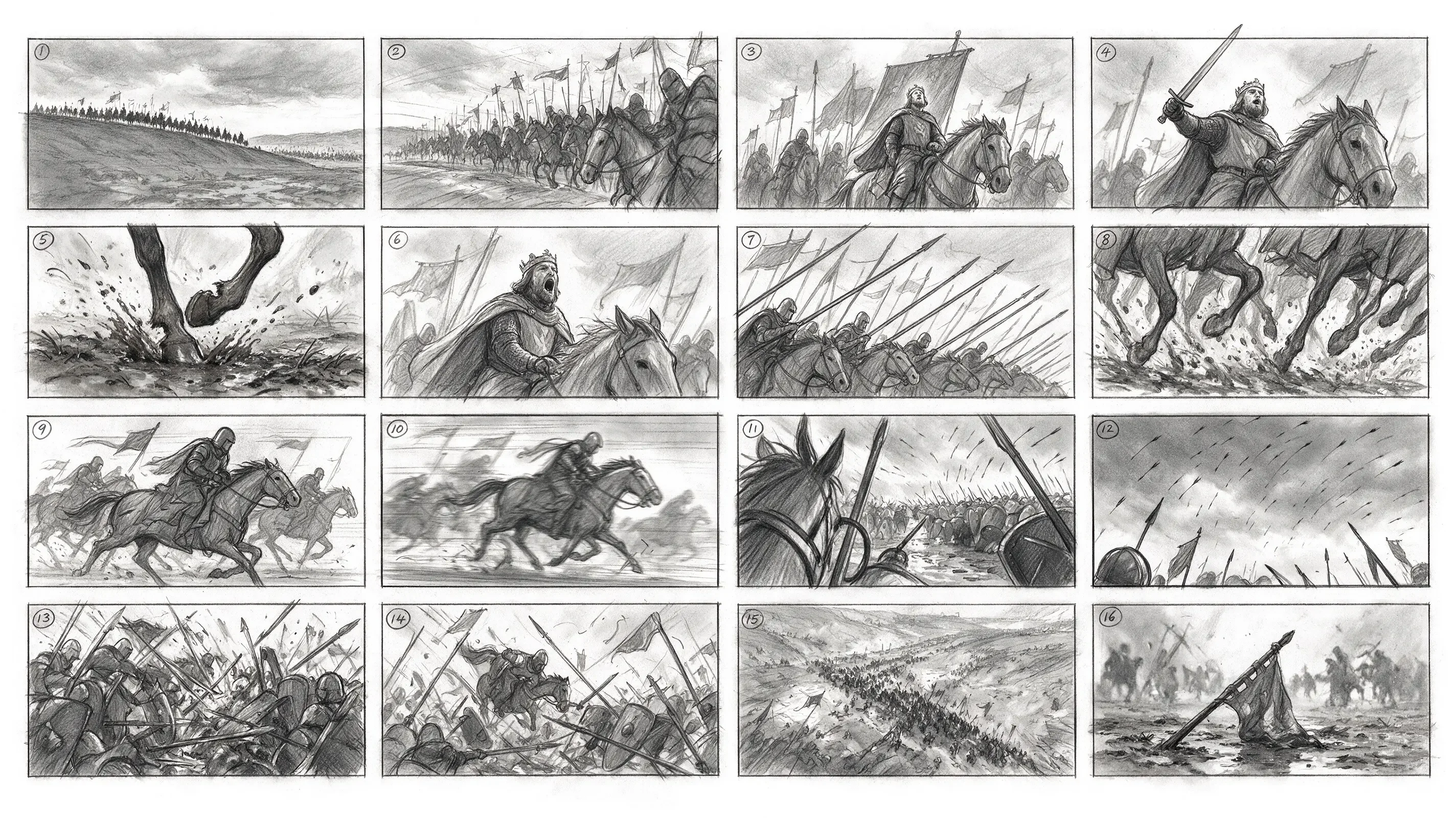
Generate a 4x4 cinematic storyboard with 16 separate panels in total. Each panel has a clear black border, arranged from left to right and top to bottom, with a small number 1–16 marked in the upper-left corner of each panel. The theme is a medieval cavalry charge. The overall style is a professional film-production storyboard sketch, drawn in graphite pencil, grayscale, and a director’s storyboard texture.

16-panel storyboard case

고밀도 인포그래픽 Example

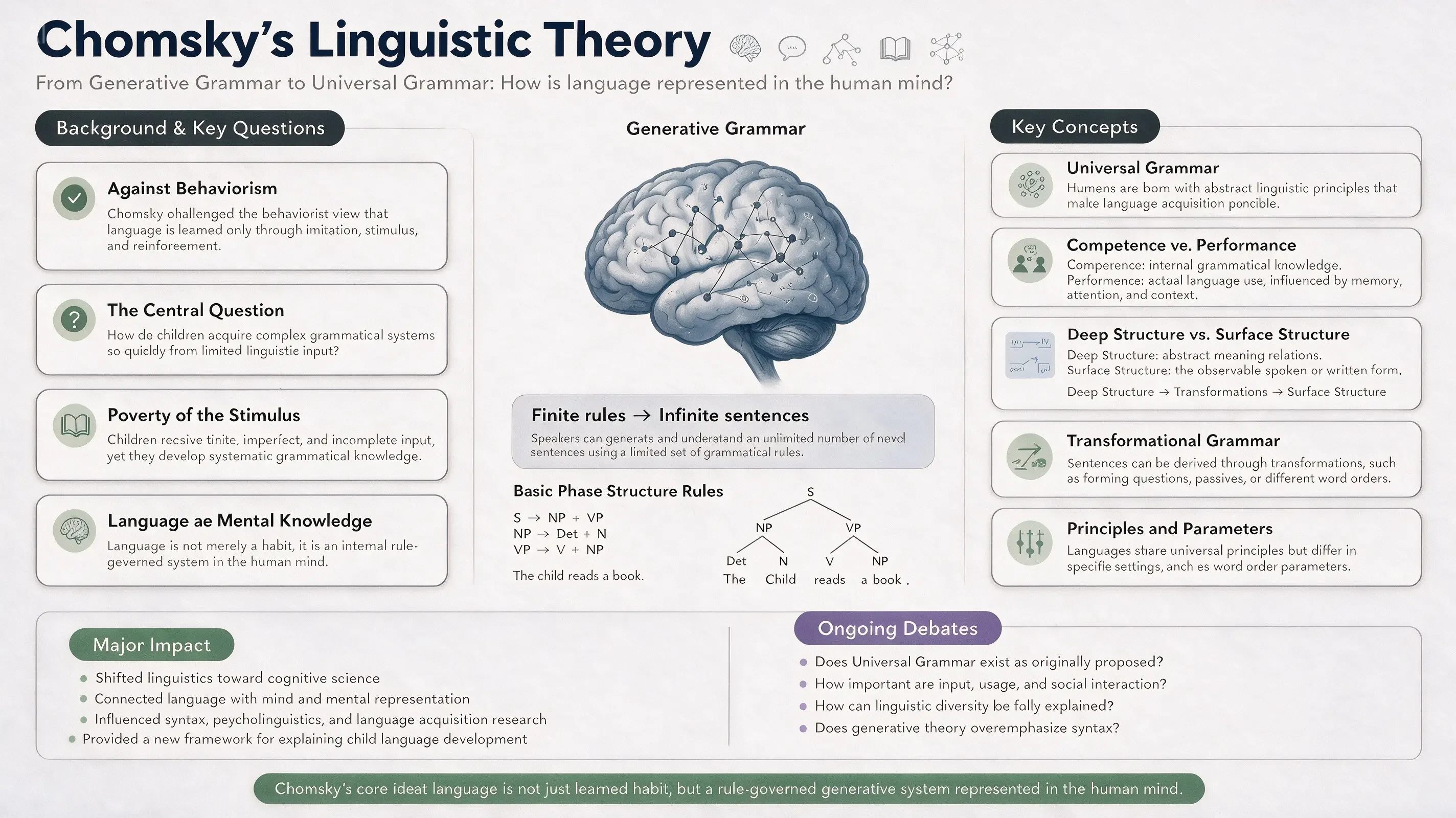
16:9 academic infographic poster for a linguistics classroom PPT, topic: “Chomsky’s Linguistic Theory.” Designed for linguistics students and university-level learners. Overall clean, modern, professional, and easy to understand. Color palette: white, deep navy blue, soft blue-gray, sage green, muted lavender, and charcoal gray. Clear section hierarchy, generous white space, readable typography, structured academic infographic layout.

Academic linguistics poster

고밀도 인포그래픽 Example

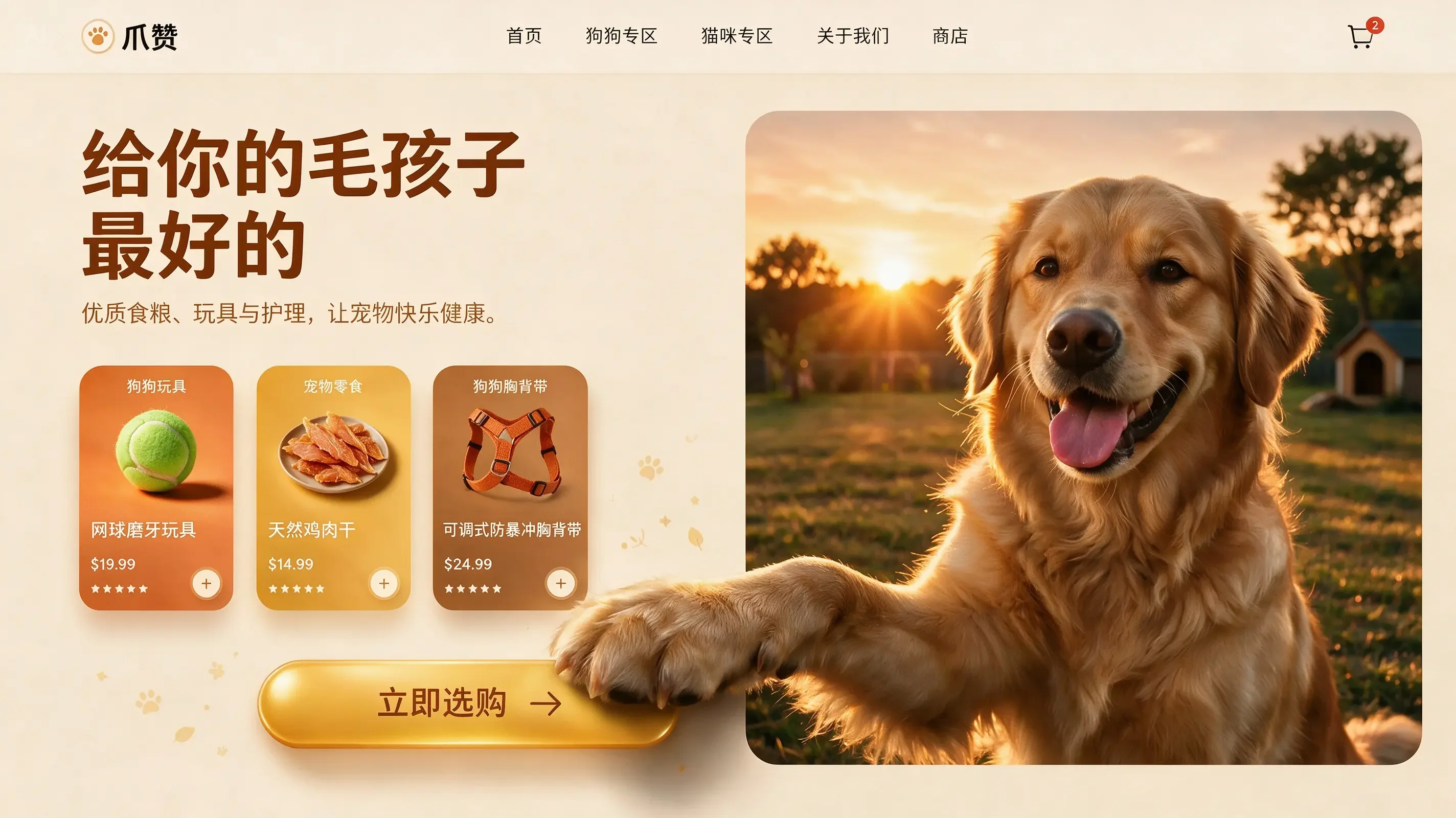
16:9, a pet e-commerce homepage hero banner UI design with warm sunset tones. It features a top navigation header. On the left: a cream-beige background with marketing copy, a product card, and a golden-yellow capsule button. On the right: an image of a Golden Retriever with a 3D effect, where its front paw breaks out of the right frame and rests on the button.

E-commerce UI spatial topology case

고밀도 인포그래픽 Example

인터랙티브 편집

공간 그라운딩과 영역 의미 이해로 픽셀 수준 인터랙티브 편집을 구현.

프롬프트
Output (Example)

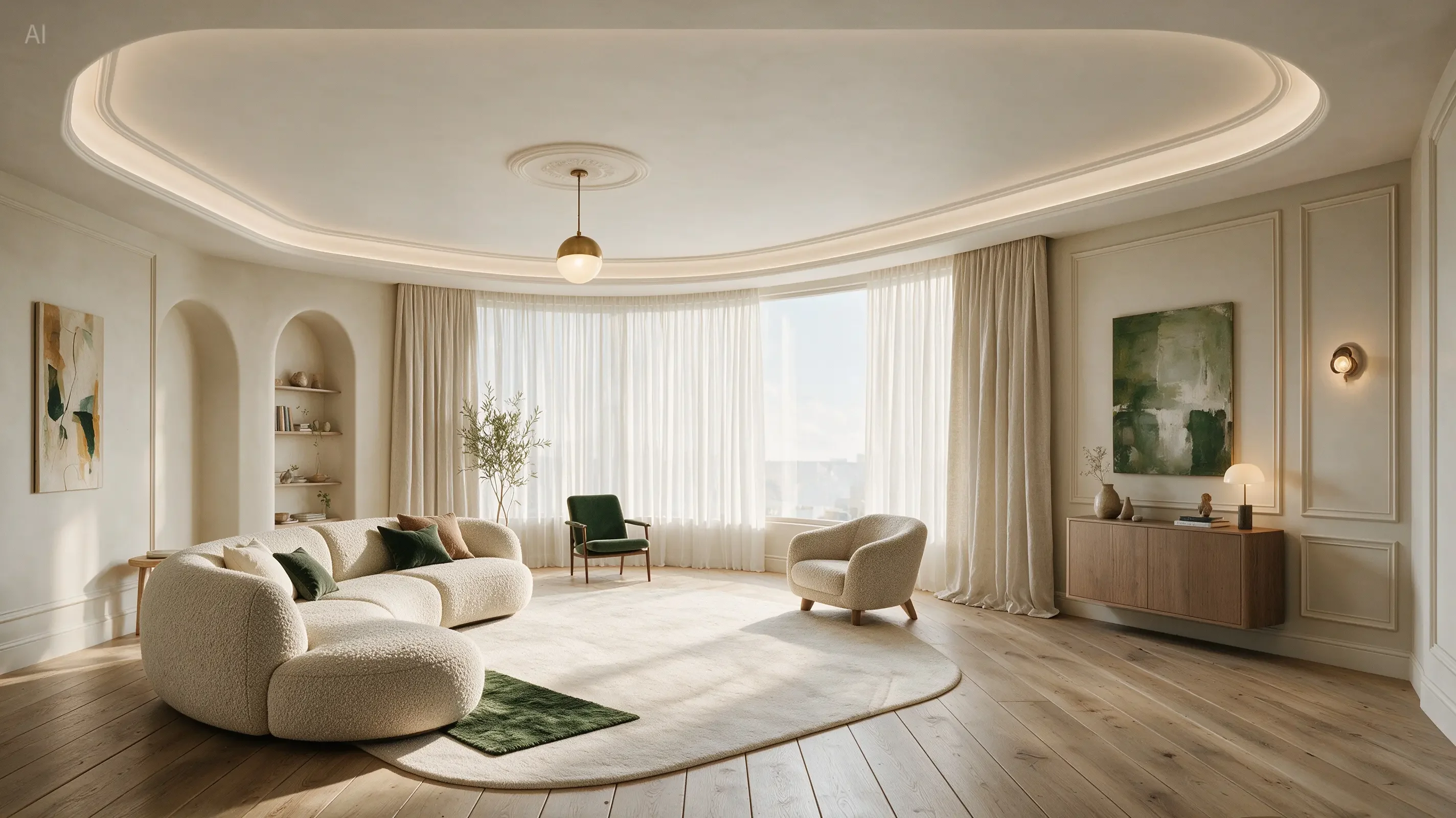
Perform precise edits based on the 6 purple boxes and handwritten English annotations in the original image. The goal is to make the living room warmer, lighter, and more realistic.

Annotation-guided living-room edit (official result)

인터랙티브 편집 Example

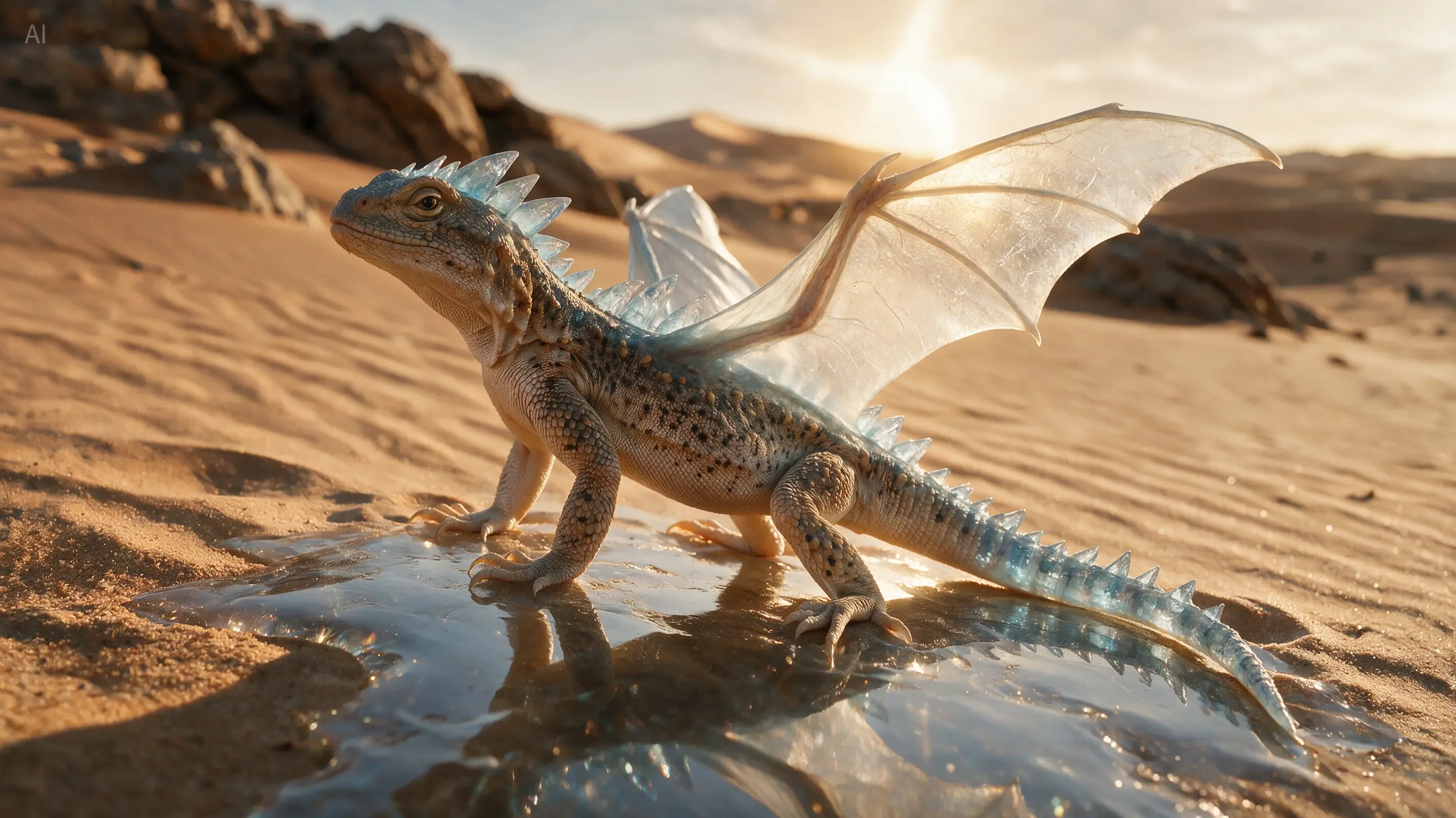
According to the annotations, evolve the real desert lizard into a crystal dragon while preserving the biological plausibility of its structure. Output a cinematic image that seamlessly blends real photography with a fantasy creature.

Annotation-guided creature evolution

인터랙티브 편집 Example

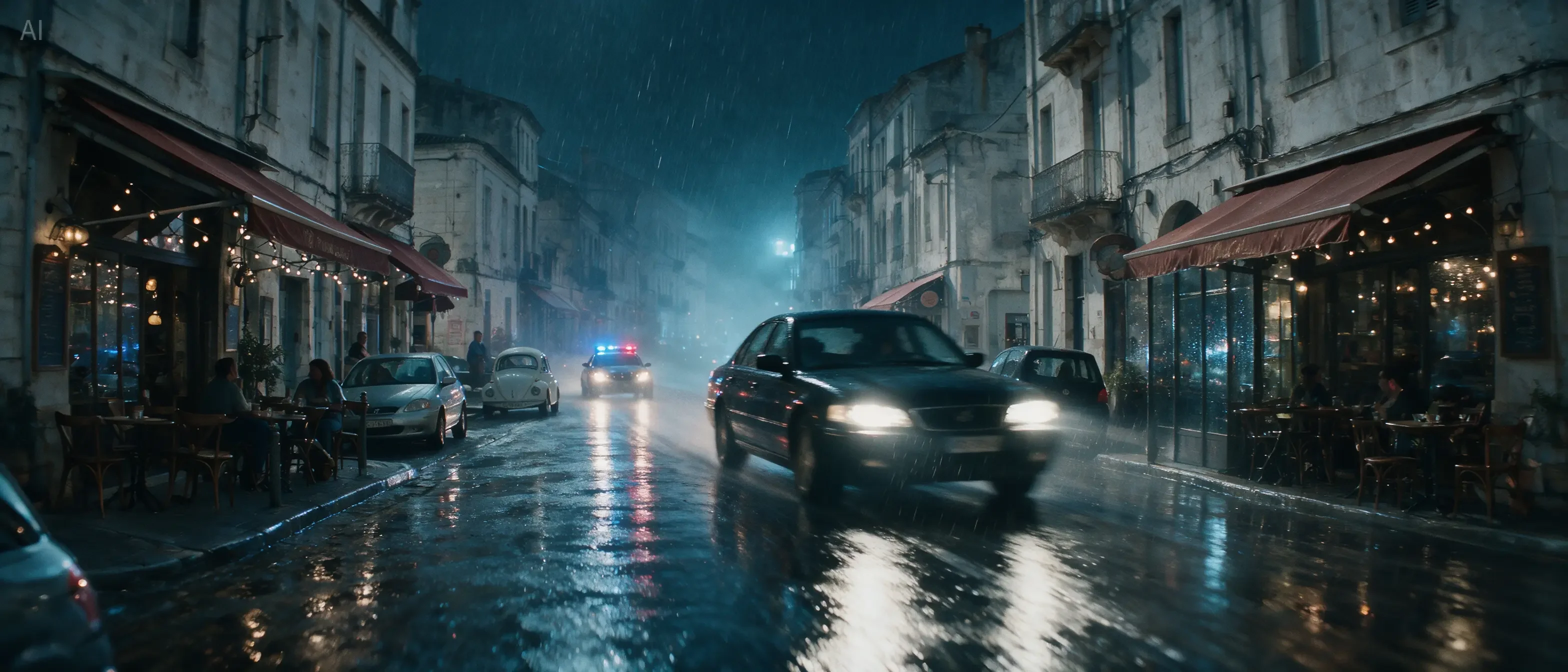
Based on all the annotations in the image, reconstruct the daytime European street into a cinematic rainy-night car chase scene. Turn the black sedan circled in red into the main high-speed chase vehicle, and output a clean cinematic widescreen still, ultra-realistic, strongly narrative, with consistent complex lighting.

Scene reconstruction from annotations

인터랙티브 편집 Example

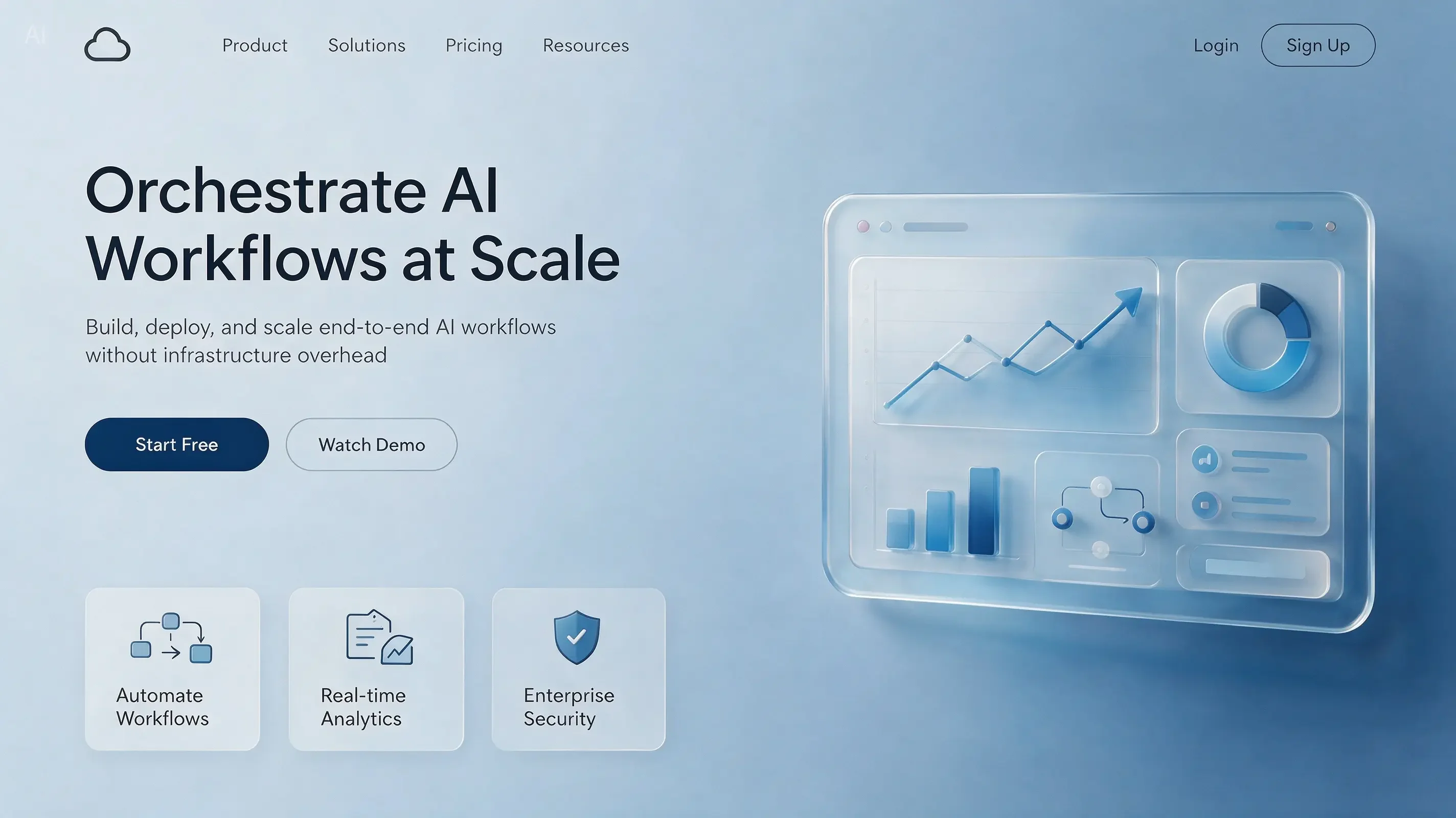
Transform this annotated hand-drawn sketch into a publishable premium SaaS website hero section design, strictly preserving the layout structure of the sketch. Generate a clear English headline in the red-box title area: “Orchestrate AI Workflows at Scale,” with a short subtitle.

Sketch-to-SaaS hero rendering

인터랙티브 편집 Example

Using the provided image of the two women at the tennis court as the base image, change both women’s makeup into a sleek high-fashion runway beauty look, and change their hair into polished, glossy, slicked-back runway hairstyles.

Reference-guided fashion edit

인터랙티브 편집 Example

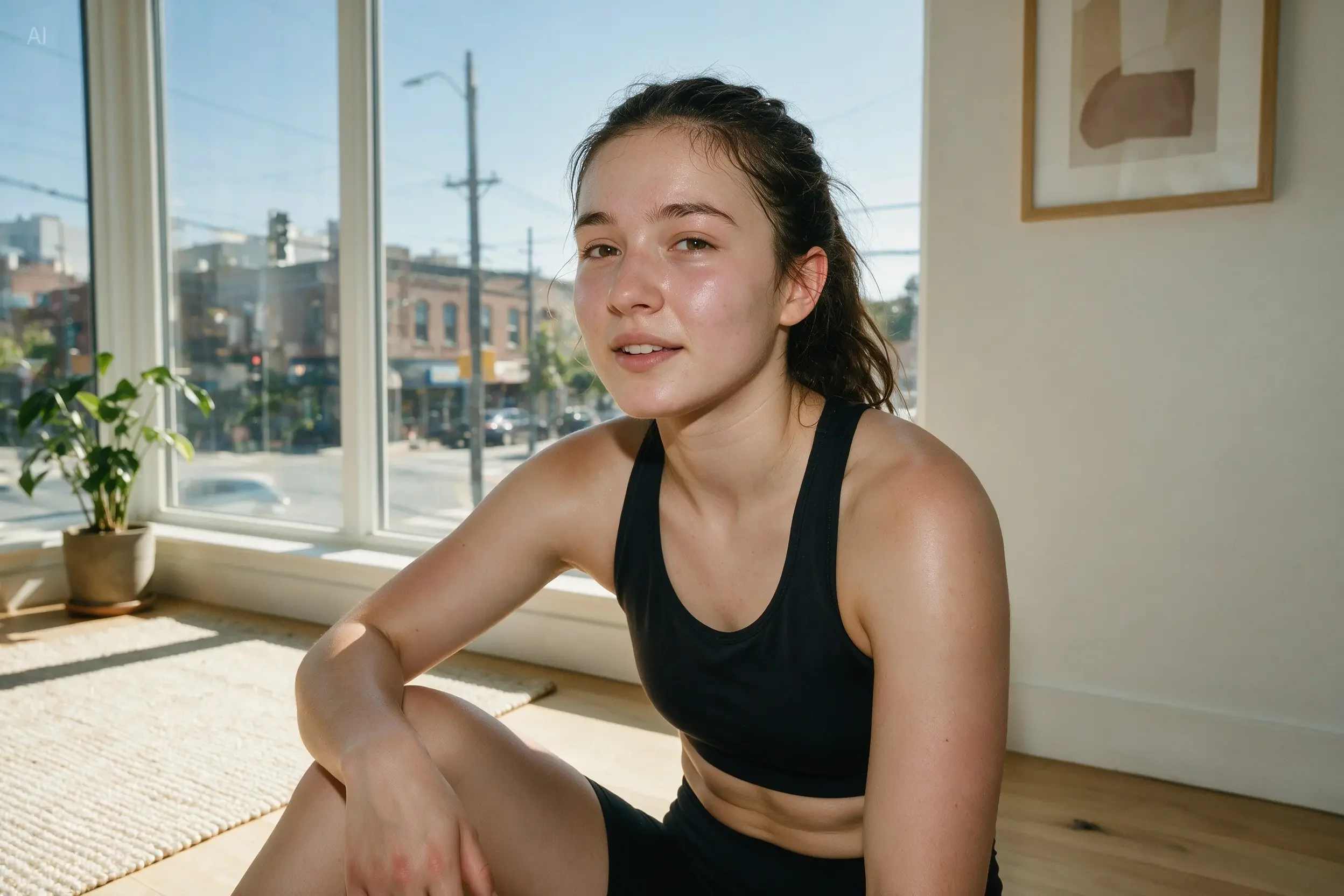
Remove the spots, acne marks, and sweat beads from the model’s face. Using the left side of her face as the reference, adjust both sides of the face to be symmetrical. Then slightly lengthen the neck. Keep all adjustments realistic and natural, avoiding excessive skin smoothing or deformation.

Precision portrait retouching

인터랙티브 편집 Example

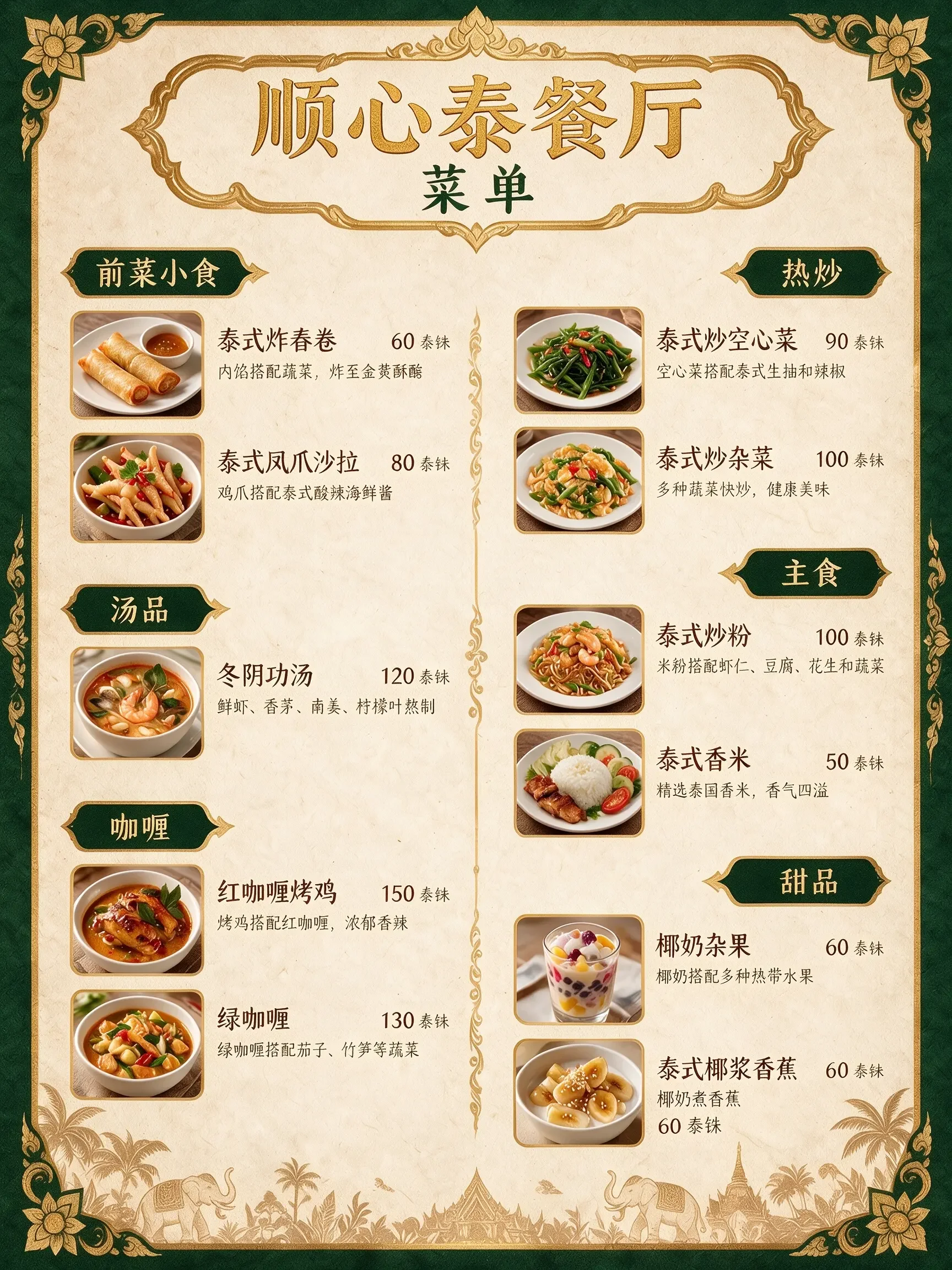
Translate the menu into Chinese.

Layout-preserving menu translation

인터랙티브 편집 Example

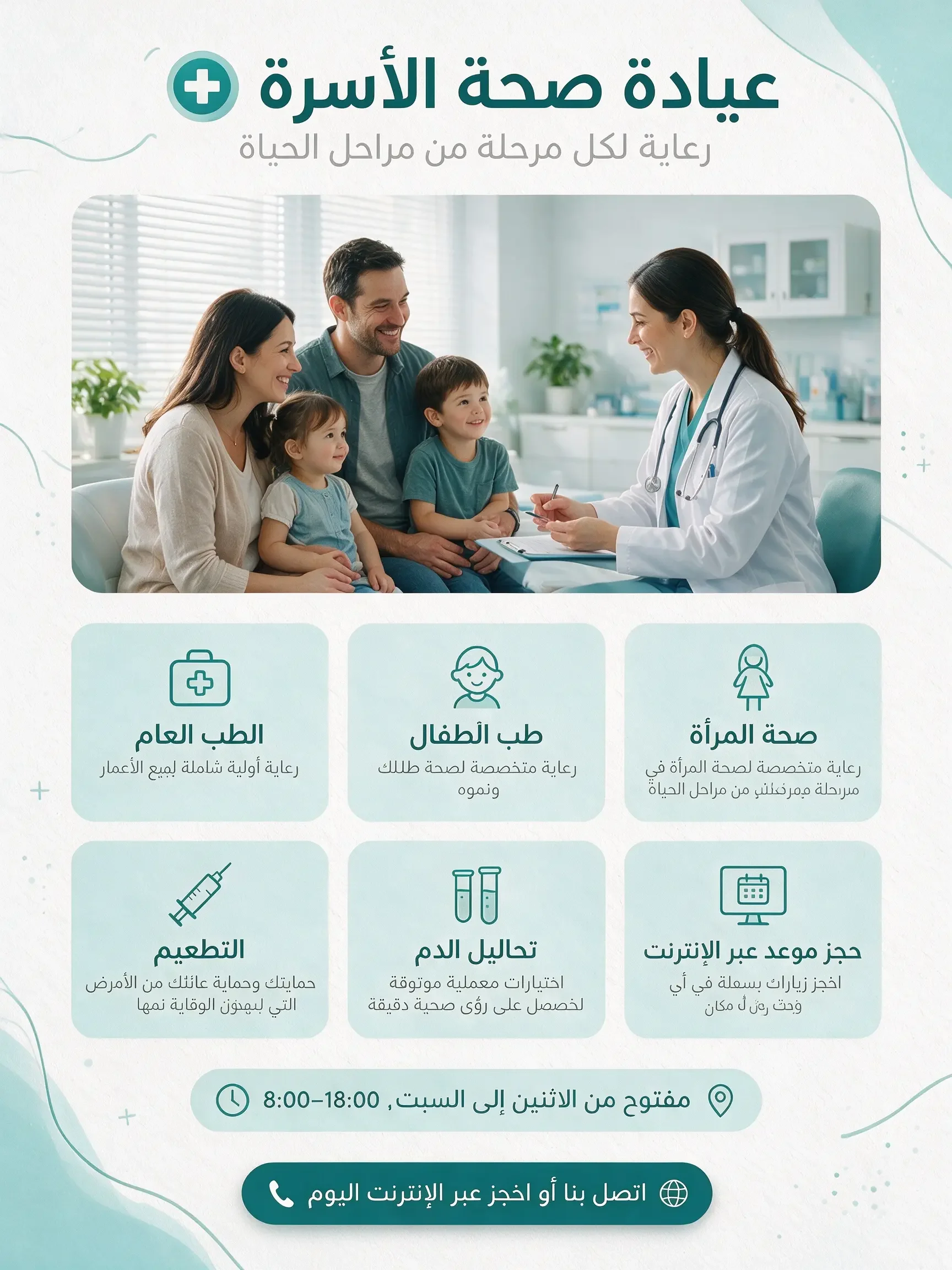
Keep the medical poster’s color palette, icons, doctor photo, module structure, and overall layout unchanged. Only translate all English text into Arabic and adjust the layout to right-to-left reading.

RTL layout translation while preserving design system

인터랙티브 편집 Example

사실적 표현과 인물 질감

시네마틱 스틸, 다인 구도, 패닝 샷 등 고급 사진 기법도 지원.

프롬프트
Output (Example)

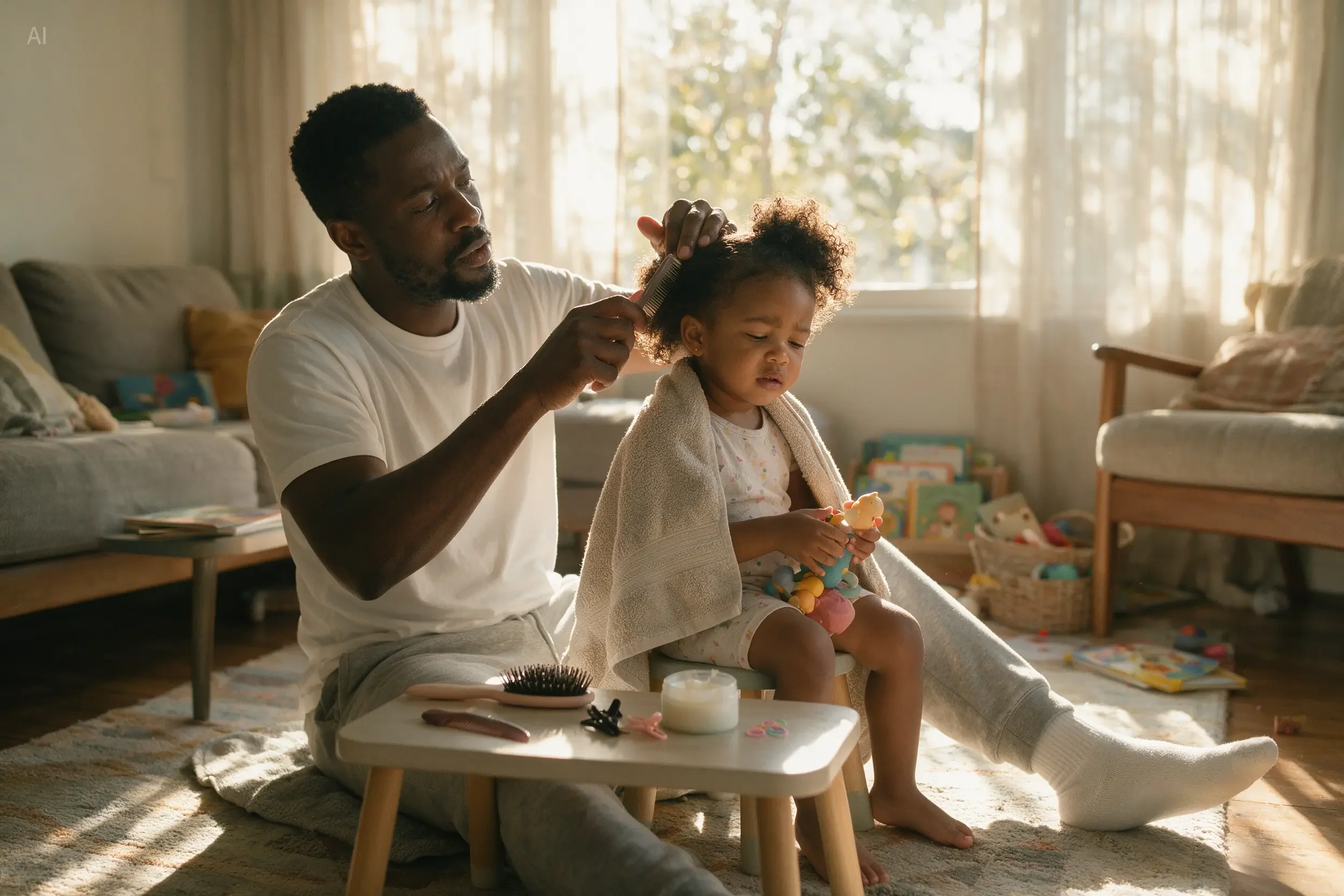
Realistic family-life photography. A Black father is sitting on the living room carpet, combing his young daughter’s hair. The father wears a simple white T-shirt and sweatpants, with a focused expression. The little daughter sits on a small stool in front of him, wrapped in a towel and holding a toy.

Photoreal family portrait case

사실적 표현과 인물 질감 Example

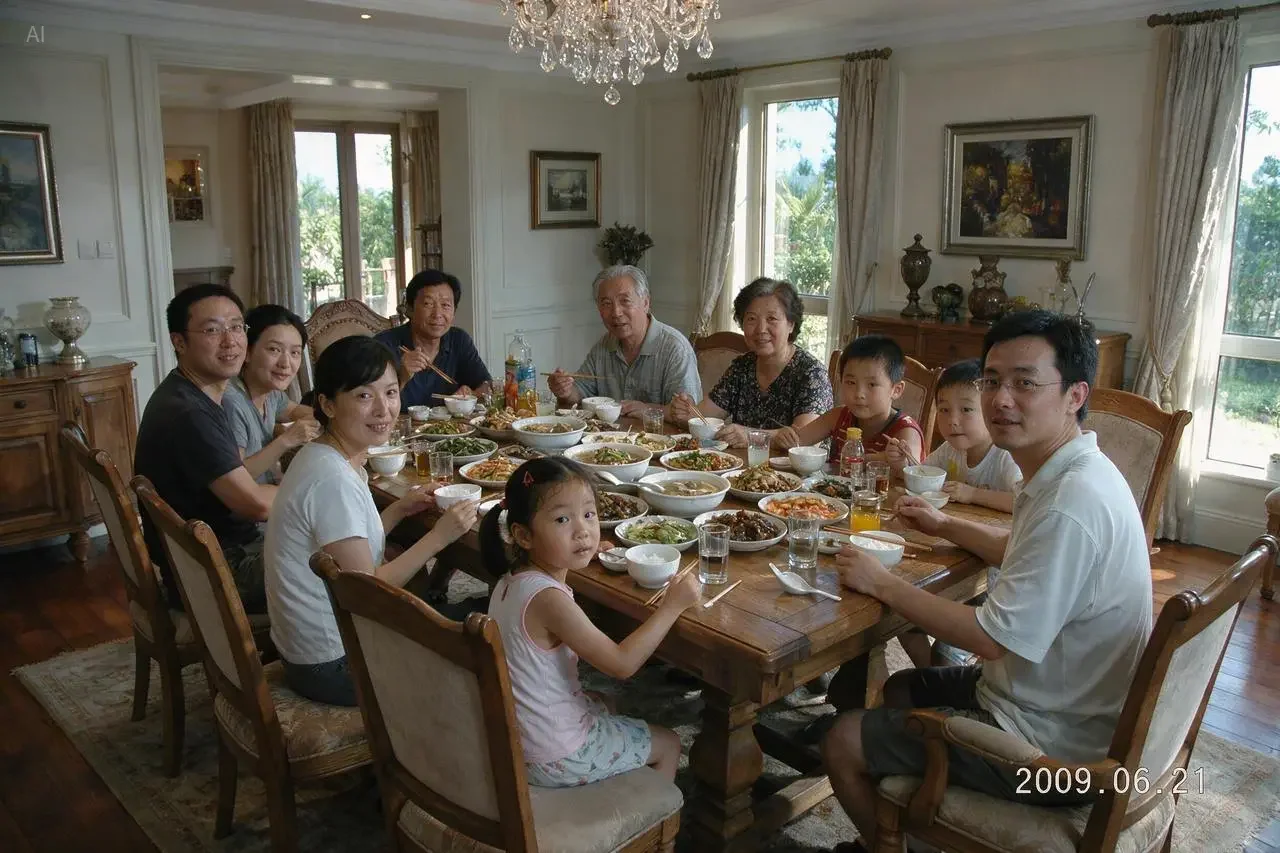
Generate a photo of a family of 11 sitting together for a meal in a large villa. Everyone is looking at the camera. Add a timestamp in the bottom-right corner: 2009.06.21.

Multi-person consistency + timestamp text

사실적 표현과 인물 질감 Example

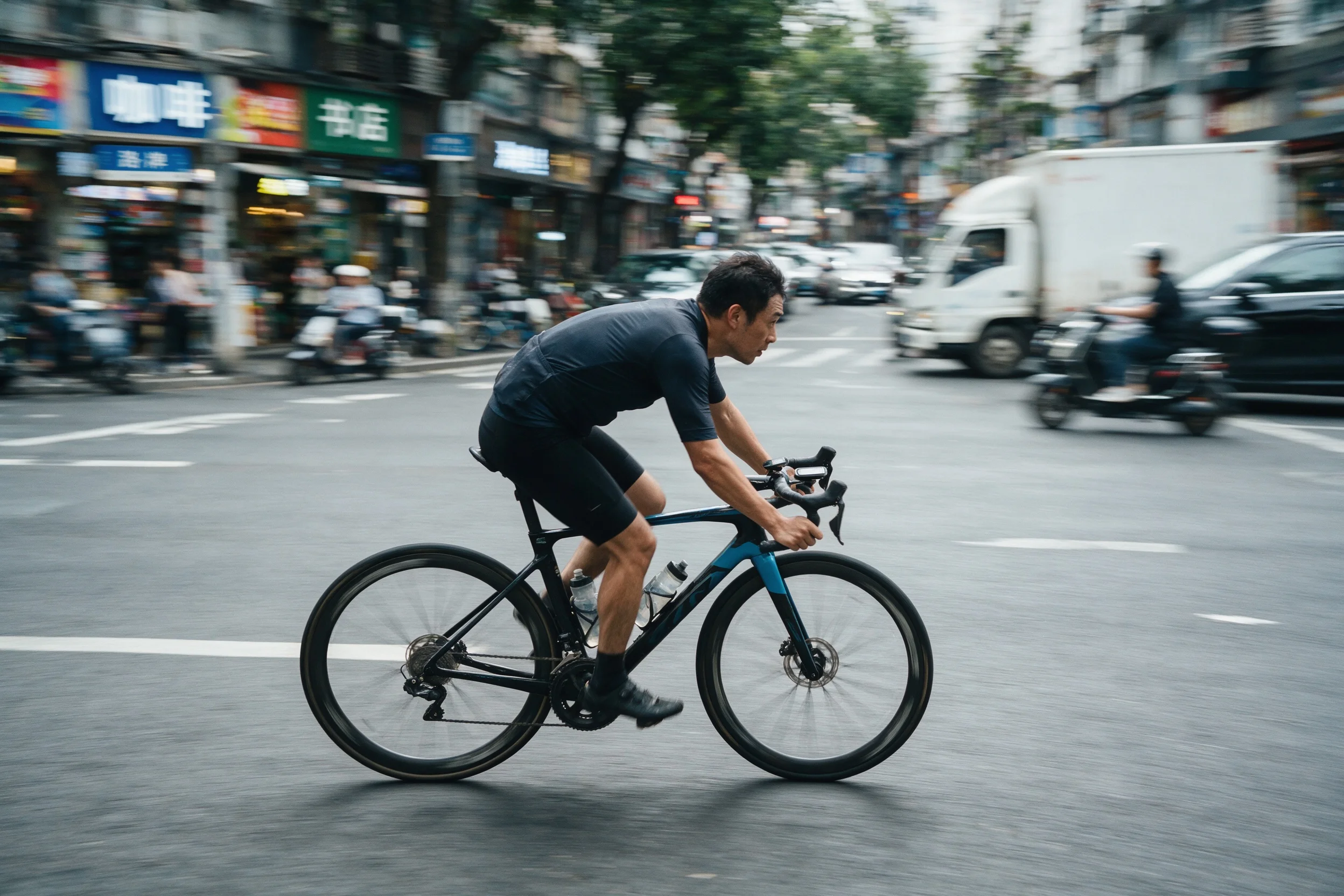
A panning shot of a cyclist. The rider and the bicycle are clear and sharp, the background street is stretched into horizontal motion blur, and the wheel spokes have rotational blur to convey a sense of speed.

From official blog: advanced photographic technique

사실적 표현과 인물 질감 Example

네이티브 다국어 입출력

중영 외 일·한·스·아·프·독·러 등 주요 언어를 네이티브로 지원.

프롬프트
Output (Example)

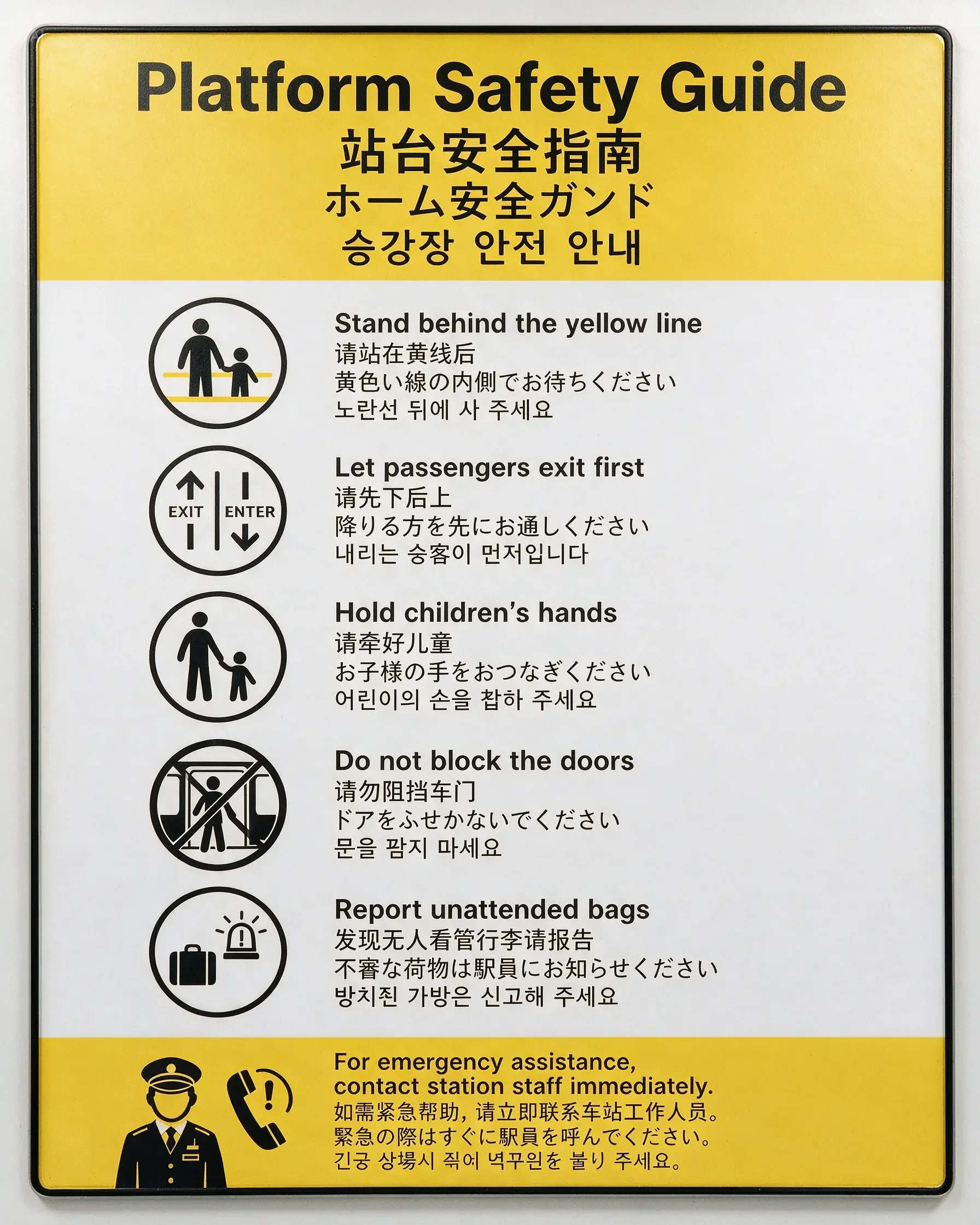
Generate a subway station public safety notice poster, vertical 4:5. The style should be modern public transit wayfinding, with a white background, yellow warning color, and black icons. The text content should be displayed side by side in four languages: English, Chinese, Japanese, and Korean.

Four-language public safety poster

네이티브 다국어 입출력 Example

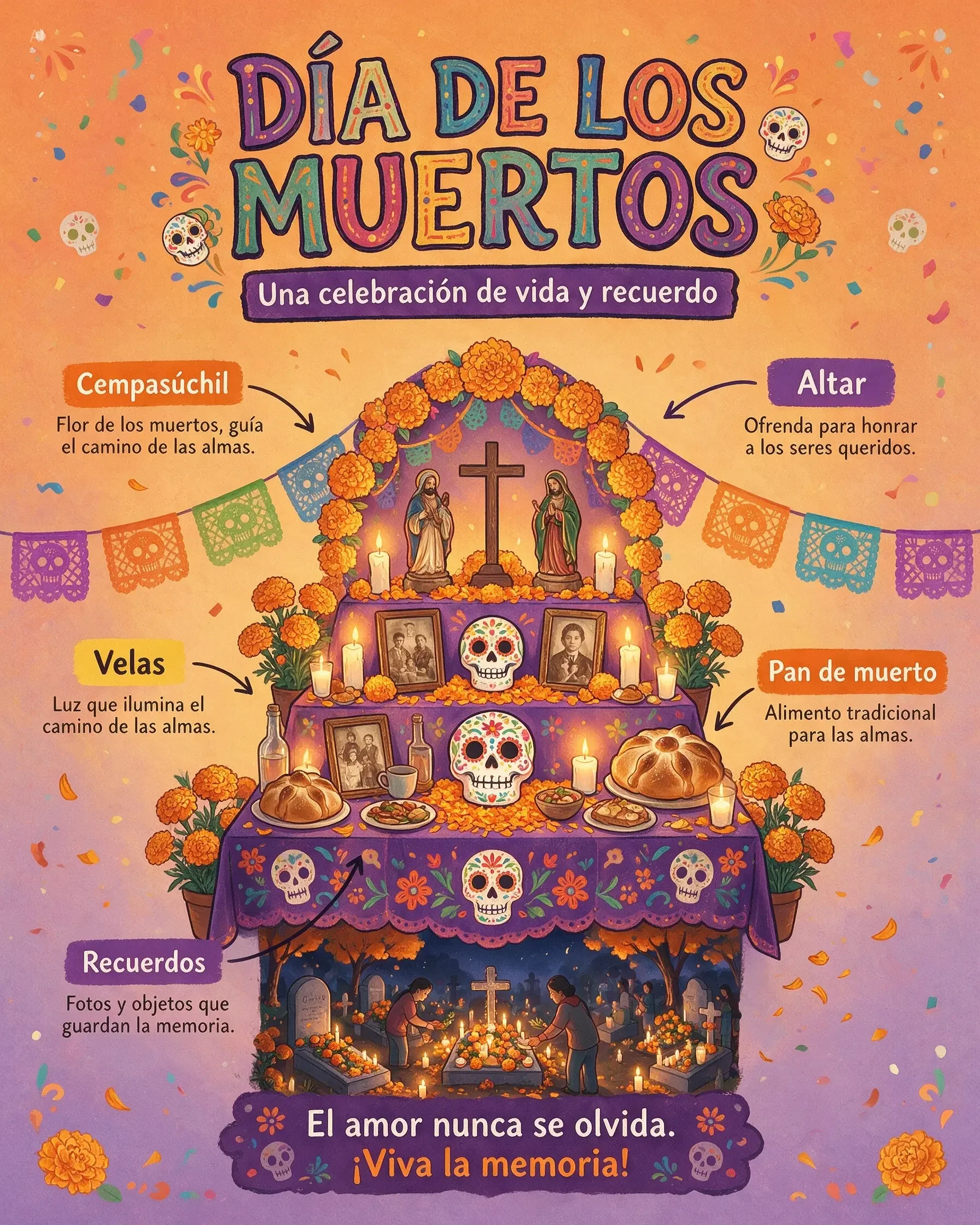
Crea una infografía vertical 4:5 sobre la cultura del Día de los Muertos en México. Usa ilustraciones claras de altar, flores de cempasúchil, calaveras de azúcar, velas, pan de muerto y fotografías familiares.

Spanish prompt + cultural localization

네이티브 다국어 입출력 Example

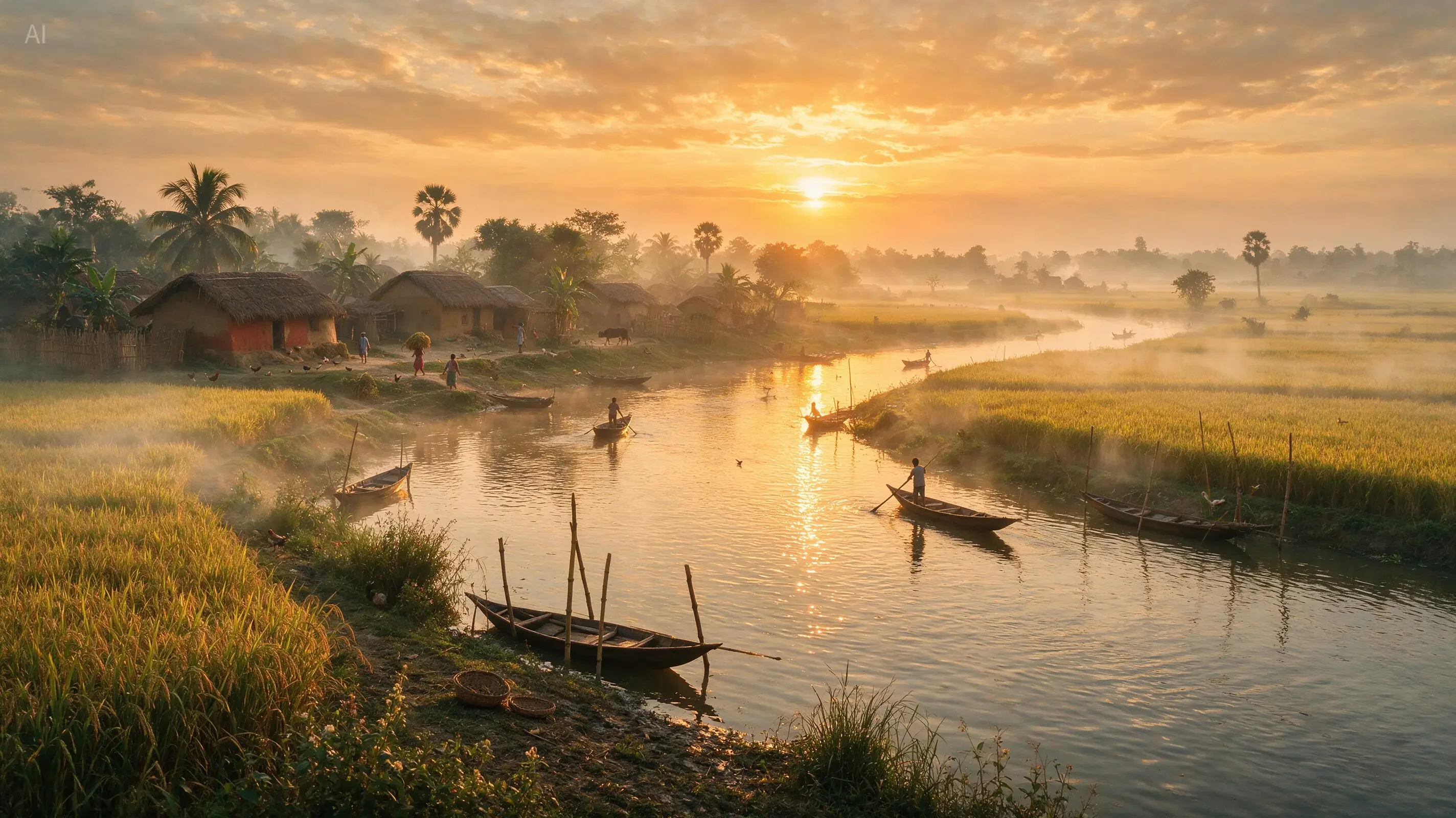
১৬:৯ দৃশ্য তৈরি করুন: নদীর ধারে শান্ত গ্রাম, নৌকা, সোনালি সূর্যাস্ত, ধানের ক্ষেত, কুয়াশা এবং কবিতাময় বাস্তবধর্মী আলো, কোনো লেখা নয়।

Bengali prompt scene generation

네이티브 다국어 입출력 Example

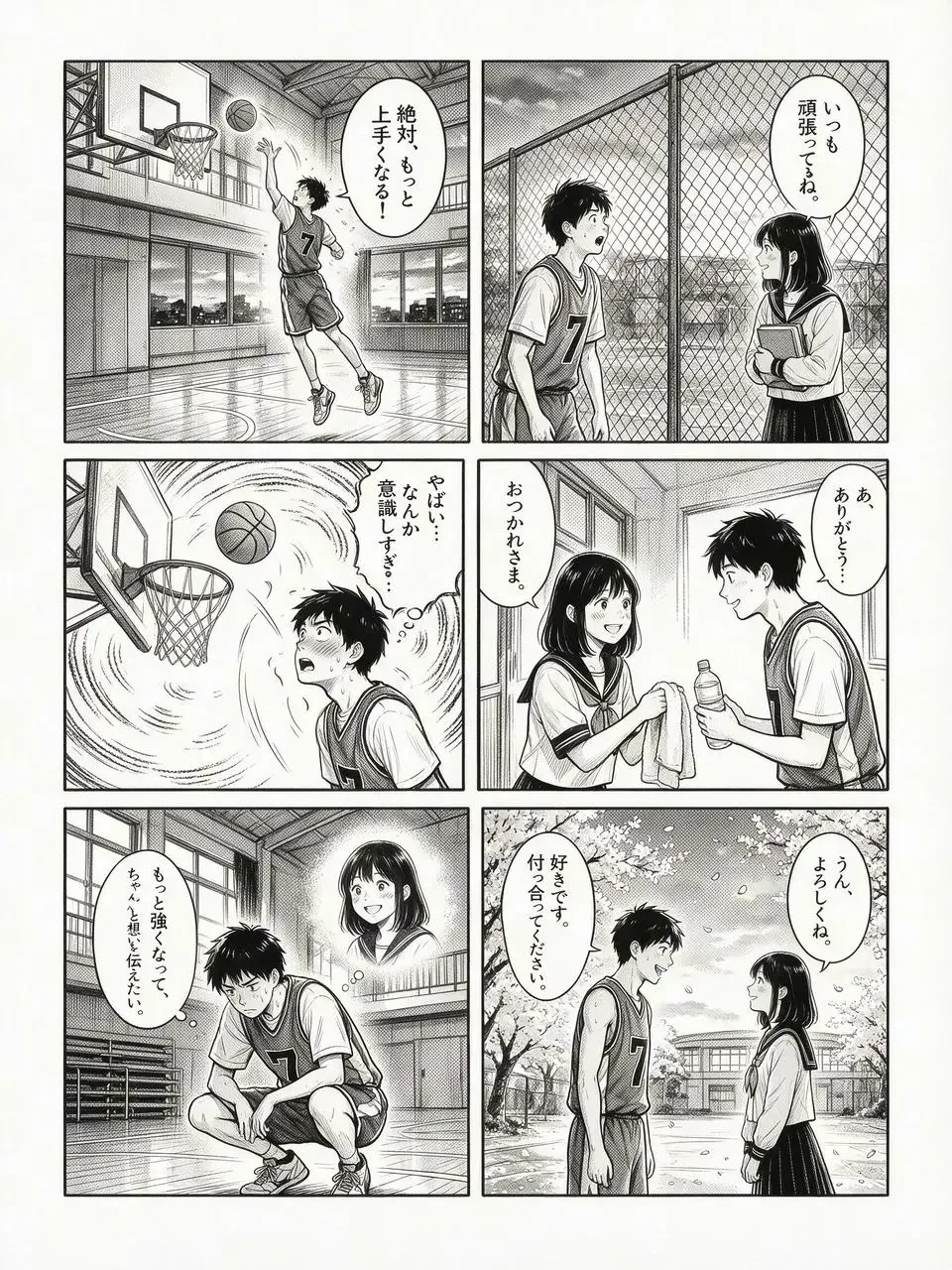
日本の6コマ漫画で、バスケットボールが大好きな高校生男子が、ある女生徒に恋をし、努力と成長を経て想いを伝える青春ラブストーリー。白黒のみで、クリーンな手描きの墨線で描かれている。

Japanese six-panel manga generation

네이티브 다국어 입출력 Example
Seedream 5.0 Pro FAQ

Seedream 5.0 Pro FAQ

Seedream 5.0 Pro FAQ

01공식 정의는?

고급 추론·효율 제작·전문 생산 역량을 갖춘 멀티모달 이미지 생성 모델입니다.

024대 핵심 능력은?

복잡한 정보 시각화, 인터랙티브 정밀 편집, 사실적 질감, 네이티브 다국어.

035.0 Lite와 차이는?

Lite는 깊은 사고/검색, Pro는 고밀도 정보도와 정밀 편집·전문 생산에 초점.

04주석 기반 편집 가능?

가능합니다. 공식 케이스에 색 박스·손글씨·스케치 편집이 포함됩니다.

05다국어 프롬프트 지원?

예. 10개 이상 주요 언어 직접 입력을 공식 지원합니다.

06해상도는?

Nano Banana Pro에서 1K/2K와 다양한 비율(auto 포함)을 지원합니다.

07참조 이미지 여러 장?

예. 최대 10장까지 편집/융합에 사용할 수 있습니다.

08사례 출처는?

seed.bytedance.com Seedream 5.0 Pro 공식 페이지와 블로그입니다.

크리에이터 반응

크리에이터 반응

차 종류 인포그래픽 사례가 설득력 있다. 고밀도도 잘 버틴다.

김서연

정보 디자이너

주석 편집과 스케치→UI가 실무적이다.

박준호

프로덕트 디자이너

다국어 사례에서 문화 이해가 느껴진다.

이하은

로컬라이제이션

인물 질감과 다인 장면이 사진에 가깝다.

최민재

상업 사진가

더 많은 AI 이미지 모델 탐색

Seedream 5.0 Pro로 제작 시작

Seedream 5.0 Pro 경험 — 고급 추론, 전문 레이아웃, 정밀 인터랙티브 편집. Nano Banana Pro에서 무료 시작.